
Vandaag of morgen in huis

Kwaliteit gegarandeerd

Welkomstaanbiedingen ontgrendelen: GRATIS bezorging | Tot 80% korting | Gratis 30 dagen JoyPlus-proefperiode
Download de app
An OBD2 scanner for car diagnostics can do much more than simply read the engine warning light. With the right car scanner, you can view live data, check ABS and airbag systems, and sometimes carry out maintenance functions such as an EPB reset, BMS reset or TPMS reset.
Yet many drivers buy a device that isn’t suited to their vehicle or the work they need to do. The main pitfalls usually aren’t about appearance, but about the software, vehicle coverage and costs after purchase.
A basic OBD2 code reader often focuses mainly on the engine and emissions-related data. That’s not the same as a car diagnostic tool with full system diagnostics. So check whether the scanner can access systems such as:
A device can therefore be technically OBD2-compatible without being suitable for diagnosing all the vehicle’s available systems.
A product offering “28 resets” or “34 service functions” sounds appealing. However, available functions vary by make, model, year, engine variant and ECU. DPF regeneration, ABS bleeding, injector coding or crank sensor relearn may be available for one vehicle but not for a similar one.
So check vehicle coverage before buying. If you need one specific function, ask for a VIN check in advance. Also, only use reset functions once the underlying repair has been carried out correctly.
According to product information, “lifetime free updates” generally means you don’t have to pay again for software updates from the manufacturer. This doesn’t automatically include third-party services. For example, some FCA vehicles require an FCA AutoAuth account. Any registration or usage fees are set by the vehicle manufacturer and are separate from the scanner.
Also check the difference between free updates for a limited period and a subscription. Some models continue to work after the update period, but charge for new manufacturer software or advanced features.
A clear interface is important for DIY users. Look for AutoVIN, automatic system scanning, fault code explanations and graphical live data. If you’re investigating a fault, having several live data streams to view can be more useful than simply clearing a warning light.
A professional car scanner for garage use should also be able to save reports, share data and manage multiple vehicles clearly.
With bi-directional control, also known as active testing, the scanner sends commands to a vehicle module. For example, it might activate a cooling fan, fuel pump, injector, windscreen wiper, window or air conditioning clutch.
This can help you distinguish between a faulty component and a communication problem. The function isn’t universal: available tests depend on the make, model, ECU and software version. So check compatibility before buying a scanner for demanding work.
Modern vehicles use a range of communication protocols. CAN FD can support larger data messages and faster transfer speeds. DoIP uses Ethernet-based communication for certain diagnostic functions. These protocols are particularly relevant if you regularly work on newer vehicles.
ECU coding is more specialised. It allows certain modules to be adapted, learnt or coded after replacement. Not every scanner supports the same makes or coding steps. If you’re replacing a module, carrying out online coding or using PMI, checking compatibility with your vehicle is essential.
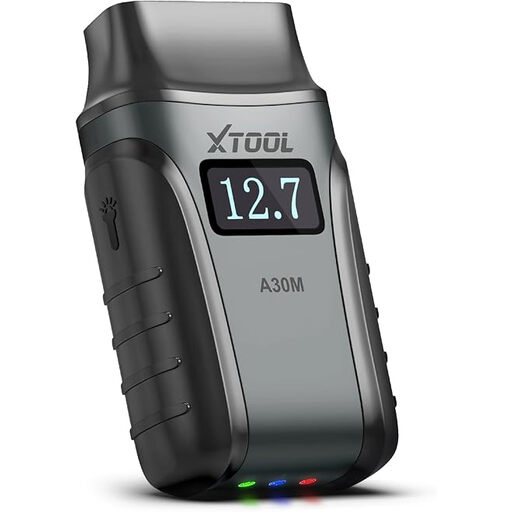
Why it suits this user: This Bluetooth scanner works with Android and iOS. It’s compact enough for home use, a family car or a mobile tool kit.
The product information lists full system diagnostics, live data and a range of maintenance functions. Check in advance that your vehicle supports the function you need.
26 listed service functions, live data graphs and, according to the product information, lifetime free software updates.
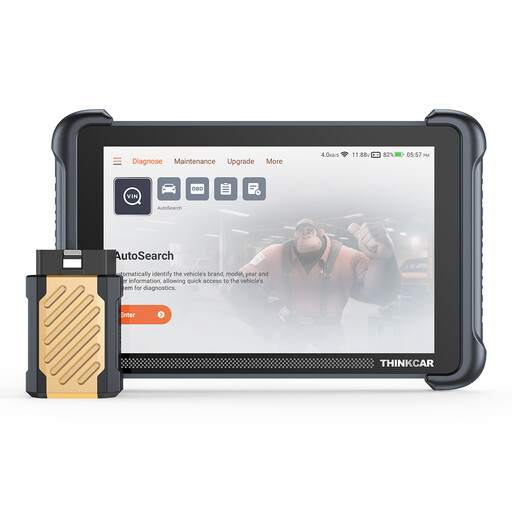
Why it suits this user: The 8-inch tablet, 4 GB of RAM and 64 GB of storage make it a practical choice for intensive workshop use.
The product specifications list CAN FD, DoIP, ECU coding and bi-directional tests. Availability still depends on the vehicle and its configuration.
34 listed reset functions, Bluetooth connectivity, support for multiple protocols and, according to the product information, lifetime free updates.
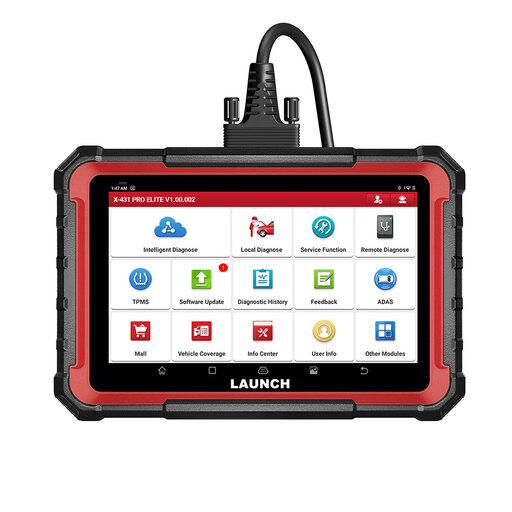
Why it suits this user: Designed for garages, mobile mechanics and users who combine full system diagnostics with active tests and ECU coding.
The specifications list CAN FD, DoIP, FCA AutoAuth and a wide range of service functions. A separate account may be needed for FCA access.
8-inch screen, ECU coding, bi-directional control and, according to the product information, two years of free updates.
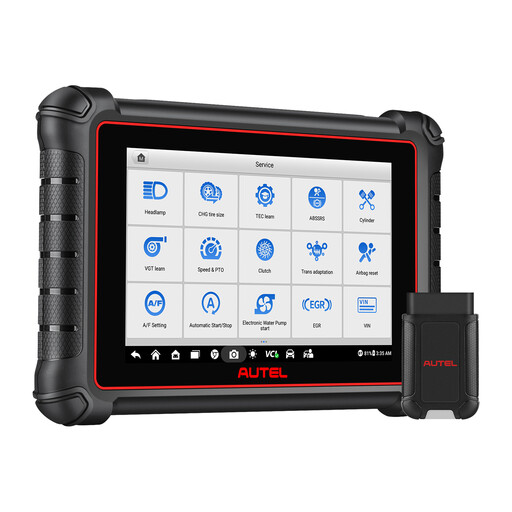
Why it suits this user: A sensible choice if, alongside diagnostics, you also work extensively with tyres, TPMS programming and relearn procedures.
The product information lists TPMS diagnostics, sensor activation, relearn, ECU coding and DoIP/CAN FD. Check the exact sensor and vehicle compatibility in advance.
40-plus listed service functions, wireless VCI, TPMS functions and ECU coding support, according to the product description.
We’ve put together a complete, up-to-date list of products that meet these strict selection criteria and the applicable European safety regulations.
No. A basic scanner usually reads mainly engine and emissions codes. To access ABS, airbags, transmission or body control modules, you’ll need a model with full system diagnostics. Even then, there may be make- and model-specific limitations.
That depends on the device. Updates, cloud information, online ECU coding and FCA AutoAuth usually require an internet connection. Wired diagnostics or a Bluetooth connection to the car will often work without internet once the necessary software has been installed.
Its lifespan depends on how it’s used, its battery, storage and software support. Choose a scanner with a durable casing, clear update information and a suitable warranty. Lifetime free updates can help limit software costs, but always check which functions actually remain free and whether you need separate third-party accounts.
