
Vandaag of morgen in huis

Kwaliteit gegarandeerd

Welkomstaanbiedingen ontgrendelen: GRATIS bezorging | Tot 80% korting | Gratis 30 dagen JoyPlus-proefperiode
Download de app
An OBD2 scanner can help you read fault codes, view live data and carry out certain maintenance functions. However, not every car diagnostic device is suitable for every vehicle. A basic code reader may be enough for an engine fault, while a mobile mechanic may need a full-system diagnostic scanner with active tests and maintenance functions.
The biggest purchasing mistakes usually stem from three misunderstandings:
Do not just look at “from 1996 onwards” or the number of supported brands. Check the following specifically:
According to XTOOL’s product information, support for service functions varies by vehicle and ECU version. The seller therefore recommends having the vehicle or VIN checked in advance for a specific reset function. This is a more reliable approach than relying on a general compatibility claim.
If you only need to read the engine warning light, a basic reader may be sufficient. If you want to investigate faults in more detail, look for:
A full-system diagnostic scanner scans multiple electronic systems. This can be useful when checking a used car or when a fault does not originate directly from the engine computer.
According to the product description, a bidirectional diagnostic tool can send commands to certain vehicle components. For example, you may be able to activate a cooling fan, injector, window, horn or fuel pump. This lets you check whether a component responds.
This does not guarantee that a fault will be identified automatically. The active tests available depend on the vehicle. Use these functions carefully and follow the vehicle-specific instructions. Extra care is required when working with brakes, airbags, steering systems and fuel systems.
A scanner with free lifetime updates can be appealing if you own several cars or regularly work on newer models. However, check exactly what “lifetime” includes. For some models, it covers the basic functions and diagnostic software; for others, certain online services or vehicle registrations may need to be arranged separately.
Connectivity also makes a difference:
Also pay attention to the OBD2 socket. In many cars, it is located beneath the dashboard, but the exact position varies by model. Park the car safely before reading data, and do not clear any fault codes until you have saved the information.
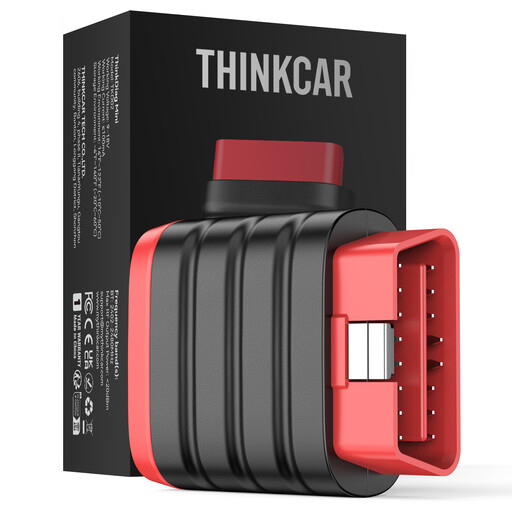
Why it suits this user profile: This compact model works via Bluetooth with Android and iOS, making it suitable for motorists who mainly want to perform system diagnostics without carrying a large tablet.
The product information clearly states that maintenance resets and special functions are not included. This makes it clear in advance that this is not an advanced service tool.
Bluetooth connectivity, support for multiple protocols, 22 languages according to the product information, and free lifetime updates according to the offer.
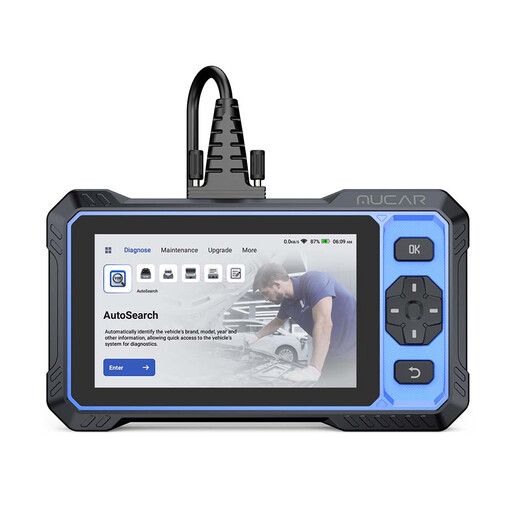
Why it suits this user profile: The 6-inch tablet is designed for users who want to access multiple vehicle systems and maintenance tasks from a single device.
The offer mentions both vehicle dependency and the limited one-year warranty. Therefore, check compatibility before using a specific service function.
According to the product information: full-system diagnostics, bidirectional tests, more than 20 maintenance functions, CAN FD, FCA AutoAuth and free lifetime updates.
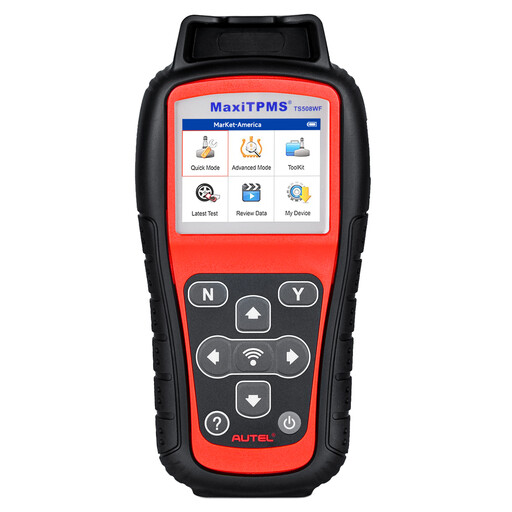
Why it suits this user profile: This model is specifically aimed at tyre businesses and users who want to activate, read, programme and relearn TPMS sensors.
The product information limits sensor programming to Autel MX-Sensors. This prevents confusion with a scanner that can programme every aftermarket sensor.
Quick and Advanced modes, Wi-Fi or USB updates, three relearn procedures, and display of sensor ID, tyre pressure, temperature and battery status according to the product description.
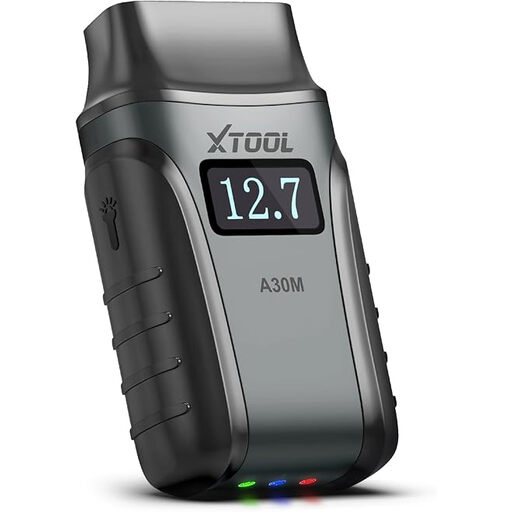
Why it suits this user profile: Wireless connectivity with Android and iOS, live data graphs and maintenance functions are well suited to home garages and mobile users.
The product information warns that functions vary by vehicle and that FCA AutoAuth must be registered separately. These conditions are important when comparing the total cost of ownership.
According to the product description: 26 maintenance functions, bidirectional tests, battery registration, injector coding, DPF regeneration, CAN FD and free updates.
We have put together a complete, up-to-date list of products that fully meet these strict selection criteria and the applicable European safety regulations.
No. Basic communication may be widely supported, but system coverage and service functions vary by make, model, specification and ECU. Check the exact function you need before buying.
Many models allow this, but clearing the code does not fix the underlying cause. Save the fault code and freeze-frame data first. If the fault returns or involves ABS, SRS or another safety system, have the car checked further.
That depends on the model. Some scanners are offered with free lifetime updates, while others specify a limited update period. Also check whether online services, vehicle registration or FCA AutoAuth have separate terms and conditions.
