
Vandaag of morgen in huis

Kwaliteit gegarandeerd

Welkomstaanbiedingen ontgrendelen: GRATIS bezorging | Tot 80% korting | Gratis 30 dagen JoyPlus-proefperiode
Download de app
An OBD2 car scanner may seem straightforward at first: plug it in, read the fault code and clear it. In practice, car diagnostic tools vary considerably in vehicle coverage, servicing functions and update costs. A cheap OBD2 code reader may be enough to check an engine fault, but it may fall short if you also want to check the ABS, airbags, transmission or battery management system.
For private car owners, DIY enthusiasts and garages, there are three key pitfalls to watch out for when buying.
A product may claim to offer full-system diagnostics, but specific functions can vary by make, model, year and ECU. For example, a scanner may read ABS fault codes but not perform an ABS reset or active test. Always check that the exact function you need is available for your vehicle.
Terms such as EPB reset, BMS reset, TPMS reset, DPF regeneration and injector coding may sound appealing. However, these functions aren’t universally supported. According to the product information provided by the respective brands, service functions vary by vehicle configuration. If you’re unsure, ask the seller to check compatibility using your vehicle identification number, or VIN.
Some scanners include a period of free updates, while other models offer lifetime free updates. Don’t just look at the purchase price; check the cost once the included period ends. With professional equipment, extending the software licence can make up a significant part of the total cost of ownership.
A basic car scanner usually reads engine management codes. That’s useful when the warning light comes on, but it’s not enough if you want to check several systems. Look for support for:
Full-system diagnostics give you a broader picture of your car’s electronic systems. Live data lets you monitor readings while the engine is running or during a test drive. However, you still need to interpret the readings correctly: a fault code doesn’t automatically prove which component is faulty.
Choose functions that match the maintenance work you carry out. Popular options include:
Take extra care when working on brakes, airbags and DPF systems. Follow the workshop manual and use a stable power supply when specified by the manufacturer.
For newer vehicles, CAN FD and, in some cases, a DoIP diagnostic tool may be relevant. CAN FD can handle larger data frames, while DoIP uses Ethernet for diagnostics. These protocols increase the likelihood of support for modern vehicles, but they don’t replace checking compatibility with your specific vehicle.
A Bluetooth OBD2 scanner is handy in the garage or on the road. Check compatibility with Android and iOS, Bluetooth range, app support and how updates are installed. A tablet with a wired connection may be more reliable for longer diagnostic sessions.
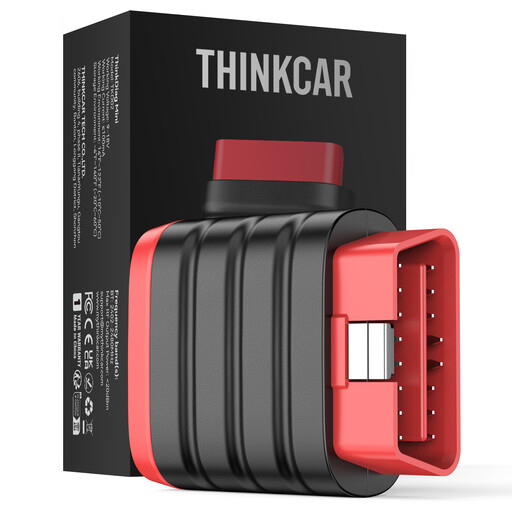
Why it suits this profile: This compact device works with a smartphone and is ideal if you want to check several systems without investing in a large diagnostic tablet.
The product information lists full-system diagnostics and lifetime free updates. Check in advance which vehicle-specific functions are available; according to the product information, service resets aren’t included.
Bluetooth, Android and iOS support, 22 languages and a compact design.
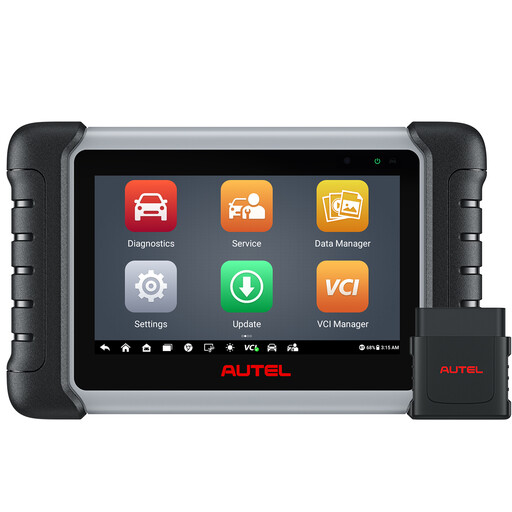
Why it suits this profile: This tablet combines full-system diagnostics, live data and bidirectional control, making it suitable for DIY enthusiasts and small workshops.
The product information lists more than 38 service functions and active tests. The scanner includes one year of free updates; check the terms and conditions after that.
Wireless connectivity up to the stated range, FCA AutoAuth support and 21 languages.
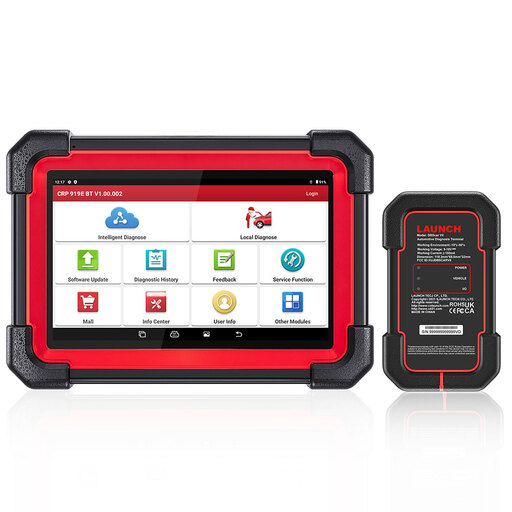
Why it suits this profile: This professional diagnostic scanner is designed for users who need active tests, ECU coding and modern communication protocols.
CAN FD and DoIP are listed in the product information. ECU coding and active tests remain vehicle-dependent, so check compatibility before buying.
7-inch tablet, wireless VCI, more than 31 listed reset functions and support for 23 languages.
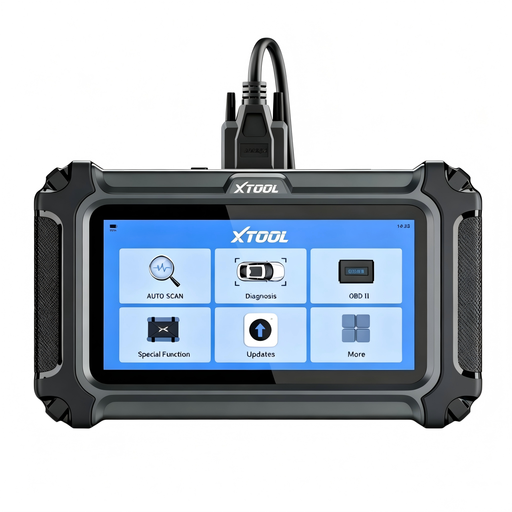
Why it suits this profile: A practical choice for home use, routine maintenance and mobile mechanics who want a standalone scanner with a screen.
The product information makes clear that functions vary by make, model and ECU. CAN FD and FCA AutoAuth are also listed, with separate registration required for some vehicles.
16 service functions, four main systems, live data graphs and lifetime free updates according to the product information.
We’ve put together a complete, up-to-date list of products that meet these strict selection criteria and the applicable European safety regulations.
No. A basic scanner often focuses on engine management and emissions-related codes. To check ABS, SRS, transmission or body systems, you’ll need a model with full-system diagnostics. In addition, secure gateway systems may require an account or further authorisation.
Usually, yes, for the basic connection to your car. However, you may need an internet connection to download vehicle software, install updates, access cloud reports, code ECUs or use FCA AutoAuth. Check in advance which functions are available offline.
With normal use, the hardware can last for several years. Its practical lifespan depends mainly on software support, battery condition, cable quality and the availability of updates. A model with lifetime free updates can help keep running costs down, but always check whether that promise covers all functions.
