
Vandaag of morgen in huis

Kwaliteit gegarandeerd

Welkomstaanbiedingen ontgrendelen: GRATIS bezorging | Tot 80% korting | Gratis 30 dagen JoyPlus-proefperiode
Download de app
An OBD2 car scanner may seem straightforward at first: plug it in, read the fault codes and clear them. In practice, scanners vary considerably. Some only read engine data, while others can also check ABS, airbags, transmission and comfort systems.
So for DIYers, home mechanics and garages, choosing a scanner isn’t just about the number of functions listed on the box. Vehicle compatibility, software terms and available service functions determine whether an automotive scanner will meet your needs.
A basic OBD2 code reader often focuses on the engine and emissions-related data. That’s enough to investigate a warning light, but not a fault with systems such as ABS, SRS, EPB or air conditioning.
So check whether the scanner supports full-system diagnosis. Also look at the specific systems listed, such as:
A list of 15, 28 or 40 service functions sounds comprehensive. However, a function such as DPF regeneration, ECU coding or ABS bleeding isn’t necessarily available for every car.
Support can vary by make, model, year, engine variant and ECU version. Treat the number of functions as a guide, and check that the function you need is available for your vehicle before buying.
Some models include software updates for a limited period only. After that, you may need a subscription for new vehicle coverage or advanced functions.
Check the difference between:
Terms and conditions may change, according to the product description provided by the manufacturer or seller. Check the latest information on the product page before you order.
If you only need to read an engine fault, a compact Bluetooth OBD2 scanner may be enough. If you work on several vehicles, a model with full-system diagnosis, live data, freeze-frame data and reporting will usually be more useful.
A model with its own tablet screen may be more convenient in a workshop. A Bluetooth dongle is compact and designed to work with a smartphone. If the system relies on an app, check for:
With bidirectional diagnosis, also known as active testing, a scanner can send commands to certain vehicle modules. For example, it may be able to activate a cooling fan, fuel pump, window, horn or actuator.
This is different from simply reading fault codes. The function can help you check a component or circuit more precisely, but the tests available still depend on the vehicle. Always follow the manufacturer’s procedure and take appropriate safety precautions when working on brakes, airbags and other safety systems.
Newer vehicles sometimes use communication protocols such as CAN FD or DoIP. Support for these may be relevant if you want to diagnose or maintain recent models.
For certain FCA vehicles, FCA AutoAuth may be needed to access secure gateway functions. An AutoAuth account, registration or fee may be required separately. So don’t just check whether the scanner mentions “FCA”; find out exactly what’s included.
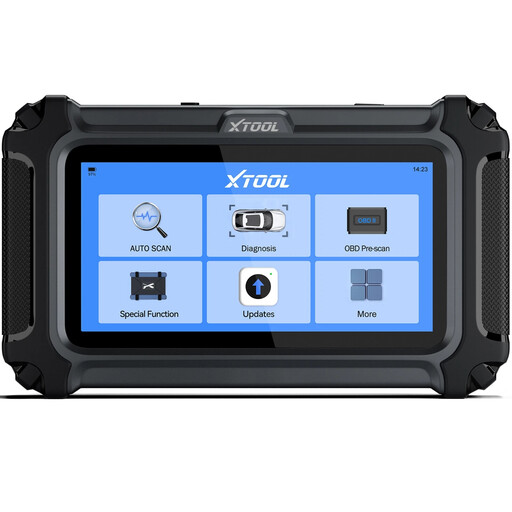
Why it suits this profile: The D5 is designed for routine checks, used-car inspections and straightforward jobs in a home garage. It connects to the OBD port by cable and has its own screen.
The product information specifically states that functions can vary by make, model and ECU. This helps you avoid treating a general list of functions as a guarantee.
Diagnoses the engine, transmission, ABS and SRS; supports live data, AutoVIN and several resets, including oil reset, EPB and TPMS.
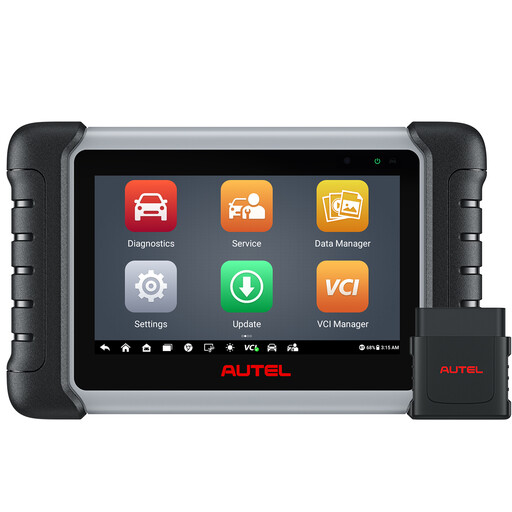
Why it suits this profile: This model is aimed at users who want to combine wireless diagnostics, broad system coverage and a range of maintenance functions in one tablet.
The product description specifies full-system diagnosis, active tests and more than 38 maintenance functions, while noting that support varies by vehicle.
Bluetooth connection up to 10 metres; FCA AutoAuth support according to the product information; cloud-based report management and a wide range of service functions.
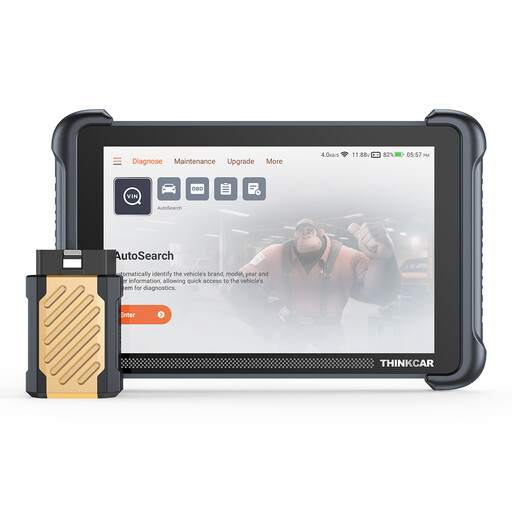
Why it suits this profile: Its large screen, wireless connection, ECU coding and broad protocol support make it a good fit for workshops and mobile mechanics.
The listed specifications separately identify CAN FD, DoIP, full-system diagnosis and ECU coding. However, check whether the coding you need is available for your vehicle.
8-inch screen; 34 maintenance functions; Bluetooth; support for ISO, CAN FD and DoIP protocols; lifetime free software updates according to the product information.
We’ve put together a complete, up-to-date list of products that meet these strict selection criteria and the applicable European safety regulations.
Use this quick checklist before ordering a car diagnostic tool:
A scanner can show fault codes, but it can’t replace electrical testing, mechanical checks or the manufacturer’s documentation. So only clear a fault code after you’ve investigated the cause.
No. A basic OBD2 reader often only works with the engine and emissions systems. For ABS, SRS, EPB or transmission diagnostics, you’ll need a model that specifically supports those systems.
Bluetooth is usually needed to connect the dongle to your smartphone. You may need internet to download the app or vehicle software, install updates or use online features. Check the terms for each model.
The hardware can last a long time, but its practical usefulness depends on software updates, vehicle coverage and the condition of the cable or Bluetooth VCI. A model with lifetime updates can help keep running costs down, although some functions may still require registration or separate access.
