
Vandaag of morgen in huis

Kwaliteit gegarandeerd

Welkomstaanbiedingen ontgrendelen: GRATIS bezorging | Tot 80% korting | Gratis 30 dagen JoyPlus-proefperiode
Download de app
An OBD2 scanner for car diagnostics can come in handy when an engine warning light comes on, you want to view live vehicle data or need to perform a maintenance function. However, not all devices are the same. Some budget models only read generic engine codes, while other scanners also support ABS, SRS, transmission and maintenance functions.
So the key question isn’t just how much a car diagnostic tool costs, but which systems and functions your car actually supports.
A product may be advertised as a car scanner for all systems, even though its practical coverage varies by make, model and year. So check whether the scanner supports ABS, SRS and transmission diagnostics, as well as engine diagnostics. If you’re unsure, check compatibility using your car’s make, model, engine variant and year.
Functions such as TPMS reset, oil reset, battery registration, EPB reset and DPF regeneration may sound widely applicable. In practice, a function can work differently or may not be available at all for your vehicle. So a claim of “16 resets” doesn’t guarantee that all 16 functions will work on your car.
Some scanners include updates, while other models have a limited update period or require a paid subscription. Check exactly what “lifetime updates” means: it may refer to software updates within the supported app, rather than unlimited coverage for every new vehicle model.
A basic OBD2 reader is often enough to read car fault codes and view basic data from the engine control unit. For broader diagnostics, you’ll need access to multiple control units. So check whether the scanner:
Clearing fault codes won’t fix the cause. Only clear a code once you’ve checked or repaired the fault. Otherwise, the warning light may come back on.
Extra functions can be useful for DIY enthusiasts and small garages. These include oil reset, battery registration, TPMS reset, steering angle sensor calibration, throttle body relearning and ABS bleeding.
A bidirectional test goes beyond simply reading data. According to the product descriptions for certain scanners, it lets the user send commands to vehicle components such as a fan, injector, window or door actuator. Only use this function if you understand the relevant test procedure and safety risks. Not every car supports every active test.
Protocols such as CAN FD are relevant for newer cars. FCA AutoAuth may be required for certain FCA vehicles. Check whether an account, subscription or extra cable is needed; for example, the XTOOL D5S listing states that an FCA AutoAuth account isn’t included with the device.
If you’re considering a Bluetooth OBD2 scanner, these points are also important:
A Bluetooth adapter is compact and convenient for use on the go, but a scanner with its own screen may be more practical if you don’t want to use your phone during diagnostics.
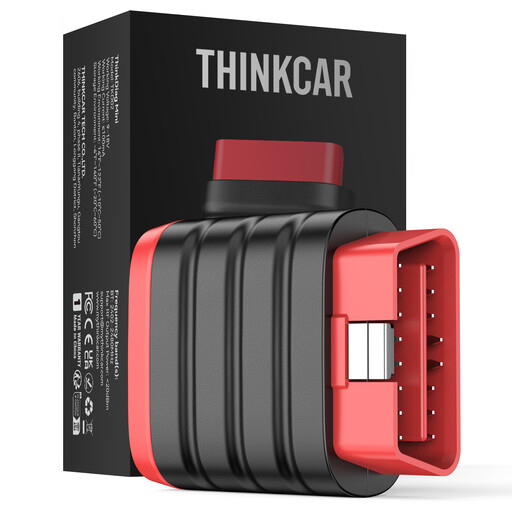
Why it suits this user: This compact adapter works with Android and iOS through the ThinkDiag+ app. It’s aimed at users who mainly want to check vehicle systems without buying a large diagnostic device.
The product description makes it clear that maintenance resets and special functions aren’t included. This helps you avoid paying for features you don’t need or misunderstanding what the device can do.
Bluetooth connectivity, support for multiple protocols, 22 available languages according to the product description, and a stated lifetime update function.
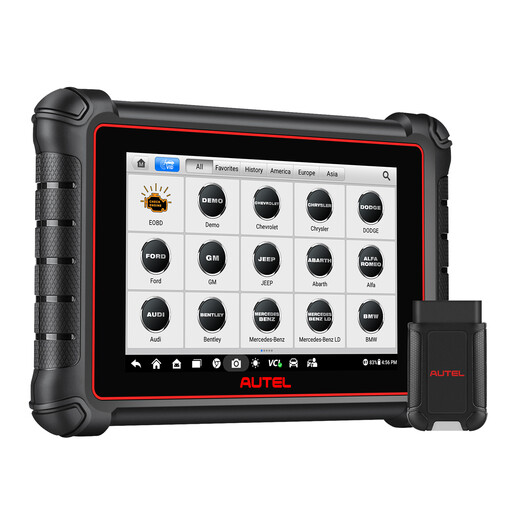
Why it suits this user: This model is designed for more intensive use by experienced DIY enthusiasts, mobile mechanics and small businesses that need a screen of their own and advanced diagnostic functions.
The product description specifically mentions system diagnostics, active tests, CAN FD, DoIP and FCA AutoAuth. However, check that the stated functions are available for your vehicle.
8-inch touchscreen, wireless connectivity, full system diagnostics and stated support for more than 3,000 active tests, according to the product information.
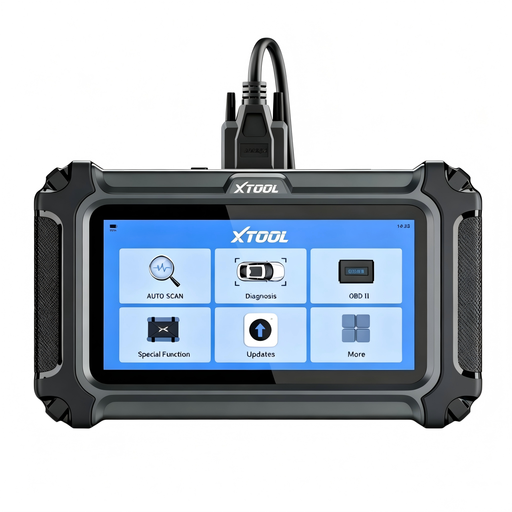
Why it suits this user: The D5S is aimed at users who want to do common maintenance tasks as well as read fault codes, such as oil resets, TPMS resets and battery registration.
The product information notes that reset functions can vary by make, model and year. It also makes clear that FCA AutoAuth must be registered and paid for separately.
16 stated reset functions, CAN FD support, a built-in fault code library and lifetime free updates, according to the product description.
We’ve put together a complete, up-to-date list of products that meet these strict selection criteria and the applicable European safety regulations.
A scanner is no substitute for a mechanical inspection. A code often points to a system or sensor reading, but not necessarily to a single faulty component.
No. Basic codes via OBD2/EOBD are widely supported, but full system diagnostics and special functions depend on the make, model, trim and year. Check compatibility before you buy.
Yes. With compatible models, you can read engine faults and clear fault codes. Clearing a code only removes the warning from the memory; you’ll still need to identify the cause of the fault.
That depends on the brand’s and app’s terms and conditions. Check whether the update function applies to your model and vehicle coverage, and whether you need any additional services, accounts or subscriptions. “Lifetime updates” doesn’t automatically mean lifetime access to every new feature.
