
Vandaag of morgen in huis

Kwaliteit gegarandeerd

Welkomstaanbiedingen ontgrendelen: GRATIS bezorging | Tot 80% korting | Gratis 30 dagen JoyPlus-proefperiode
Download de app
A professional OBD2 car diagnostic scanner can do far more than simply read an engine warning light. For garages, mobile mechanics and experienced DIY enthusiasts, features such as full-system diagnostics, live data, active tests and service resets are often more important than a low purchase price.
Even so, it is easy to buy a scanner that offers less in practice than its product page suggests. So look out for these three common pitfalls:
A basic car diagnostic device can read fault codes, but it does not always provide access to every vehicle system. For professional use, it is worth checking whether the scanner explicitly supports:
According to the product description, a bidirectional scan tool can send commands to certain vehicle modules. For example, it may activate a cooling fan, fuel injector, window mechanism or ABS pump. However, the available tests vary by vehicle. If a function does not appear in the menu, the car or module in question may not support it.
A long list of service functions sounds appealing, but check whether the functions are relevant to your vehicle fleet. Common options include:
According to the product information for the models listed, these functions may vary by make, model and production year. A scanner with ECU coding is also not the same as a universal programming tool. Coding, calibrating or replacing modules may require additional vehicle data, online access or specific procedures.
For modern vehicles, communication protocols are an important purchase consideration. A CAN-FD diagnostic tool may be suitable for vehicles that use this protocol, whereas older scanners may not be able to access it. Some devices also support DoIP for diagnostics via Ethernet.
For FCA vehicles, FCA AutoAuth may be required to access secure systems. According to the product information for the Kingbolen and MUCAR models, AutoAuth support is available, but an independent AutoAuth subscription may need to be purchased separately. Renault and Dacia models may require a physical token.
Also check the update terms:
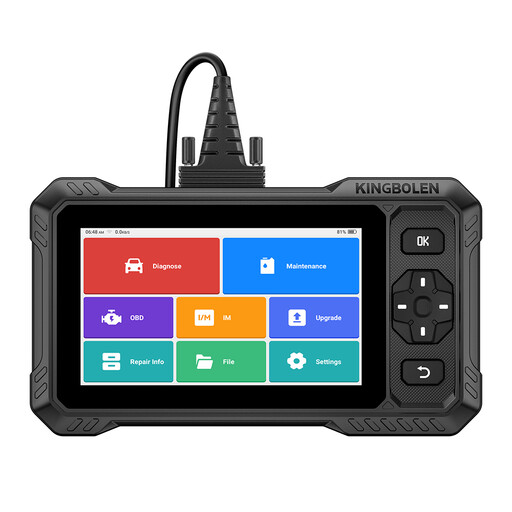
Why it suits this profile: This tablet scanner combines full-system diagnostics, active tests and 15 service functions in one device. It is a good fit for home mechanics and smaller garages servicing a range of vehicles.
The product information mentions CAN-FD, FCA AutoAuth and Renault SGW support. Even so, check compatibility with your make, model and specification before purchasing.
6.2-inch screen, touchscreen and button controls, 4,150mAh battery and, according to the product listing, lifetime Wi-Fi updates.
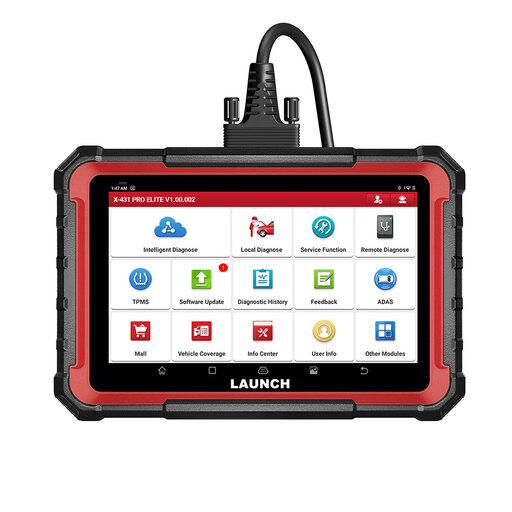
Why it suits this profile: A garage owner or professional mechanic who needs reports, ECU functions and expansion modules gets a comprehensive automotive diagnostic tool with this model.
The listing mentions full-system diagnostics, DoIP, CAN-FD, active tests and ECU coding. Not every function is universal, so check vehicle coverage in advance.
8-inch screen, 4GB RAM, 64GB storage, 6,000mAh battery and, according to the product information, two years of free updates.
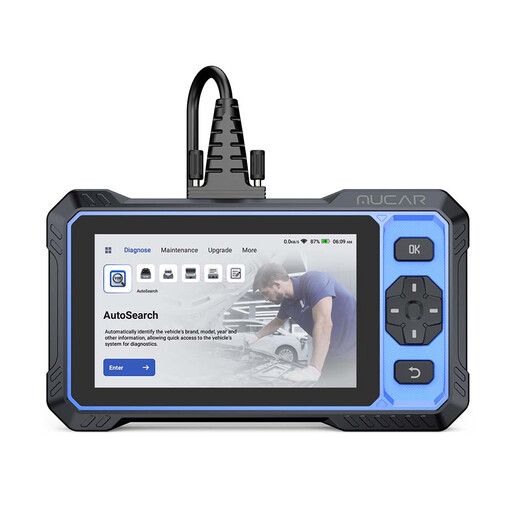
Why it suits this profile: This model is aimed at users looking for a compact scanner for everyday diagnostics, active tests and a range of maintenance procedures.
The product listing distinguishes between available vehicle functions and general capabilities. Before purchasing, check whether your car supports the active test you need.
6-inch anti-glare screen, 20+ listed service functions, CAN-FD and FCA AutoAuth according to the product description, plus a limited one-year warranty.
Use this checklist before buying a scanner for garage and DIY use:
We have put together a complete, up-to-date list of products that fully meet these strict selection criteria and the applicable European safety regulations.
No. The standard OBD2 connection provides basic communication, but system access and special functions vary by make, model, ECU and specification. Always check the vehicle list and, where necessary, have compatibility confirmed in advance.
No. During an active test, the scanner sends a command to a vehicle component to check its response. ECU coding changes configuration or adaptation data. This may require additional conditions, online connections or make-specific procedures.
Its lifespan depends on usage, storage, cable strain, battery maintenance and software support. Choose a model with a robust screen, clear update terms and a supplier that provides accessible support. A scanner often remains usable after a temporary update period ends, but it may no longer receive coverage for new vehicles or additional functions.
