What should you look for when choosing?
Start with the recording: check which microphone your app is using, then listen back to a short test. Next, consider how the headphones sound and feel when you switch between speaking and listening back.
| What to consider |
What should you look for? |
Who is this important for? |
| Hearing your own voice |
Try noise cancellation, transparency and any sidetone feature using the same practice lines. Check whether automatic voice features interrupt playback. |
When I practise aloud, I want to hear my own voice without a feature pausing the session. Around 36% of consumers prioritise uninterrupted speaking and voice monitoring. |
| Recording and listening back |
Select the input microphone in your recording app and listen back to a test recording. Also check playback quality while the microphone is active. |
I want to record my presentation and assess my speech clearly, not just listen to music. Around 29% of consumers give recording and listening back top priority. |
| Reducing distractions |
Check the fit and try your recording in a space similar to where you practise. Also compare it with noise cancellation switched off. |
If background noise distracts me, I want to follow my recording without constantly turning up the volume. Around 21% of consumers prioritise reducing distractions. |
| Longer sessions |
Consider comfort, including when wearing glasses, and check the stated battery life. Read the terms of any additional service plans. |
I want to practise for longer without uncomfortable ear cushions or unexpected charging interruptions. Around 14% of consumers give comfort and practical terms of use top priority. |
Joybuy products for practising and listening back
These product picks are intended for individual practice, recording and listening back with noise-cancelling headphones.
 Image unavailable
Sennheiser MOMENTUM 4 Wireless, black
A good fit if you want to switch between noise cancellation and ambient sound while listening back.
The product description states up to 60 hours of playback time, adaptive noise cancellation, transparency mode and a 3.5mm audio cable. The microphones mentioned are designed for calls; check the recording quality in your own app.
View at Joybuy
 Image unavailable
Bose QuietComfort Ultra Bluetooth Headphones, black
A good option for listening back with less ambient noise and switching to transparency mode.
The product description mentions Bluetooth, on-earcup controls and app settings for noise cancellation and the equaliser. Make a test recording to check how your voice sounds.
View at Joybuy
 Image unavailable
Sonos ACE Over-Ear Bluetooth Headset, black
Worth considering if you want wireless headphones with noise cancellation and an ambient mode for listening back.
The product description lists ANC, Aware mode, USB-C and 3.5mm audio cables, and up to 30 hours of battery life. The microphones are described as being for calls; check the quality of your presentation recording separately.
View at Joybuy
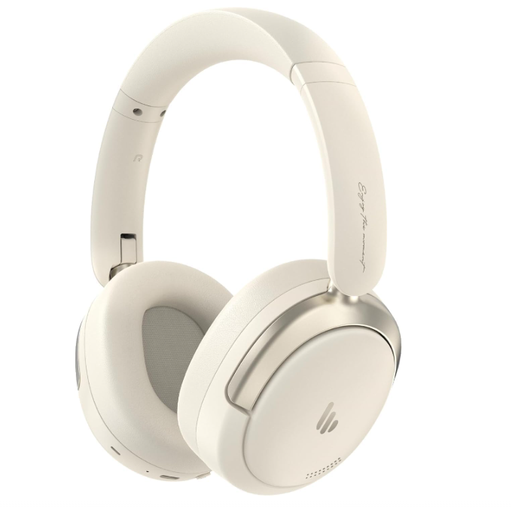 Image unavailable
Edifier Atom Max Foldable Over-Ear Headset, white
A good fit if you want to use noise cancellation while listening back and fold the headphones away after practising.
The title lists Bluetooth 5.4, up to 45 hours of playback time and a foldable design. The product description mentions an integrated microphone for calls; test your voice recording in your own app.
View at Joybuy
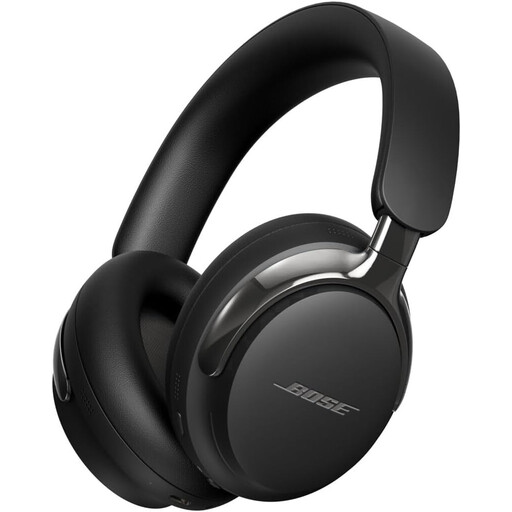 Image unavailable
Bose QuietComfort Ultra Headphones (2nd Gen), black
Could be a good option if you want to switch between Quiet and Aware while practising.
The product description lists Bluetooth 5.4 and detachable USB-C and 3.5mm audio cables. The product does not include a charger; the description states a charging output of 1.8–2.5 W and no support for PD fast charging.
View at Joybuy
Frequently asked questions
Should you use noise cancellation or transparency when recording?
Try both modes with the same practice lines. On supported models, transparency lets in more ambient sound, while noise cancellation provides more isolation. Check separately whether sidetone is available in your practice mode, and switch off any feature that pauses playback if needed.
How can you check whether your computer is recording your presentation with the right microphone?
In Windows, select the input microphone in the sound settings, record a test and listen back to the sample. Then test it in the app you will actually use to record your presentation.
Why does playback sound different when your Bluetooth microphone is active?
Microsoft Support says stereo playback while using a microphone depends on support from your headphones, Windows PC and drivers. Without the required Bluetooth LE Audio support or settings, mono may be used; check that your devices work well together.
How can you avoid listening at too high a volume when replaying a recording repeatedly?
Keep the volume low and take listening breaks. The WHO recommends well-fitting noise-cancelling headphones to reduce the temptation to turn up the volume in noisy surroundings.
What are your rights when buying online or if your headphones develop a fault too soon?
For online purchases from a business in the Netherlands, you will often have a 14-day cooling-off period. You also have statutory rights: if a product is faulty despite normal use, the seller must offer an appropriate solution, according to ACM ConsuWijzer. An additional warranty plan does not replace this statutory protection.


