
Vandaag of morgen in huis

Kwaliteit gegarandeerd

Welkomstaanbiedingen ontgrendelen: GRATIS bezorging | Tot 80% korting | Gratis 30 dagen JoyPlus-proefperiode
Download de app
The arrival of the Nintendo Switch 2 brings a wave of excitement, but also a practical question: how do you choose the right memory card? With an abundance of options and technical specifications, it's easy to fall into a marketing trap. Many gamers and tech enthusiasts overpay for subpar performance or buy a card that slows down their new console.
Before you purchase a Nintendo Switch 2 memory card, it's crucial to understand the most common pitfalls. This will help you make an informed decision that suits your usage and budget.
Pitfall 1: The "Official License" Premium A card with a Nintendo logo might seem like a safe bet, but this often means you're paying extra for branding. The underlying technology isn't always superior. Performance is determined by the specifications, not the logo.
Pitfall 2: Misleading Speed Claims Manufacturers prominently advertise high read speeds (MB/s), but write speed is just as important for installing games and saving data. A low write speed can lead to long loading times and stuttering, even if the read speed is high on paper.
Pitfall 3: Ignoring the New Standard The Nintendo Switch 2 is expected to support the new microSD Express card technology. Anyone who buys an older, slower UHS-I card now risks not fully utilising the console's potential and creating an unnecessary bottleneck.
To avoid a bad purchase, focus on three technical aspects. These determine the actual performance of your memory card, whether you're gaming, recording 4K video, or transferring large files.
This is the most important factor for the fastest microSD card.
These symbols on the packaging are not marketing fluff, but guarantees.
When buying a microSDXC, capacity is a personal choice. Games for the Switch 2 will likely range from 50 GB to 150 GB.
Below are a few options selected based on their specifications, suitable for different user profiles.
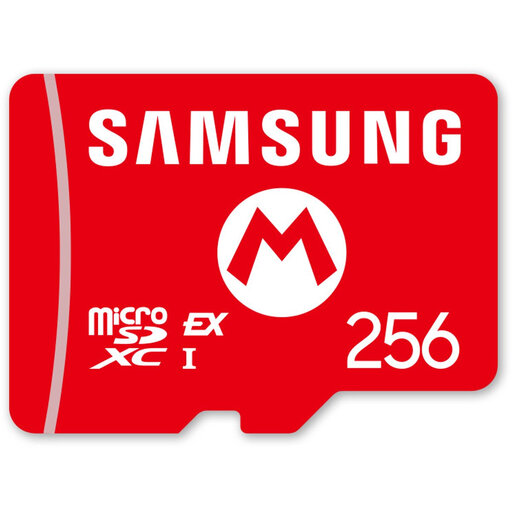
Why This Fits Their Persona: This user wants to minimise load times on the Switch 2 and is ready for the future. The card combines the assurance of a license with superior SD Express technology.
This card avoids the pitfall of buying outdated technology. By using the SD Express interface, you leverage the maximum speed of the Switch 2, instead of being stuck with slower UHS-I performance.
Read speeds up to 800 MB/s for extremely short load times. The 256 GB capacity is an excellent starting point for a growing game library.
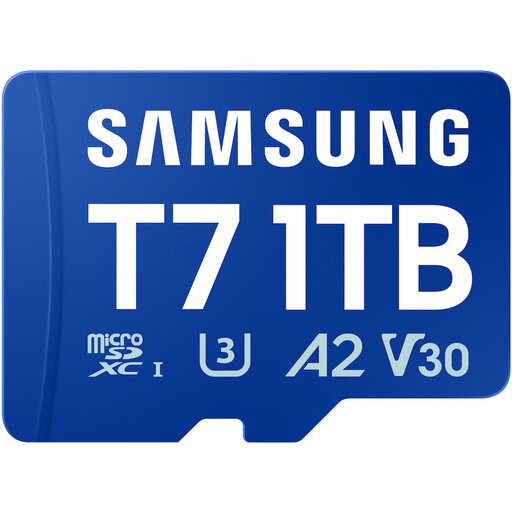
Why This Fits Their Persona: This user shoots with a drone, action cam, or camera and needs a reliable card with maximum storage for hours of 4K footage. The card is also used in a tablet or laptop for fast file transfers.
This card avoids the trap of misleading speeds. The U3 and V30 ratings guarantee a high, sustained write speed needed for smooth 4K recording, rather than just advertising a high peak read speed.
Massive 1 TB storage capacity. The A2 rating also ensures fast performance in smartphones and tablets. According to Samsung, the card is protected against water, temperature, and X-rays.
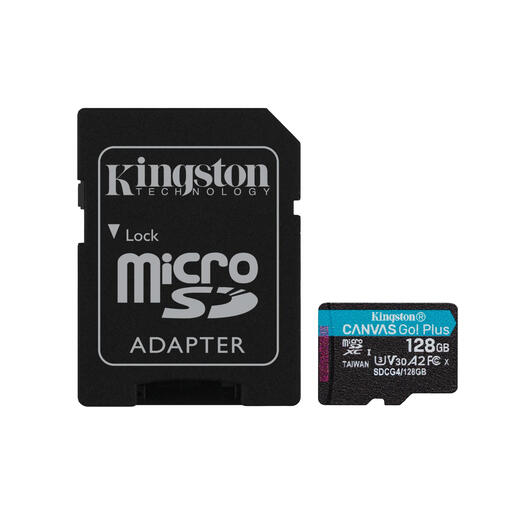
Why This Fits Their Persona: This user is looking for an affordable, reliable upgrade for a current Switch, smartphone, or tablet. The focus is on a great price-to-performance ratio for everyday use and gaming on existing devices.
This card avoids the "license premium" trap. It offers similar or better specs (U3, V30, A2) than many more expensive, licensed cards, ensuring you pay for performance, not a logo.
Excellent all-round performance for a competitive price. The U3, V30, and A2 ratings make it a versatile choice for both video recording and gaming on current devices.
We have compiled a complete, up-to-date list of products that meet these strict selection criteria.
Not necessarily. The license primarily guarantees compatibility. The actual speed depends on the technical specifications, such as the interface (UHS-I vs. microSD Express) and speed classes (V30, A2). Always compare the specs on the packaging, not just the logo. A non-licensed card with superior specifications will perform better.
This depends on your gaming habits. If you primarily buy physical games, 128 GB might be sufficient. For gamers who download many titles digitally, a SD Express 256GB is a wise starting point. Given the growing size of games, 512 GB or more offers the most future-proof solution.
Yes, microSD Express cards are backward compatible. They will function in devices that only support the older UHS-I standard, but they will operate at the lower UHS-I speed. You will only benefit from the full, high speed in a device that specifically supports SD Express, such as the upcoming Nintendo Switch 2.
