
Scanning individual A4 clippings
You want to capture a few loose articles clearly without choosing a specialist book scanner. First, check that the entire clipping fits on the scanner glass.


For individual clippings that fit entirely within A4, a standard flatbed scanner is a sensible first choice; you don’t automatically need a dedicated book scanner. Choose an overhead scanner for larger, flat items, and consider a book scanner with a book-edge design if the article is still bound. Handle fragile paper with care, and check whether historical newspaper articles are already available digitally before scanning them.
You want to capture a few loose articles clearly without choosing a specialist book scanner. First, check that the entire clipping fits on the scanner glass.
You have older, torn or brittle originals, and careful handling matters more to you than feeding paper through quickly.
You want to capture larger items or text close to a book’s spine. Check the scanning area and how the original will be supported.
The right approach depends mainly on the size and condition of the clipping, and on whether you need an image or searchable text.
The breakdown below is based on consumers who want to digitise newspaper clippings for a school project; each row describes one main reason for choosing a scanner.
| What to consider | What should you check? | Who is this important for? |
|---|---|---|
| A complete, readable clipping | Measure the largest item and compare both dimensions with the scanning area; check the smallest text too. | If I need the entire article, including its headline and source line, and want to place it on the scanner glass, I consider both size and readability. Around 33% of consumers prioritise a good fit and readable scans. |
| Handling fragile paper with care | Check for tears and brittle edges, and find out whether the model feeds paper through. | With an old or delicate clipping, I want to avoid further damage during scanning, even if placing it on the scanner individually takes longer. Around 25% of consumers put protecting the original first. |
| Large or bound material | Check the maximum scanning area and, for a book or collection, the clearance around the spine. | If my article is larger than A4 or is still in a newspaper or collection, the scanning area or access to text near the spine needs to be suitable. Around 17% of consumers choose a scanner mainly for this reason. |
| Searchable text | Check support for searchable PDFs, the software and your operating system; test the recognised text. | If I want to find quotations in my project file later, I need more than just an image of the page. Around 17% of consumers prioritise searchable text. |
| Scanning on the go | Check the power and computer requirements, supported paper sizes and the condition of the clipping. | If I want to scan somewhere else, a mobile model is useful as long as the paper is suitable for feeding through it. Around 8% of consumers prioritise mobile scanning. |
An A4 flatbed model may suit individual items that fit on its scanning area. An overhead scanner offers a different way to capture larger, flat items; a book-edge design is particularly useful for text close to a binding. Neither option, on its own, guarantees that small print will be readable. Check with a test scan at the size you need.
If you’re looking for a historical Dutch newspaper article, first search Delpher to see whether that particular newspaper, date and article are available. Delpher’s collection page lists newspapers from 1618 to 1995.
A book-edge design is intended for material that is still bound. A standard A4 flatbed model can scan individual items that fit on its scanning area.
Measure the largest complete clipping and first check whether you can lay it flat on the scanner glass.
A specialist device may be unnecessary for a one-off project.
The manufacturer lists a resolution of 205 dpi at A3 for the CZUR Shine 800 A3 Pro. A larger scanning area doesn’t guarantee that small newspaper print will be clear.
Check the smallest text in a scan at the size you need for your project.
A carrier sheet doesn’t automatically make fragile paper suitable for a sheet-fed scanner. The Library of Congress stresses the importance of assessing the original’s condition and handling it safely beforehand.
Check the paper first, and if in doubt, choose a scanning method that doesn’t feed the paper through mechanically.
A damaged original may not be easy to replace.
The carrier sheet for the Brother DS-640 is listed as a separate accessory.
Before buying, check which accessories and software are included with the version you’ve chosen.
A necessary carrier sheet may be sold separately.
The CanoScan LiDE 400 is an A4 flatbed option for individual clippings that fit within that size.
The Perfection V39II is an A4 flatbed scanner for individual clippings, and may suit you if desk space is limited.
The Shine 800 A3 Pro is an overhead scanner for larger, flat items; CZUR lists support for sizes up to A3.
The OpticBook 3800L is worth considering when text is close to the spine of bound material.
The mobile DS-640 is designed for suitable loose documents when you’re out and about, not necessarily for fragile newspaper clippings.
These scanners are designed for individual documents and clippings, with differences in A4 size support, paper feeding and searchable file options. If you’re scanning fragile newspaper paper, first check whether it’s suitable for feeding through a scanner; not every model shown is a flatbed scanner.
 No image available
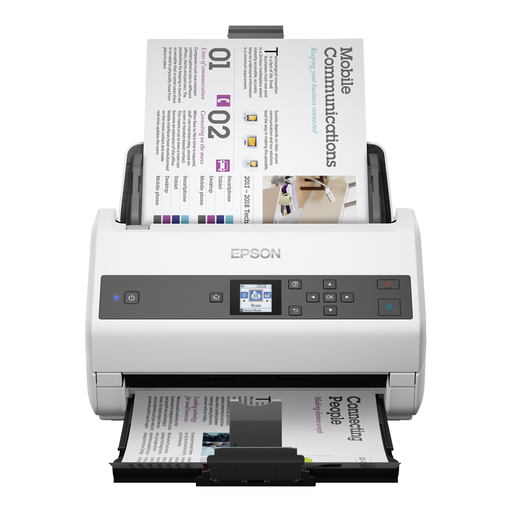
May suit individual A4 items that are suitable for paper feeding; check the condition of a clipping before feeding it through.
The product information lists A4, an automatic document feeder and paper protection. Listed output formats are PDF, JPG and TIFF; the title specifies 600 × 600 DPI.
This is a sheet-fed scanner, not a flatbed scanner.
 No image available
The automatic feeder may suit individual documents that you want to scan in batches; only use it for paper that’s suitable for feeding.
The product information lists a 100-sheet automatic document feeder and automatic double-sided scanning. The flatbed scanner is listed as optional.
This is a sheet-fed model; a flatbed scanner isn’t listed as a standard feature.
 No image available
May suit you if you want to scan individual items flat and feed documents through too; check that the scanning method is suitable for the condition of the clipping.
The product information lists flatbed scanning, a 100-sheet automatic document feeder and searchable PDF. It also specifies 1,200 dpi.
 No image available
May suit individual items up to A4 if a handheld scanner fits the way you work; take care with fragile paper.
The product information lists A4, OCR and output to searchable PDF. The title specifies 600 × 600 DPI.
This is a handheld scanner, not a flatbed scanner.
 No image available
May suit you if you want to scan individual items up to A4 when you’re out and about; check that the paper is suitable for this scanner before use.
The product information lists OCR, searchable PDF, Wi-Fi and battery power. The title specifies A4 and 600 × 600 DPI.
This is a handheld scanner, not a flatbed scanner.
Not necessarily. If each complete clipping fits within A4, you could start by looking at a standard A4 flatbed scanner. A book-edge design is most useful for material that’s still bound; an overhead scanner is another option for larger, flat items.
First, assess whether the paper can be handled safely, and support it carefully as you position it. The Library of Congress stresses the importance of considering the condition of the original and handling it safely before digitisation. The available carrier sheet for the Brother DS-640 doesn’t provide a general guarantee against damage when feeding paper through.
For historical Dutch newspapers, you can search Delpher first. Delpher’s collection page covers newspapers from 1618 to 1995; check whether your specific newspaper, date and article are available.
According to the Dutch government, you should be able to contact the seller if there’s a problem. The Netherlands has no fixed statutory guarantee period; what you can expect from a product depends, among other things, on the product itself and the sales information.
According to the Dutch government, a copy for personal use can’t simply be distributed or made public. Separate conditions may apply to use in education. Auteursrecht.nl’s education guide distinguishes between use in an educational setting and, for example, publication on social media. Before sharing a protected article, check where your project will be used and which school rules apply; permission for personal use doesn’t automatically mean you can publish it online.