If you mainly want to search existing historical newspapers, start with Delpher’s available collection: the KB describes searchable PDFs with OCR, although coverage, download availability and recognition quality vary by material. For your own growing archive, choose a desktop based on your files and OCR workload, and plan for a separate backup option too. A compact PC saves desk space, while a tower gives you more room to review your storage setup later.
Who is this buying guide for?
Building your own newspaper index
You process your own scans or downloadable files and want to be able to find specific text. The KB says Delpher contains searchable PDFs with OCR; test how well it recognises your own source material before deciding how much processing power you need.
Managing a local archive
You want to store newspaper files, metadata and index data, and be able to restore them after a failure. The Paperless-ngx export documentation and Backblaze’s backup approach show why your setup should include both the files you need and a separate recovery copy.
Researching with limited workspace
You want to manage your own index on a small desk and can store backups outside the computer. If you choose a compact PC, check the ports and configuration of the exact model.
What should you consider when choosing?
Searching an existing online collection
Best suited to: research that mainly uses the available Delpher collection, when you don’t need your own copy or a customised local index.
Bear in mind: coverage, download options and OCR quality vary by newspaper and period, as the KB explains.
Compact desktop with external backup
Best suited to: indexing your own collection in a small workspace and storing your backup on a separate external drive or NAS.
Bear in mind: check the ports, storage configuration and upgrade options of the exact model; the backup is separate from the internal storage.
Tower for a growing archive
Best suited to: storing a large number of your own scans or keeping the option to review your storage setup later.
Bear in mind: a tower takes up more space, and extra internal storage is no substitute for a separate backup.
The storage and processing power you need depend on your own files and workflow. Measure a representative sample collection and test your OCR software before choosing a configuration.
| What to consider |
What should you check? |
Which shoppers? |
| Storage for a growing archive |
Compare the SSD capacity with your files and check the upgrade options for the exact model. |
As my collection grows, I want to know how much space my scans, documents and index will need together. Around 36% of shoppers prioritise room to expand their storage. |
| Recoverable backup |
Check that a separate destination can store and restore both your newspaper files and index data. |
After a failure, I want to restore not just the newspaper files but the index too. Around 29% of shoppers prioritise recoverability. |
| OCR and indexing workload |
Assess the processor and memory in the configuration; test your intended OCR software on a representative set of scans. |
If I process my own scans or ones that are difficult to search, I want to know how my software handles them first. Around 21% of shoppers prioritise OCR processing. |
| Desk space |
Compare the case size with the storage, ports and peripherals you need. |
On a small desk, I want a compact setup without overlooking my external backup. Around 14% of shoppers prioritise limited workspace. |
Common pitfalls when choosing an archive PC
-
Treating an extra internal drive as your entire backup strategy
A backup should be recoverable separately from your working data. Copies stored in the same place remain at risk from anything that affects that location.
As well as your working storage, plan for a separate copy, test the recovery process and consider keeping a copy at another location too. Backblaze describes a 3-2-1 backup approach.
A separate backup destination and time for recovery checks are both part of the setup.
-
Paying for extra processing power before testing existing OCR
Delpher already contains searchable PDFs with OCR, while the quality of historical scans can limit recognition, whatever PC you choose.
Try relevant Delpher documents and a small sample of your own scans. Then decide whether you need new OCR for your workflow.
-
Comparing mini PCs on size alone
A compact case doesn’t tell you how much storage or how many ports a particular configuration offers.
Compare the full model number and check the working storage, ports, upgrade options and included components.
Brands to consider
Lenovo
The ThinkCentre Neo 50t Gen 5 Tower is an example of a business tower configuration to compare.
- Lenovo Netherlands lists an Intel Core i7-14700, 32 GB RAM and 1 TB SSD for configuration 12UDCTO1WWNL3.
- Check whether a keyboard, mouse and optical drive are included with your chosen configuration; these components aren’t listed as included with this one.
HP
The Pro Tower 400 G9 shows the processor, memory and storage configurations you can compare by product number.
- HP Netherlands lists an Intel Core i5-14500, 16 GB RAM and 512 GB SSD for configuration 99P68ET#ABH.
- These specifications apply to the configuration shown; check the product number and current configuration when choosing.
MSI
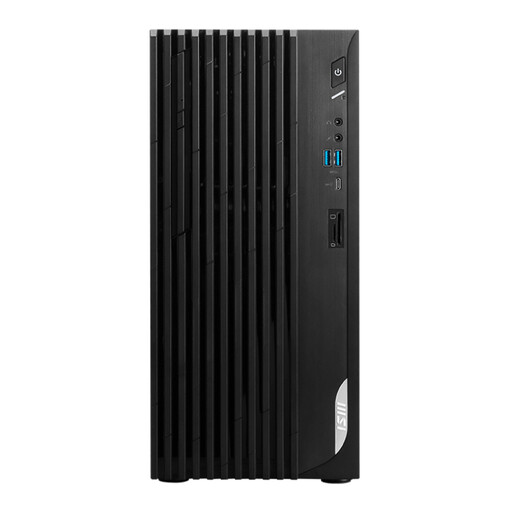
The PRO DP21 14M-888EU is an example of a compact desktop with a specific model code.
- MSI’s European specifications table lists a Core i7-14700, 16 GB DDR5 and Windows 11 Pro for this configuration.
- These details apply to the variant shown and aren’t an indication of OCR speed; check the configuration of the exact model.
Dell
The OptiPlex Small Form Factor range is a useful reference if you’re comparing a business desktop with a smaller case against a tower.
- Dell Netherlands lists configurable memory up to 128 GB for the OptiPlex 7010 Plus Small Form Factor range.
- This maximum applies to the range and not automatically to every configuration on offer; check the specifications of each product.
Joybuy desktops for local indexing and backups
This Joybuy selection includes compact desktops, towers and all-in-ones with configurations suitable for local indexing. Compare the listed storage with your own archive and check how you’ll connect a separate backup before buying.
 No image available
MSI PRO DP21 14M-1042EU
A compact PC option if you want to index files in a small workspace and assess external backup storage separately.
Intel Core i7-14700, 16 GB DDR5, 1 TB SSD, Windows 11 Pro.
View at Joybuy
 No image available
MSI PRO DP180 14A-824EU
A tower configuration to consider if you’re looking for a desktop for a local archive; assess its storage options alongside your backup plan.
Intel Core i5-14400, 8 GB DDR4, 512 GB SSD, Windows 11 Home.
View at Joybuy
 No image available
MSI Modern AM242P 1M-1224EU
An all-in-one option for a workspace where you want an integrated screen; check separately how to connect external storage for your backup.
Intel Core 5 120U, 8 GB DDR5, 512 GB SSD, 60,5 cm (23,8-inch) screen, 1920 × 1080, Windows 11 Pro, Wi-Fi 6E.
The adapter must be purchased separately.
View at Joybuy
 No image available
MSI Modern AM242 1M-1219EU
An all-in-one option for a compact setup; check that the connection for your external backup suits your setup.
Intel Core 5 120U, 8 GB DDR5, 512 GB SSD, 60,5 cm (23,8-inch) screen, 1920 × 1080, Windows 11 Pro, Wi-Fi 6E.
The adapter must be purchased separately.
View at Joybuy
 No image available
MSI Modern AM273Q AI 1UM-058EU
This all-in-one configuration is worth considering for local indexing; use your own files to work out how much storage you need.
Intel Core Ultra 7 155H, 32 GB DDR5, 1 TB SSD, 68,6 cm (27-inch) screen, 2560 × 1440, Windows 11 Pro, Wi-Fi 6E.
View at Joybuy
Frequently asked questions
Do I need to run OCR on Delpher newspapers myself?
Not if the existing searchable text is enough for your research: the KB describes newspaper pages with OCR and searchable PDFs. Still, test a few relevant pages for your own research needs; the KB has also looked into the limitations of OCR on historical source material.
What data should I back up if I use Paperless-ngx?
According to the Paperless-ngx documentation, the document export can include documents, thumbnails, metadata and database contents. Once you’ve set it up, check that your export contains the data your archive needs and that you can restore it.
Is one external drive enough to protect against fire or theft at my workplace?
No. A local copy is still stored at the same location. The 3-2-1 approach described by Backblaze also includes a copy at another physical location; this is backup advice, not a legal requirement for every buyer.
What warranty applies to a consumer computer in the Netherlands?
As well as any seller’s warranty, consumers have a statutory guarantee. ACM ConsuWijzer explains that a product must meet the standard you’re entitled to expect, and that there is no single fixed time limit for every computer. Different consumer rights may apply to business purchases.
Can I download historical newspapers and publish my local index?
Not every file is available under the same terms. The KB states that only some material is freely accessible and downloadable, and that more recent newspapers may still be protected by copyright or privacy law. The Dutch government distinguishes between a private copy for personal use and distributing or publishing material; before publishing, check the rights and terms for the specific newspaper and collection.


