
Writer at a bright workstation
You write and proofread beside a window and want to position your screen to keep distracting reflections from getting in the way. Arboportaal recommends setting your line of sight parallel to the window.


For a newsletter workstation beside a bright window, choose a mini PC with a separate, adjustable monitor if you want to select your own screen or already have a suitable one. An all-in-one is a good fit if you want the computer and screen together in one setup. Arboportaal recommends positioning your line of sight parallel to the window. Also check what’s included, the connections available and whether your newsletter software is supported.
You write and proofread beside a window and want to position your screen to keep distracting reflections from getting in the way. Arboportaal recommends setting your line of sight parallel to the window.
You want a compact setup and are comparing a mini PC with an all-in-one, focusing on screen choice and what comes with the computer. Lenovo states that the monitor and keyboard are sold separately with model 12LM006LEZ; MSI describes the Modern AM242P 1M series as having an integrated screen.
You combine text with images or a set layout, and want to check in advance that your software and existing files will work with your computer. Microsoft Support reports that access to and support for Publisher ended in October 2026.
A good fit if: you already have a suitable screen or want to choose an adjustable monitor with an anti-glare finish.
Bear in mind: you may need to buy the monitor and input devices separately. Check that the connections are compatible too.
A good fit if: you want the computer and screen together in one setup, and can position the built-in screen suitably beside your window.
Bear in mind: you choose the screen as part of the computer, so check its reflectivity, adjustability and exact model.
| What to consider | What should you check? | Who should pay particular attention? |
|---|---|---|
| Screen readability beside the window | Check the screen finish and adjustability, and see whether you can position the screen parallel to the window. | If I write beside a bright window, I want to read text without reflections getting in the way when I proofread. Around 36% of consumers put readability beside a window first. |
| A complete, compact setup | Check whether the monitor, keyboard, mouse and a compatible video cable are included with the specific model. | I want a compact workstation and to know in advance what else I need. Around 29% of consumers prioritise a suitable, complete setup. |
| Newsletter software and files | Check that your software and file formats are supported, and review any subscription terms. | If I design existing editions, I want to know that my software and files will still work with the computer I choose. Around 21% of consumers put compatibility first. |
| Keeping drafts and previous editions | Decide where your files will be stored, set up a backup to an external drive or network location, and test that you can restore files. | I want to be able to find previous drafts and editions if I lose a file. Around 14% of consumers make restoring previous editions their top priority. |
The monitor and keyboard are sold separately with Lenovo model 12LM006LEZ. A comparison with an all-in-one could therefore overlook some of the components you need.
Check what’s included with each specific model, and factor in any suitable components you already own.
Resolution won’t tell you whether daylight will cause distracting reflections or how easily you can reposition the screen.
Check the finish and adjustability. First, see whether you can set your line of sight parallel to the window or whether you’ll need window coverings.
Microsoft Support reports that Microsoft 365 subscribers lost access to Publisher on or shortly after 1 October 2026, and that support for the perpetual version ended on 13 October 2026.
Before switching, check your existing files and choose a supported workflow that lets you open and send your newsletter.
Files stored on your desktop aren’t automatically a separate copy that you can restore. Microsoft Support describes using an external drive or network location with File History.
Check that your editions and image folders are being copied, and test that you can restore a file.
The ThinkCentre neo 50q Gen 4 Tiny is a compact Windows setup where you choose the screen separately.
The Mac mini M6 is a compact macOS computer with a separate screen, while the iMac is an all-in-one setup.
The Modern AM242P 1M series is an all-in-one setup with the computer and screen integrated into one unit.
Dell is worth considering here for a separate monitor to use with a mini PC or another desktop.
The Pro Mini 400 G9 is a compact desktop setup where you can assess the screen separately.
This selection includes mini PCs with a separately chosen screen and all-in-ones for a newsletter workstation.
 Image unavailable
A compact desktop setup where you choose a separate screen for your workspace.
The product name lists 24 GB of memory and a 512 GB SSD; the product information mentions support for external displays.
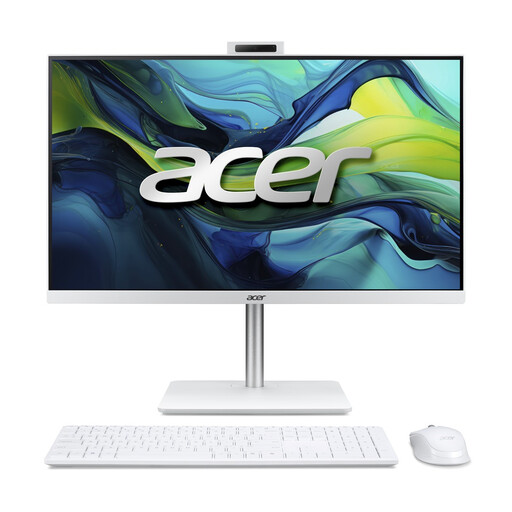 Image unavailable
An integrated desktop setup for anyone who wants to keep the computer and screen together.
The product information lists a 23.8-inch Full HD IPS screen, 16 GB of DDR5 memory, a 1 TB SSD and Windows 11 Home. A wireless keyboard and mouse are also listed.
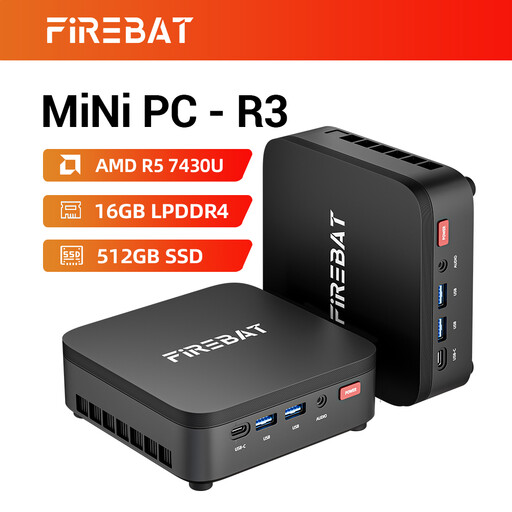 Image unavailable
A mini PC for a setup where you choose the screen separately.
The product name lists an AMD Ryzen 5 7430U, 16 GB RAM and a 512 GB SSD; the product information mentions support for three 4K screens.
 Image unavailable
A mini PC for a writing workspace where you choose the screen separately.
The product name lists an Intel Core Ultra 7 155H, 16 GB of DDR5 memory, a 1 TB SSD and Windows 11 Pro. The product information mentions support for up to four screens.
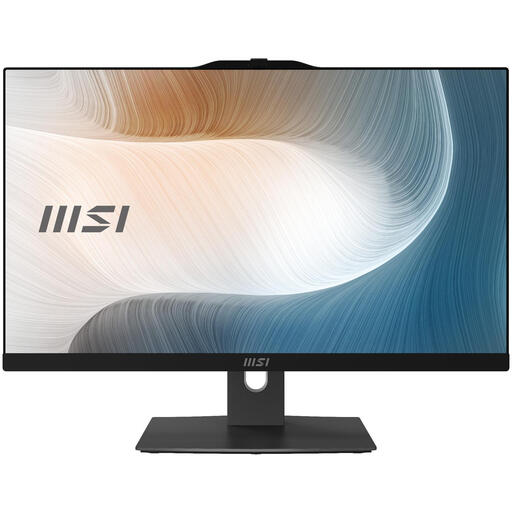 Image unavailable
An integrated desktop for anyone who wants the computer and screen together in one setup.
The product name lists a 23.8-inch screen with a resolution of 1920 × 1080, 8 GB of DDR5 memory, a 512 GB SSD and Windows 11 Pro. The product information states that the power adapter must be purchased separately.
No. An anti-glare finish is no substitute for positioning your screen well. For screen-based work, Arboportaal recommends setting your line of sight parallel to the window; also consider whether you need window coverings.
Check that the video connection is compatible with your monitor and what’s included with the specific model. Lenovo states that the monitor and keyboard are sold separately with ThinkCentre neo 50q Gen 4 model 12LM006LEZ.
Microsoft describes using Windows File History to back up files to an external drive or network location. Check that your newsletter folder is included and test that you can restore a file.
Check your workflow, as Microsoft Support reports that Microsoft 365 subscribers lost access on or shortly after 1 October 2026, and that support for the perpetual version ended on 13 October 2026. Both dates have now passed.
For online purchases by consumers, there is generally a 14-day cooling-off period after delivery, subject to exceptions and conditions, according to ACM ConsuWijzer. The seller is also responsible for the statutory guarantee if a product does not meet what you can reasonably expect from normal use; the statutory guarantee is not automatically limited to two years.