
Copy editor handling lots of revisions
You write and rewrite lengthy passages, deal with comments and want typing to feel comfortable. First, check that your app and subscription include the revision features you need.


An iPad or Android tablet could be suitable if the newsletter app you need and the edits you make work with your own file. A Windows 2-in-1 or laptop may be a better fit if you need specific Windows software or do a lot of typing. First, test your app, revision tools and collaboration features, then compare the complete setup, including a keyboard and any software costs. If the newsletter contains personal data, make sure access to the shared document is set appropriately.
You write and rewrite lengthy passages, deal with comments and want typing to feel comfortable. First, check that your app and subscription include the revision features you need.
You switch between text and images and discuss the layout with others. Check that the screen, input method and newsletter template work well in the app you use.
You work with others on the same version and want to set appropriate access permissions if the document contains personal data. The Dutch Data Protection Authority emphasises that unauthorised people must not be given access to personal data processed by an organisation.
Start with the app and your own newsletter file. Then you can assess screen space, input methods and collaboration.
A good fit if: your newsletter workflow works in the iPad app or browser you need, and you want a portable setup. Apple lists the iPad Air in 11- and 13-inch versions.
Bear in mind: a keyboard or stylus is not automatically included. Also check that the app has the features you need.
A good fit if: your app or browser workflow works on Android and you’re looking for, for example, a larger screen or a specific accessory bundle.
Bear in mind: a larger model takes up more desk space. Check the exact version, what’s included in the box and any subscription terms.
A good fit if: your editorial team needs a specific Windows application or you do a lot of work with a keyboard and pointer.
Bear in mind: the compatible keyboard for the Surface Pro 12-inch (1st Edition) is sold separately, according to Microsoft.
| What to consider | What should you check? | Who is this important for? |
|---|---|---|
| Typing and revising text | Check keyboard compatibility and layout, as well as the revision features available in your app and subscription. | If I write a lot of text and work through comments, I want to be able to make revisions comfortably. Around 33% of consumers put typing and revising at the top of their buying concerns. |
| Formatting a newsletter | Open a representative template and try moving text boxes and images in the app you use. | If I want to review text and images side by side, I need a screen and input method suited to my layout work. Around 27% of consumers give formatting and checking their top priority. |
| Collaboration and access | Test sharing and simultaneous editing. If the document contains personal data, decide on appropriate access permissions and lock the device when you leave it unattended. | If I work on one document with others, I want to be able to tailor access to the people working on it. Around 20% of consumers prioritise shared access. |
| Software and the complete setup | Make a note of the required app, file format and features. Then compare the device, suitable accessories and any subscription you might need. | If my existing software is a deciding factor, I want to know in advance whether it works on the device and what the complete setup requires. Around 20% of consumers start by considering software and the total cost of purchase. |
You may also need a keyboard, stylus or software subscription for the complete setup. Comparing devices on their own won’t tell you what you need for your editorial work.
Compare the exact model, included accessories and software features together.
You may need to buy a compatible keyboard, stylus or required software subscription separately; check what’s included and the subscription terms.
Microsoft distinguishes between basic mobile editing and additional features. The Consumers’ Association notes that a laptop can be more convenient for word processing and demanding software.
Test a representative newsletter file and all the revision and formatting tasks you need before choosing a device.
Accessory compatibility and what’s included can vary between models. A product listing with conflicting model information doesn’t confirm which version you’ll receive.
Check the full model name, specifications and box contents; don’t treat conflicting product information as confirmation.
The iPad Air is available in Dutch versions with an 11- or 13-inch screen, for an iPadOS workflow.
Galaxy Tab models offer an Android option; check which accessories are compatible with each model.
The Idea Tab Pro Gen 2 is an Android option for anyone looking for a larger screen and a specific accessory bundle.
The Surface Pro is a Windows 2-in-1 option to consider if your newsletter workflow requires Windows software or a lot of typing.
This selection includes Windows 2-in-1s and Android and iPadOS tablets for typing, screen space and newsletter layout work. For your workflow, check the exact software, accessories and box contents for the version you’re considering.
 No image available
A Windows 2-in-1 option to consider if you do a lot of typing or need a Windows workflow.
Intel Core 5 120U, 8 GB RAM, 512 GB SSD, 14-inch 2K touchscreen and Windows 11 Home. The title lists a QWERTY keyboard. USB-C charger and stylus are not included.
 No image available
An Android tablet with a large screen for reviewing a newsletter layout.
The bundle lists a 12.1-inch 2.5K Wi-Fi tablet with 256 GB storage and a 1.97-inch AMOLED smartwatch.
 No image available
An Android tablet with a stylus for reviewing and annotating a newsletter layout.
12.1-inch 2.5K screen, 8 GB RAM and 256 GB storage; the product name lists a stylus.
 No image available
An Android tablet with a large screen for reviewing text and images in a newsletter.
13.4-inch screen, 120 Hz, Android 16, 128 GB storage and a folio case.
 No image available
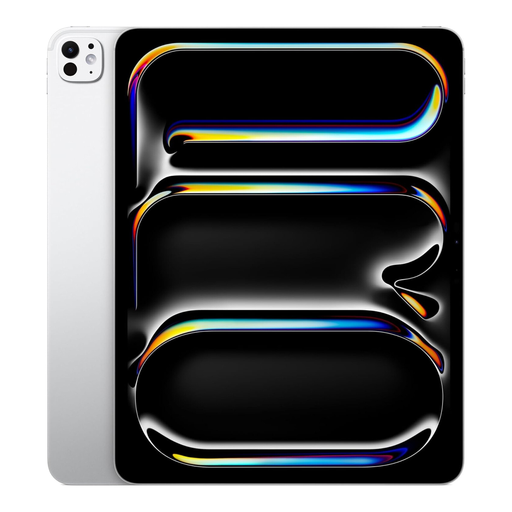
A 13-inch iPadOS tablet for viewing a newsletter layout on a larger screen.
The product name lists an M5 model with Wi-Fi and 2 TB storage.
No, don’t assume you can. Microsoft lists free basic editing in mobile Microsoft 365 apps on Android devices with screens up to 10.1 inches; certain extra features require a suitable subscription. Microsoft also offers browser apps. Check that the features your newsletter uses are available there.
First, test with a document to make sure everyone can share and edit in the service you’ve chosen. If the document contains personal data, tailor access to what team members need and keep unauthorised people out. This is about appropriate access, not a specific tablet specification.
It depends on the version. Microsoft says the keyboard for the Surface Pro 12-inch (1st Edition) is sold separately, while Lenovo lists a keyboard pack with bundle EUBNDLIDEA0124. Check the box contents and compatibility of the exact model before ordering.
According to ACM ConsuWijzer, statutory rights apply alongside any commercial warranty. What you can expect from a product depends, among other things, on the product and normal use, rather than on one fixed, universal two-year period. Online consumer purchases usually come with a 14-day cooling-off period after delivery. Check the applicable terms and exceptions; different rules may apply to business purchases.