
Voiceover artist with a fixed booth microphone
Wants to connect a separate microphone directly and monitor the recording. Shure explains why microphone placement matters, while Zoom and Tascam specify the connections available on certain models.


Already using a separate booth microphone with an XLR connection? Choose a recorder with compatible inputs, and check what power and monitoring you need. For occasional voiceovers, a compact recorder with built-in microphones may be more practical. Shure stresses that a recorder won’t improve the acoustics, so make a test recording in the place you plan to use it.
Wants to connect a separate microphone directly and monitor the recording. Shure explains why microphone placement matters, while Zoom and Tascam specify the connections available on certain models.
Wants to record a short bulletin quickly with a compact recorder, while keeping the distance from the microphone and the sound of the room in mind. Zoom and Tascam describe compact models with built-in microphones.
Prioritises a usable recording file and a transfer process that fits the editorial workflow. Zoom, Tascam and Speech Processing Solutions describe recording and sharing features on specific models.
Start with the microphone you want to use and the format the editorial team needs for the bulletin. Then test the recording where you’ll actually be speaking.
| What to consider | What to check before buying | Who is this important for? |
|---|---|---|
| Clarity and reverberation | Record a test bulletin in the place you plan to use and listen back through headphones for reverberation, ventilation noise and plosives. | When I record in a small booth, I want my voice to sound clear without excessive reverberation. This is the top priority for around 33% of consumers. |
| Microphone connection | Check the connection, the power required and whether you need one or more separate microphone channels. | If you want to keep using a fixed booth microphone, look for a recorder that suits your set-up. This is the top priority for around 27% of consumers. |
| File format and transfer | Check which recording format the editorial team expects and test the transfer using your intended workflow. | If the bulletin needs to reach the editorial team quickly, I want to be able to provide a file that fits the agreed workflow. File delivery is the top priority for around 20% of consumers. |
| Checking the recording | Before the session, check the storage, power and recording indicator, then listen back to a short test. | If you record on your own, it’s important to be able to check that a take is usable before sending it on. Around 20% of consumers prioritise being able to check their recording. |
A recording feature won’t change the acoustics of your booth. The room and the distance from the microphone affect how much reflected sound is captured.
Make a test recording in the booth and assess the result before choosing a recorder based on its recording features.
You may need a compatible cable or a different microphone for your existing set-up.
An advertised storage time doesn’t tell you which file format the editorial team needs.
Test the agreed WAV or MP3 format and the complete transfer process in advance.
The H1essential is a compact option with built-in microphones; the H4essential also has connections for separate microphones.
The DR-05XP is a compact recorder with built-in microphones; the Portacapture X6 is designed for a set-up with separate microphones and multiple sources.
The VoiceTracer DVT4115 is a voice recorder for anyone considering PCM or MP3 recording and app control.
This selection includes portable voice recorders and audio players whose product information mentions voice recording. Before choosing, check that the connections, recording formats and transfer options suit your booth and the editorial team’s requirements.
 No image available
The transcription feature may be useful if you want to work with text as well as a recording; check that it suits your bulletin workflow.
64 GB storage; transcription feature.
 No image available
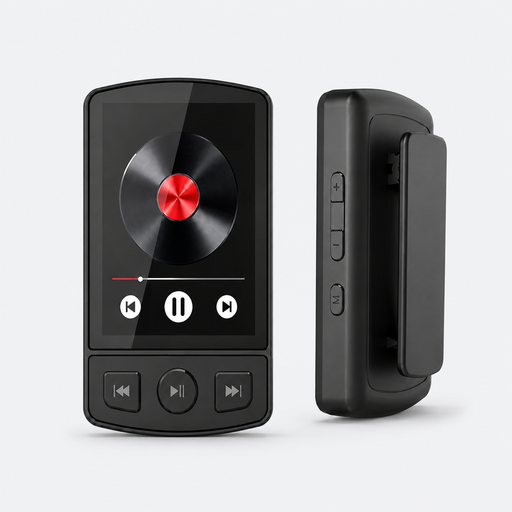
This device may suit you if you want voice recording as well as music playback; check that the microphone and transfer options fit your recording workflow.
64 GB storage; Bluetooth 5.2; clip; voice recording.
 No image available
The product name lists voice recording as a feature; check that the connections and file transfer options suit how you’ll use it in the booth.
1.8-inch screen; Bluetooth; voice recording.
 No image available
This device may be worth considering if you want a dictation function as well as voice recording; check that the listed features fit your editorial team’s workflow.
64 GB storage; transcription and summaries listed for 118 languages.
 No image available
The product name describes a portable digital voice recorder for speech recordings; check that the recording and transfer options suit your bulletin.
128 GB storage; LCD screen; model L357.
No. 32-bit float won’t prevent reverberation. Shure explains that a microphone can’t improve the acoustics of a room, so start by making a test recording with the microphone positioned appropriately.
Position the microphone appropriately, check the power and storage, then listen back to a short test recording. RØDE recommends trying out the distance and angle for the microphone and room you’re using; one specific distance won’t automatically suit every model.
For a consumer purchase, the seller is responsible if the product doesn’t meet what you could reasonably expect. ACM ConsuWijzer lists repair, replacement or a refund as possible solutions; there isn’t one fixed statutory warranty period in the Netherlands that applies to every product.
A sound recording in which someone can be recognised may contain personal data. The Dutch Data Protection Authority describes a possible journalistic exemption for publication; whether it applies in a particular situation depends on the purpose and circumstances. Buying a recorder doesn’t automatically give you permission to record or publish.