
Vandaag of morgen in huis

Kwaliteit gegarandeerd

Welkomstaanbiedingen ontgrendelen: GRATIS bezorging | Tot 80% korting | Gratis 30 dagen JoyPlus-proefperiode
Download de app
Buying a new Apple MacBook can be a daunting task. With the arrival of the MacBook Neo alongside the familiar Air and Pro, the choice is greater than ever. Which chip do you need? Is a 13-inch screen large enough? And which model offers the best value for your money?
As a Joybuy Product Recommendation Officer, my job is to guide you through the specs and marketing jargon. In this article, I'll provide practical advice to help you make a well-informed decision, so you can find the MacBook that truly fits your needs.
Before we dive into the models, here are a few key considerations to help you choose a new MacBook.
The processor, or chip, is the heart of your MacBook. Apple now has two main series:
The choice between a 13-inch MacBook and a 14-inch MacBook depends on your priorities. A 13-inch model is lighter and more compact, ideal for those who are frequently on the go. A 14-inch model offers more screen real estate, which is more comfortable for multitasking and creative work, but it is slightly heavier and larger. Consider where you'll use the laptop most: at a desk or on the train?
Who you are and what you do will largely determine which MacBook is right for you.
Based on specifications and various use cases, we've selected some popular MacBook models.

Why This Model Stands Out The MacBook Neo is an interesting new addition to the lineup. This model positions itself as an accessible and colourful option for everyday use. The A18 Pro chip is designed for efficiency, resulting in long battery life for daily tasks.
Pros
Who Is This Model For? This is an excellent MacBook for students and anyone looking for a reliable, simple, and stylish laptop for daily activities. If you primarily work in the cloud and don't run demanding software, the Neo is a smart choice.
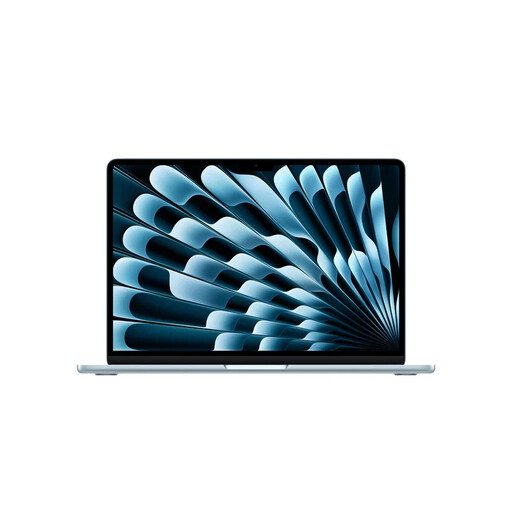
Why This Model Stands Out The MacBook Air with the M5 chip strikes the perfect balance between portability and power. It retains the thin and light design the Air is known for, but delivers significantly more performance than the Neo. The M5 chip is specifically optimised for AI tasks, making this model future-proof.
Pros
Who Is This Model For? The MacBook Air M5 is ideal for mobile professionals, ambitious students, and creatives who need more processing power than an entry-level model can offer, but still want a lightweight laptop.

Why This Model Stands Out The MacBook Pro is and remains the choice for those who demand maximum performance. The 14-inch MacBook Pro with the M5 chip is a powerhouse built for the most demanding tasks. Its superior Liquid Retina XDR display and extra ports (HDMI, SD card reader) make it a complete workstation.
Pros
Who Is This Model For? This MacBook Pro is intended for professionals in the creative and technical fields: video editors, programmers, 3D artists, and photographers who refuse to compromise on speed and image quality.
Do the silver models like the MacBook Neo and Pro appeal to you? Or perhaps you're looking for a matching accessory, like an external silver keyboard to complete your workspace? Check out our selection of related products.
The main difference lies in performance under sustained load and professional features. The MacBook Pro has active cooling, allowing it to run at full power for longer. Additionally, the Pro has a better display (XDR with ProMotion) and more ports, such as HDMI and an SD card reader. The MacBook Air is thinner, lighter, and designed for a balance between power and portability.
For most users, 8 GB of RAM (as in the entry-level MacBook Neo) is sufficient for everyday tasks. If you regularly use many programs simultaneously, work with large files, or use creative software, 16 GB is a wise choice. This ensures a smoother experience and makes your laptop more future-proof.
Yes, a MacBook is a popular choice among students. The long battery life, user-friendly operating system (macOS), and durable build quality make it a reliable partner throughout your studies. The new MacBook Neo is a particularly attractive option due to its balance of price, performance, and portability.
