
Student who needs one cable for several devices
You want to connect a PC or console by cable as well as your smart TV, for example, and need extra LAN ports. Ziggo recommends connecting a TV box using an internet cable where possible.


If you only need a wired connection for your TV and there’s a spare, working LAN port, a direct cable is all you need; a switch mainly adds more ports. If you also want to connect a PC or console by cable, consider a quiet five-port Gigabit switch, but first check whether your room’s connection allows multiple devices. Only choose a managed model if your network or TV service actually needs those features.
You want to connect a PC or console by cable as well as your smart TV, for example, and need extra LAN ports. Ziggo recommends connecting a TV box using an internet cable where possible.
You’re not sure which provider or connection terms apply to your room. DUWO notes that the internet and TV provider can vary between student accommodation complexes, so check first what your connection allows.
You use a TV or network service that may require multicast or a particular configuration. Compare the service’s requirements with the features of the exact switch model.
First check whether your room’s connection supports multiple devices. Then count the ports you need, and only after that decide between a basic model and a managed switch.
| What to consider | What to look for when buying | Who is this important for? |
|---|---|---|
| Will the connection work with a switch? | Find out which provider and connection your room has, and whether multiple devices are allowed. | Want to avoid buying a switch that won’t work in your room? Around 36% of consumers put this first. |
| Enough ports | Count your TV, PC and any console, plus one port for the network cable connecting to the existing connection. | Want to connect several devices by cable through one connection? Around 29% of consumers prioritise having extra ports. |
| Simple, quiet set-up | Check whether the model has a fan, how it is powered and whether you have a spare plug socket. | In a small room, a simple connection and quiet operation may matter more than extra settings. Around 21% of consumers prioritise this. |
| Specific network features | Check whether your TV service requires IGMP snooping or your network configuration requires VLAN. | If you use a service with a specific network requirement, you’ll want to make sure it’s supported by the switch model. Around 14% of consumers prioritise these specialist features. |
The provider and the way internet is supplied can vary between student accommodation complexes. A switch adds ports, but it doesn’t automatically give you access to a network.
First find out which connection and terms apply to your room.
The cable to the existing network connection also uses a switch port, leaving fewer ports for your devices.
Include the incoming cable when working out how many ports you need.
IGMP snooping handles multicast traffic, VLAN manages network segmentation, and PoE supplies power over a suitable Ethernet connection. They are different features.
Choose features based on the requirements of your TV service and connected devices, not just the number of features listed on the box.
TP-Link offers basic unmanaged models, such as the TL-SG1005D, as well as models with management features, such as the TL-SG105E.
NETGEAR describes the GS305v3 as a compact, unmanaged five-port Gigabit switch.
D-Link describes the DGS-105 as an unmanaged five-port Gigabit switch.
According to Zyxel, its Dutch GS-100 series includes the five-port GS-105B V5 and the eight-port GS-108B V5.
This selection includes network switches for expanding a suitable wired connection. Check whether your room allows multiple devices and whether any PoE or management features are compatible with your devices and network.
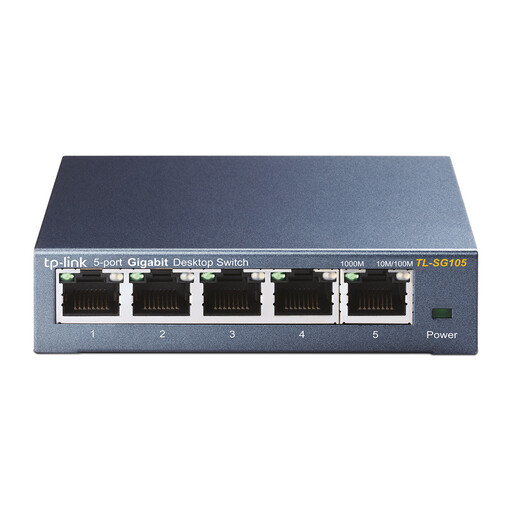 Image unavailable
A five-port model to consider if you want to share a suitable wired connection between several devices.
The product name lists five ports, Gigabit and a metal casing.
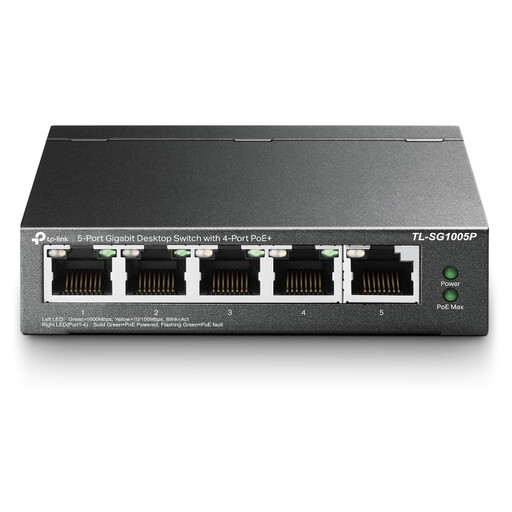 Image unavailable
Consider this type only if the connection is also for devices that support PoE and need power over Ethernet.
The product name lists five ports, Gigabit, PoE and a four-port specification.
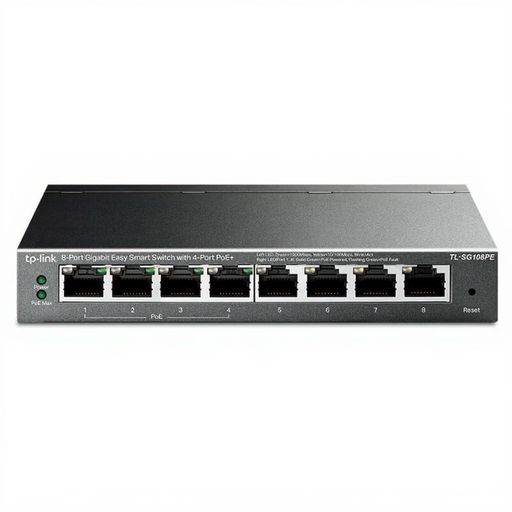 Image unavailable
An eight-port model could suit you if you want to connect more wired devices; check first whether your network needs the management features.
The product name lists eight Gigabit ports and a four-port PoE specification.
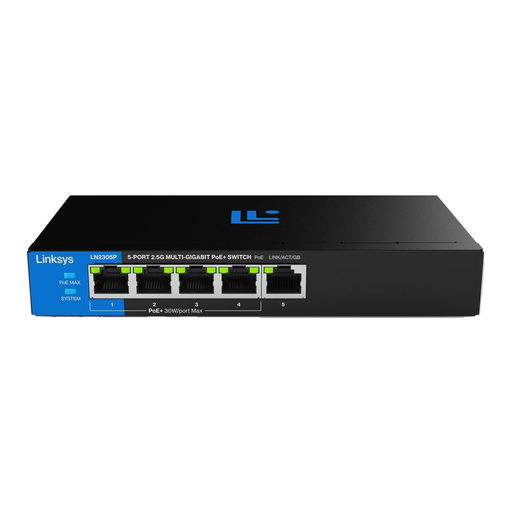 Image unavailable
This type is worth comparing if you have devices that need PoE; check that their requirements match those of the version you choose.
The product name lists five ports, PoE, 2.5 GB and an unmanaged design.
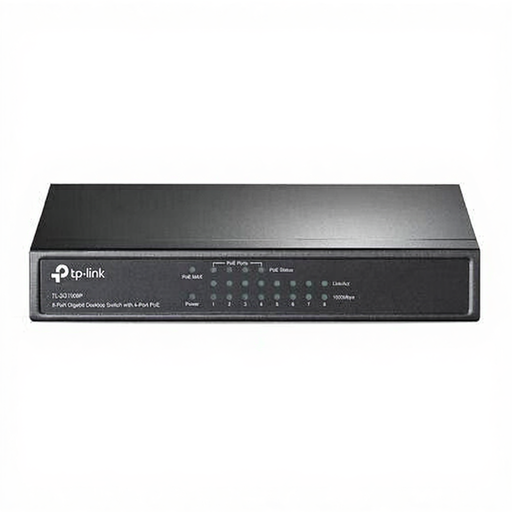 Image unavailable
An eight-port version is worth considering if you want to connect several wired devices. PoE is only relevant for compatible devices that need this type of power.
The product name lists eight ports, Gigabit Ethernet, an unmanaged design and PoE.
No. The stated speed of the network ports isn’t necessarily the speed of your broadband package or your existing room connection. A switch is designed to share a suitable wired connection between more devices.
With a suitable network connection, connect one switch port to the existing connection, then connect your TV and other devices to the remaining ports. Use the specified power adapter, and if you have trouble connecting, check your provider’s terms as well.
A standard smart TV connection on its own isn’t a reason to choose a PoE switch. PoE is only relevant if another connected device supports power over Ethernet. If so, check the device specifications and the PoE power it requires.
You’re entitled to a product that is of satisfactory quality, but according to the Dutch government, there is no fixed statutory warranty period for all products in the Netherlands. A manufacturer’s warranty may be available in addition; if something is faulty, contact the seller.
Applicable European product requirements apply to electrical and electronic equipment; check the information for the specific product and the supplied power adapter. The Dutch Data Protection Authority also recommends reading the privacy notice before connecting a smart TV to the internet for the first time. A switch doesn’t change that privacy consideration.