
Console and laptop users with one network connection
If you want to connect several devices by cable, you’ll need enough ports and a working connection for the incoming network cable.


A switch is only useful if you have a working wired network connection and want to connect more devices than you have spare ports. For a console and a few other wired devices, a basic gigabit switch is often enough; management features or PoE are mainly relevant if you have a specific use for them. If your room has managed internet, check the rules with your network administrator first. For example, the University of Twente requires devices connected directly to Campusnet to be registered.
If you want to connect several devices by cable, you’ll need enough ports and a working connection for the incoming network cable.
Check with your network administrator whether devices need to be registered. For example, the University of Twente says that devices connected directly to Campusnet must be registered; requirements may vary between networks.
A compact, fanless model may suit a quiet setup. Also allow room for the power supply and connected cables.
First, check that your room has an authorised, working Ethernet connection. Then count your devices and ports, and only after that consider any extra features.
| What to consider | What to look for | Who is this important for? |
|---|---|---|
| Network access | Check that there is a working Ethernet port and, if you have managed internet, ask about access and registration requirements. | If I want to find out whether my room’s connection allows several wired devices, I check the network rules before plugging anything in. Around 36% of consumers consider network access their top priority. |
| Ports and speed | Count the incoming cable, console and other devices. Check whether the ports on the exact model support gigabit speeds. | If you want to use a console and other devices with one wired connection, focus on the number of spare ports. Around 29% of consumers prioritise having extra ports. |
| Size and noise | Check the dimensions, whether the model is fanless, and how much room the cables and power supply will take up. | If I want to place the switch near my desk or bed, I consider noise and available space. Around 21% of consumers prioritise a compact, quiet setup. |
| Management features and PoE | Choose VLAN or management features only if you plan to use them. For PoE, check compatibility, the standard and the power budget. | If you want to power a specific compatible network device or manage your own network, first check which feature you need. Around 14% of consumers say a need for this type of feature is their top priority. |
The presence of a network port doesn’t automatically mean you can use it for your devices. Managed internet may come with access requirements or registration rules.
Check the connection and ask your network administrator about the requirements before choosing a model.
This helps prevent a switch, power supply and cable from going unused.
With a five-port switch, the incoming Ethernet cable will normally use one of the ports too. That leaves fewer connections for your devices.
Count the incoming connection, console and other wired devices before deciding how many ports you need.
If you run out of ports, you may need a second switch or a larger model later.
PoE is designed to power compatible network devices through a network cable. VLAN helps organise a network; neither feature on its own proves that games will perform better.
Choose these features only if you have a specific use in mind and can identify the compatibility you need.
The models mentioned range from basic gigabit switches to versions with management features.
The GS305v3 is an unmanaged five-port gigabit switch for straightforward wired expansion.
The GS-105B v5 is an unmanaged five-port gigabit switch.
The DGS-105 is an option for straightforward wired expansion, with five gigabit ports.
These models expand your wired network, with differences in the number of ports and features available.
 No image available
A good fit if you’re looking for a straightforward wired expansion for a console and other devices.
Five RJ45 ports with 10/100/1000 Mbps; the product description lists plug-and-play setup and a metal casing. Keep the ventilation clear and use the manufacturer’s supplied power supply.
 No image available
A good fit for a wired setup where you want to power compatible devices over PoE as well as connect them to the network.
Five gigabit ports and four PoE ports; the product description lists a total power budget of 56 W. PoE won’t power a games console by itself: check compatibility and allow for ventilation.
 No image available
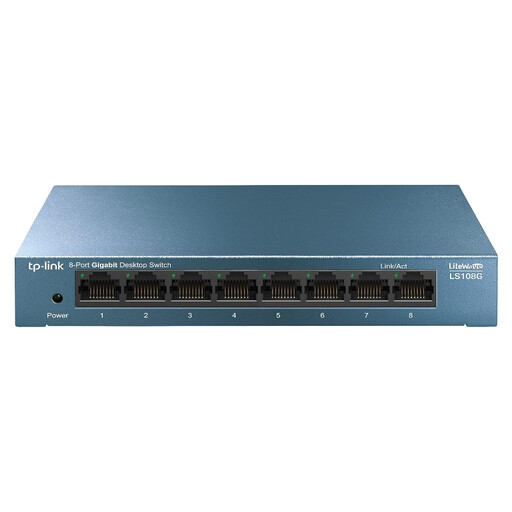
A good fit if you want to connect more wired devices to a straightforward, unmanaged switch.
Eight RJ45 gigabit ports; the product description lists plug-and-play setup and a compact desktop design.
 No image available
A good fit if you’re connecting several wired devices and need management features or PoE for compatible devices.
Eight gigabit ports; the product description lists port monitoring, cable diagnostics and traffic prioritisation. For PoE, check that your devices are compatible and confirm the specifications you need.
 No image available
A good fit if you need eight wired connections and want to use the listed management features on your network.
Eight ports with 10/100/1000 Mbps; the product description lists QoS, VLAN support, IGMP snooping and browser-based management. The management features need to be configured.
Not directly: a switch distributes a wired Ethernet connection and can’t turn Wi-Fi into an Ethernet connection. If you already have a working network connection for your console and no other wired devices, you may not need a switch.
Connect an authorised wired network connection to the switch, then connect the PS5 to another port. PlayStation explains how to connect to the internet over a wired connection via Settings > Network > Settings > Set Up Internet Connection. You may also need to register the device on a managed network.
That depends on the network administrator. The University of Twente says that devices connected directly to its Campusnet must be registered using their wired MAC address; this requirement does not automatically apply to other student accommodation.
No. Gigabit describes the port capacity of the switch model and doesn’t guarantee the speed or response time of your internet connection. These also depend on your existing connection and equipment.
The Dutch government says that electronic products sold on the EU market must carry the required CE marking. In the Netherlands, you have a statutory guarantee with no fixed statutory guarantee period; if a product is faulty, contact the retailer. A manufacturer’s guarantee does not replace your statutory rights.