What should you look for when choosing one?
First, check that your existing connection works and is permitted. Then choose the number of ports you need; only after that, consider whether your devices need network management or PoE.
| What to consider |
What should you check? |
Who is this important for? |
| Does the network connection work? |
Check that you have a working Ethernet connection from your router or an approved building connection, and whether devices need to be registered. DUWO explains that facilities vary between buildings; the University of Twente requires devices to be registered on its wired network. |
If you’re not sure whether the connection in your room works, find out before adding more ports. Having a usable connection is the main concern for around 36% of consumers in this situation. |
| Number of ports and noise |
Count the uplink and all your devices. A five-port model leaves four ports free after one is used for the uplink; TP-Link Netherlands specifies five gigabit ports for the TL-SG1005D. If your room needs to stay quiet, also check whether the model you choose is fanless. |
If you want to connect your hub and other wired devices easily, focus on having enough ports and quiet operation. Adding ports easily is the main concern for around 29% of consumers. |
| Management features |
Decide which features you actually need and whether you manage the network yourself. TP-Link Netherlands lists VLAN support for the TL-SG105E; these features need to be configured appropriately and won’t change access rules on a managed network. |
If you manage your own network or want to troubleshoot problems, look for specific features such as VLANs or cable diagnostics. Network management is the main reason for around 21% of consumers. |
| PoE power |
Compare the PoE standard and available power with the requirements of each connected device. TP-Link Netherlands lists TL-SG1005P versions with both 802.3af and a 56 W power budget, and 802.3af/at with 65 W; check the exact version. Philips Hue specifies a separate power supply for a standard Hue Bridge. |
If a device in your room demonstrably needs power over Ethernet, check that the switch and device are compatible. Compatible PoE power is the main concern for around 14% of consumers. |
Joybuy products
These product options include straightforward wired port expansion, PoE models and switches with management features. For each product, check that the port configuration and features suit your connection and devices.
 No image available
TP-Link TL-SG105 5-Port Metal Gigabit Switch
Suitable if you want to connect a hub and other wired devices without having to configure the switch.
Five 1Gbps ports and plug-and-play operation. The product description also lists QoS and IGMP Snooping.
Joybuy
 No image available
TP-Link 5-port Gigabit Desktop PoE Switch with 4 PoE ports
Suitable for a setup where a connected device demonstrably needs PoE power.
The product name specifies five gigabit ports and four PoE ports. Before buying, check the PoE standard and power requirements of your devices; Philips Hue says the standard Hue Bridge needs a separate power supply.
Joybuy
 No image available
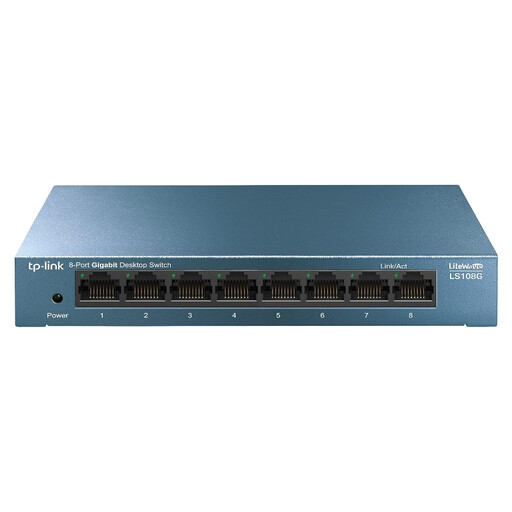
TP-Link LiteWave LS108G
Suitable if you want to connect several wired devices as well as your hub to an unmanaged switch.
Eight RJ45 ports with 10/100/1000 Mbps and plug-and-play operation.
Joybuy
 No image available
TP-Link 8-port Gigabit Easy Smart Switch with 4 PoE ports
An option if you need more wired connections and compatible PoE power.
The product name specifies eight gigabit ports and four PoE ports. Only connect devices that are compatible with this PoE version, and check their power requirements.
Joybuy
 No image available
NETGEAR GS108E-400EUS
Suitable if you want to connect several wired devices and need network management features.
Eight ports with 10/100/1000 Mbps. The product description lists QoS, VLAN support and IGMP Snooping.
Joybuy
Frequently asked questions
How do I connect a wired hub if my router has few spare ports?
Connect one port on an unmanaged switch to a suitable port on your own router, then connect the hub to another switch port. Also give a standard Hue Bridge the separate power supply specified by Philips Hue. If you’re using a building network, check the connection rules first.
Do I always need a network switch for a Hue Bridge Pro?
No. Philips Hue says the Bridge Pro can connect via Wi-Fi or Ethernet. You only need a switch if you need extra suitable Ethernet ports for a wired setup.
What should I consider when setting up and maintaining a switch in a small room?
If you like, choose a model the manufacturer describes as fanless and use the power adapter supplied with it. Keep the switch away from moisture, and if you have connection problems, check the cables and port lights first.
What are the warranty and cancellation rights in the Netherlands?
When you buy as a consumer, the product must be fit for purpose; according to the Dutch government, there’s no fixed statutory warranty period in the Netherlands, and the seller is your point of contact if something is faulty. Most online consumer purchases come with a 14-day cooling-off period, subject to legal exceptions.
Which product marking should I check?
Electrical products placed on the market in the Netherlands must carry the CE marking. The Netherlands Food and Consumer Product Safety Authority explains the applicable product requirements; a product description doesn’t prove that a specific item supplied meets every requirement.


