
Connecting a TV in your garden office
You want to check that your existing connection reaches the garden office before buying extra network equipment. A switch splits an existing connection; it doesn’t create one.


If there’s already a working network connection in your garden office and you only need to connect the TV, try plugging it in directly first; you won’t need a switch. A switch is useful if you want to share that one connection with other wired devices too. Choose the number of ports and any features such as IGMP snooping or PoE based on your TV service and the devices you plan to connect, and check that the location is suitable for your chosen model.
You want to check that your existing connection reaches the garden office before buying extra network equipment. A switch splits an existing connection; it doesn’t create one.
You want to share one network connection between your TV and, for example, a computer or set-top box, without having to configure your network. Manufacturers describe models such as the TP-Link TL-SG105 and D-Link DGS-105 as plug-and-play.
You use a specific provider’s TV setup or may want to connect a compatible access point later. The network features or PoE power you need will depend on your equipment and network setup.
First, check that you have a working connection from the house. Then count how many devices you want to connect and decide whether you need features such as IGMP snooping, VLAN or PoE.
| What to consider | What to look for | Most relevant to |
|---|---|---|
| A working connection to the garden office | Test the existing connection with a device. If you’re installing a new connection, consider the length and installation method, and check that the cable and equipment are suitable for the location. | I want to check that the connection from the house reaches the garden office before buying any equipment. Around 36% of consumers put having a working connection first. |
| Ports and configuration | Count the connection to the house as one occupied port, then add the TV and any other devices you plan to connect. Choose a managed model only if your network requires specific settings. | I want to share my existing connection easily with the TV and other wired devices. Around 29% of consumers say having enough connections is their main concern when buying. |
| Provider TV services and network features | Check whether your TV service uses multicast and whether your provider or router requires VLAN settings. Having a smart TV alone doesn’t mean you need a managed switch. | I want to make sure a switch meets the specific requirements of my provider’s TV service or network. Around 21% of consumers prioritise compatibility. |
| PoE for an access point | Check the PoE standard and available power of the exact switch version, then compare them with the requirements of the connected device. | I may want to power a compatible access point through the network cable. Around 14% of consumers put PoE expansion first. |
A switch provides network ports, but it doesn’t create the connection between your house and garden office. Test the existing connection before choosing a model.
If there’s no connection yet, installation work may be needed first; a switch won’t solve that problem.
Connect a device directly to the socket in the garden office and check that the connection works.
PoE is designed to power compatible devices through a network cable. VLAN and configurable multicast features are only relevant to certain network setups and may require extra configuration.
Check the requirements of your TV service, router and any access point before choosing these features.
TP-Link lists a total PoE budget of 65 W for the TL-SG1005P; the Joybuy product listing states 56 W. These specifications don’t clearly refer to the same version of the product.
Before buying, check the full model name, hardware version and PoE budget of the product on offer.
For the TP-Link TL-SG105, the stated operating environment excludes condensing moisture. Conditions can vary from one location in a garden office to another.
Compare the temperature and humidity at your chosen location with the environmental specifications of the exact model.
A good option to consider if you want a straightforward five-port switch or a PoE model for compatible devices.
The DGS-105 is an unmanaged five-port gigabit switch for a straightforward connection.
The GS308v3 is an unmanaged model for anyone who needs eight gigabit ports.
The GS1200-5 is designed for situations where you want to configure network features such as VLAN yourself.
This selection includes wired switches for sharing an existing network connection, with options for PoE or network management.
 No image available
A good choice if you want to share an existing wired connection easily between your TV and other devices.
Five gigabit ports; TP-Link lists plug-and-play operation.
 No image available
Suitable if you want to power a compatible device over PoE as well as connect wired network devices.
The product name lists five gigabit ports and four PoE ports. Check the PoE standard, hardware version and available power of the product on offer.
 No image available
An option to consider if you need several wired connections and PoE for compatible devices.
The product name lists eight gigabit ports and four PoE ports.
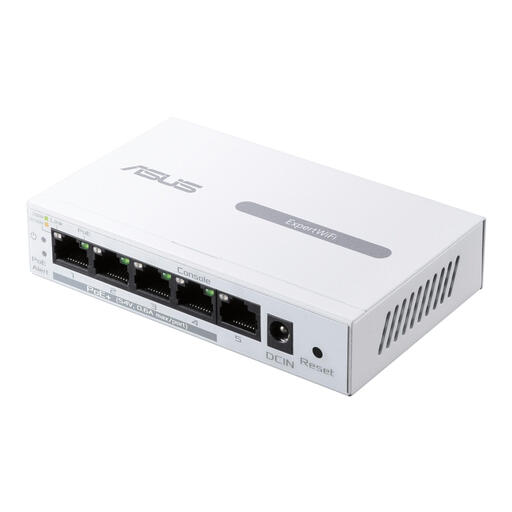 No image available
Worth considering if you’re looking for a managed switch with PoE for a setup with compatible network equipment.
The product name lists Gigabit Ethernet (10/100/1000) and PoE. Check the PoE requirements of the device you want to connect.
 No image available
An option to compare if you’re looking for an unmanaged gigabit switch with PoE for compatible network devices.
The product name lists Gigabit Ethernet (10/100/1000) and PoE. Before buying, check the number of PoE ports and your equipment’s requirements.
No. With the plug-and-play switches described here, use one Ethernet port for the connection to the router and another for the TV. First, check that the connection in your garden office is working.
That depends on the conditions at the location and the specifications of the exact model. TP-Link lists an operating temperature of 0–40 °C and a relative humidity of 10–90%, non-condensing, for the TL-SG105; these figures don’t apply to all switches.
First, test whether the network connection to the house is working. Then connect the switch and devices and check the port indicators. Keep the switch dry and check the cable connections if the connection drops out.
No. According to ACM ConsuWijzer, you have statutory rights in addition to any manufacturer’s or seller’s warranty, for as long as the product should reasonably be expected to last. In the Netherlands, there is no fixed two-year period for this.
If you’re going to dig mechanically, or arrange for someone else to do so, the Kadaster says a digging notification is mandatory. Submit it at least 3 and no more than 20 working days before digging. This requirement doesn’t apply simply because you buy a switch or connect one indoors.