What should you consider when choosing?
First, check whether your specific hub needs a wired connection. Then count the router connection, the hub and all your other devices, and only then decide whether you need extra features.
| What to consider |
What should you check? |
Who is this important for? |
| Enough ports |
Count the connection to the router, the hub and any other wired devices separately. With five ports, four remain for devices after connecting to the router. |
If I want to connect the hub and other devices by cable at the same time, I don’t want to run out of free ports. Around 40% of consumers give the highest priority to having enough connections. |
| Space and power |
Measure the space for the casing and leave room for cable plugs. Also check where the power adapter will fit. |
Every bit of space counts on a small desk, and I want to fit the cables and adapter without blocking my workspace. Around 30% of consumers prioritise size and placement. |
| PoE |
Check whether the exact device supports PoE, which standard it uses, and how much power is needed per port and in total. |
If my equipment needs power over Ethernet, the switch must be suitable; an Ethernet port alone tells me nothing about PoE. Around 20% of consumers say compatible PoE equipment is their main consideration. |
| Configurable features |
Decide which feature you actually want to configure and check whether the specific version supports it. |
If I want to configure VLANs or other network features, I need a specific plan and must allow for the work involved in setting them up. Around 10% of consumers prioritise this configurability. |
Joybuy products
These products are suited to expanding a wired network, from basic port expansion to models with PoE or configurable features.
 No image available
TP-Link TL-SG105 5-port metal gigabit switch
An option if you need extra wired connections without configuring network management.
The product name specifies five ports, gigabit and a metal casing.
Joybuy
 No image available
TP-Link 5-port gigabit desktop PoE switch with four PoE ports
An option if your connected equipment is confirmed to support PoE and you choose the right version of the switch.
Check the PoE standard and power budget for the model on offer; the TP-Link pages for the TL-SG1005P list different version specifications.
Joybuy
 No image available
Linksys unmanaged 5-port PoE switch, 2.5 GB
An option to consider if you’re looking for an unmanaged switch with PoE for wired devices.
Before buying, check that your devices are PoE-compatible and review the full specifications for this version.
Joybuy
 No image available
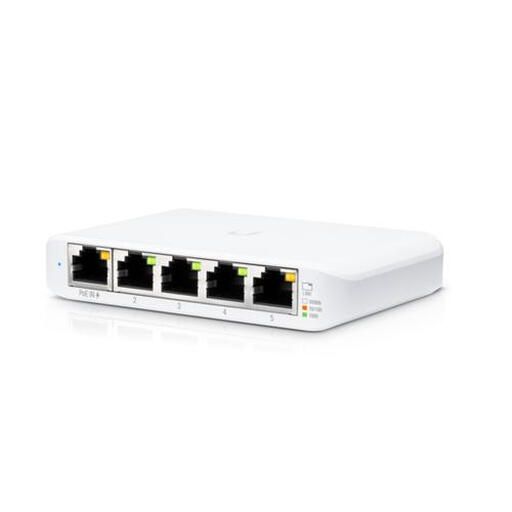
Ubiquiti UniFi USW Flex Mini managed gigabit Ethernet switch
An option if you’re looking for wired network connections as well as management through UniFi Controller.
Consider the power connection: the product description lists power via a compatible PoE source or USB-C.
Joybuy
 No image available
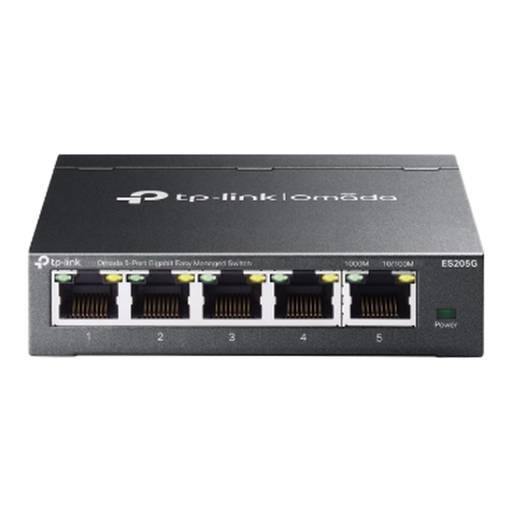
TP-Link Omada ES205G 5-port gigabit Easy Managed switch
An option if you have a specific network plan that calls for VLANs or other configurable features.
Management features need to be configured; they aren’t necessary if you only need extra Ethernet ports.
Joybuy
Frequently asked questions
How do I connect a switch at my desk?
Connect a port on the switch to a free LAN port on your router, then connect your wired devices to the remaining ports. A standard desktop switch also needs its own power supply. Follow the instructions for your exact hub model.
Can any smart home hub be powered by a PoE switch?
No. The specific hub model must support PoE as a power source, and its standard and power requirements must match the switch. An Ethernet port on the hub does not, by itself, mean that it supports PoE.
Does my hub need to be connected with a network cable?
It depends on the hub. Philips Hue says the Hue Bridge Pro can connect via Wi-Fi or Ethernet; that option doesn’t automatically apply to every hub model. Check the instructions for your hub before buying a switch just for that device.
What should I do with an old switch, and what is the cooling-off period for online purchases?
According to the Dutch government, if you’re a private individual buying a new electrical appliance, you can return an old, similar appliance free of charge through the retailer, including when buying online. The Dutch government generally states a 14-day cooling-off period for online purchases from a business. This is separate from any rights you may have if a product is faulty.
What product safety rules apply to electrical equipment?
According to Ondernemersplein, the Dutch government’s business information portal, manufacturers of relevant electrical and electronic equipment must meet European safety requirements and draw up an EU declaration of conformity. Check the product information for the specific version; a CE marking is not a practical test.


