What should you look for in a switch for a smart home hub?
First, check whether your hub can connect by cable, then count the ports you need. After that, consider whether PoE, VLAN management or higher speeds would add anything to your particular setup.
| What to consider |
What should you check? |
Who is this important for? |
| Enough ports |
Count the cable to the router, the hub and any other wired devices. With the five ports on the TP-Link TL-SG105, there is room for up to four end devices after connecting to the router. |
If I want to connect my hub, computer and printer by cable, I’ll include the connection to the router in my count; around 36% of consumers put extra ports first. |
| Wired connection for the hub |
Check the exact hub model, whether it supports Ethernet, and whether it needs an adapter or separate power supply. Philips Hue describes Ethernet and Wi-Fi for the Hue Bridge Pro; Homey offers an Ethernet adapter for Homey Pro. |
I want to make sure my hub can connect over Ethernet and find out which connection or adapter it needs first; around 29% of consumers prioritise hub compatibility. |
| Power over Ethernet |
Check whether you need PoE output to power devices or PoE input to power the switch itself. Then compare the standard and power rating for each port and for the switch as a whole. |
If I want to power compatible equipment alongside my hub through the network cable, I’ll check that the PoE output suits those devices; around 14% of consumers put this power supply feature first. |
| Network management |
Check that both the switch and router support your preferred VLAN setup, and whether you want to configure the ports yourself. TP-Link Netherlands lists VLAN features and web management for the TL-SG105E. |
I want to be able to assign devices to different networks and am happy to configure the network devices involved; around 14% of consumers prioritise network management. |
| Speeds above gigabit |
Check the speeds supported by your computer, storage, router and cabling too. Linksys lists five 2.5Gbps ports for the LN2305-KE; that specification does not automatically determine the hub’s speed. |
If I need faster connections between compatible home office devices, I’ll look at the whole connection, not just the hub; around 7% of consumers put higher network speeds first. |
Joybuy switches for different home office needs
This selection of Joybuy products includes unmanaged gigabit expansion, PoE outputs for compatible devices, managed switches and models with 2.5Gbps ports. Choose based on the connections, features and devices in your own network setup.
 No image available
TP-Link TL-SG105 5-Port Metal Gigabit Switch
Suitable for a home office where you need extra wired connections without configuring individual ports.
Five gigabit ports; plug-and-play; metal casing; suitable for desktop or wall mounting.
View at Joybuy
 No image available
TP-Link 5-Port Gigabit Desktop PoE Switch with 4-Port
Suitable if you want to power compatible connected devices over PoE as well as transferring data over a wired connection.
Five gigabit ports, four of which are PoE ports; IEEE 802.3af; total PoE budget of 56 W. Check that the PoE standard is suitable for each connected device.
View at Joybuy
 No image available
Linksys SWITCH POE 2.5 GB UNMANAGED 5-PORT
Suitable if you want to connect compatible home office devices at 2.5Gbps and need PoE outputs.
Five 2.5Gbps ports; four PoE+ ports; 60 W PoE budget; unmanaged design. Bear in mind the stated budget applies to all connected PoE devices combined.
View at Joybuy
 No image available
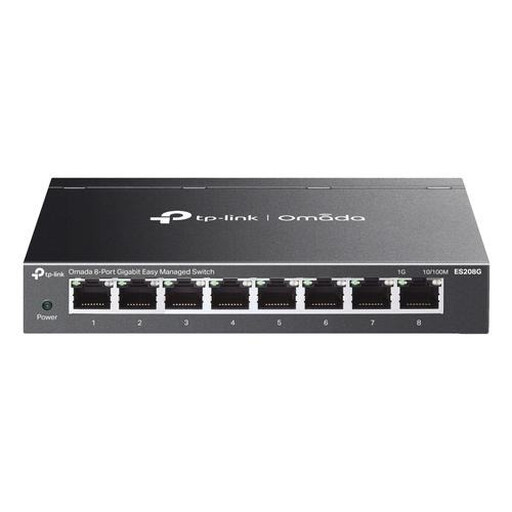
TP-Link Omada ES208G Managed L2 Gigabit Ethernet
Suitable if you want to connect several wired devices and manage network features yourself.
Eight gigabit ports; VLAN, QoS, link aggregation and port mirroring. Management features such as VLAN configuration require setup.
View at Joybuy
 No image available
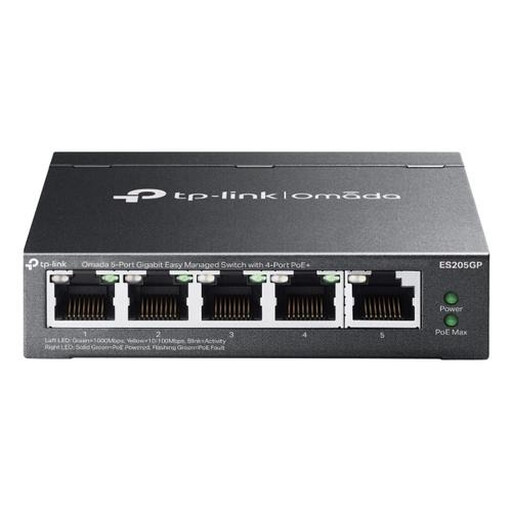
TP-Link Omada ES205G Managed Gigabit Ethernet PoE
Suitable if you want to combine wired connections, VLAN management and PoE outputs for compatible devices.
Five gigabit ports; four PoE+ ports; up to 30 W per port and 65 W in total; VLAN support. VLAN configuration requires setup, and PoE works only with compatible devices.
View at Joybuy
Frequently asked questions
Can I connect any smart home hub directly to a switch?
No, it depends on the exact hub model. Homey offers a separate Ethernet adapter for Homey Pro. Philips Hue lists both Wi-Fi and Ethernet for the Hue Bridge Pro, and specifies a separate USB-C power cable for this setup.
How do I connect the switch, and how many ports will be left free?
Connect one port on the switch to your existing network via the router, then connect the hub to another port. With a five-port switch, up to four ports remain for end devices after the router connection. Make sure you also use the specified power supply for the switch.
What should I look out for with PoE?
Compare the PoE standard and power requirements of each receiving device with the output port and the switch’s total budget. PoE output to a device is different from PoE input used to power the switch itself.
What are my rights if a switch I bought as a consumer in the Netherlands is faulty?
Under Dutch statutory warranty rules, you can expect the product to do what you could reasonably expect it to do; there is no fixed statutory warranty period. The Dutch government advises contacting the seller for an appropriate solution if a product is faulty.
What rules apply to a new switch sold in the Netherlands?
A switch must comply with the applicable EU product rules. Equipment covered by rules requiring CE marking must carry that mark; the European Commission also sets out requirements for electromagnetic compatibility. CE marking is not a general independent quality mark.


