If your printer has Ethernet and you can reach a spare router port, you may not need a switch at all; HP Support lists a direct connection to the router as an option. If you need to connect more wired devices, an unmanaged gigabit switch is a straightforward choice. Count the connection to the router as a port in use, and only opt for extra ports, management or PoE if you need those features.
Who can benefit from a network switch?
Connecting a printer and PC with network cables
Want extra wired connections at a small desk without having to configure the switch? First check whether your printer has Ethernet and how many ports will be left after connecting the switch to the router. HP Support explains how to connect a printer to a router, switch or hub.
A desk with more wired devices
If you’re adding more devices alongside the printer, extra port capacity can give you room to connect them. According to TP-Link Netherlands, the TP-Link TL-SG108 has eight ports.
A specific networking or power requirement
Management features such as VLAN settings or PoE are mainly useful when your network setup or a particular device requires them. TP-Link Netherlands describes VLAN support for the TL-SG105E and PoE+ for the TL-SG1005P.
What should you look for when choosing one?
First check whether you can connect your printer directly to a spare router port. If you need extra connections, count your devices, then choose the number of ports, size and any additional features you need.
| What to consider |
What should you check? |
Who should pay particular attention? |
| Enough ports |
Count the connection to the router, the printer and all your other devices. Compare the total with a 5- or 8-port model. |
I want to connect my printer and existing devices without filling up the switch straight away; around 38% of consumers prioritise the number of ports. |
| A reachable printer connection |
Check that the printer has Ethernet, that the cable can reach your existing network and which setup instructions apply to your printer model. |
I want to get the printer onto the local network and be able to find it; around 31% of consumers mainly need a working printer connection. |
| Space and noise |
Check the dimensions and placement options for the exact model. Also consider where the switch and power adapter can go, and whether the model has a fan. |
On a small desk, I want to know where the device and adapter will fit, and I don’t want to hear a fan from the switch; around 16% of consumers mainly consider placement. |
| Management or PoE |
Check whether you need VLAN settings or want to power a specific PoE-compatible device. For PoE, also check the required standard and power budget. |
I have a specific management or power requirement in addition to the printer; around 15% of consumers mainly prioritise management or PoE. |
Common mistakes
-
Counting every switch port as a spare port for a device
The connection from the switch to the router also uses a port. That leaves you with one fewer port for devices than the total number of ports.
Make a list of your router, printer and other wired devices before choosing between a 5- and 8-port model.
-
Assuming a switch is all you need to set up a printer
A switch adds wired connections, but it doesn’t connect or set up the printer for you.
Check that your printer has Ethernet and follow the network instructions for your printer model. If you have connection problems, check the cable and ports too.
-
Choosing PoE just because the printer uses a network cable
An Ethernet port on your printer doesn’t mean that it supports power over PoE.
Only choose PoE if you also want to power a compatible device, and check the PoE standard and available power budget.
Brands to compare
TP-Link
The range includes unmanaged 5- and 8-port models, a configurable TL-SG105E and a PoE+ model, the TL-SG1005P.
- TP-Link describes the TL-SG105 as fanless and ready to use without configuration.
- You don’t need the TL-SG105E’s VLAN settings for a simple printer connection. Features of one model don’t automatically apply to another.
NETGEAR
According to NETGEAR, the GS305v3 is a compact, unmanaged 5-port gigabit switch.
- NETGEAR lists plug-and-play setup, a fanless design and desktop or wall mounting for the GS305v3.
- According to NETGEAR, the GS305v3 doesn’t have PoE. This matters if you also want to power an access point or another device.
D-Link
The DGS-105 is an unmanaged 5-port gigabit switch, suitable for small workspaces among other uses.
- For revision E1, D-Link lists plug-and-play setup, a metal casing and a compact, quiet design.
- Check the revision when you buy; the product page described here is for revision E1.
Zyxel
According to Zyxel, the GS-100 series includes the 5-port GS-105B V5 and the 8-port GS-108B V5.
- For this series, Zyxel lists plug-and-play setup, fanless operation and desktop or wall mounting.
- The priority features mentioned aren’t essential if you only want to add a printer port.
Joybuy products
This Joybuy selection includes compact switches for extra wired connections, as well as models with PoE or network management for anyone who needs those features.
 No image available
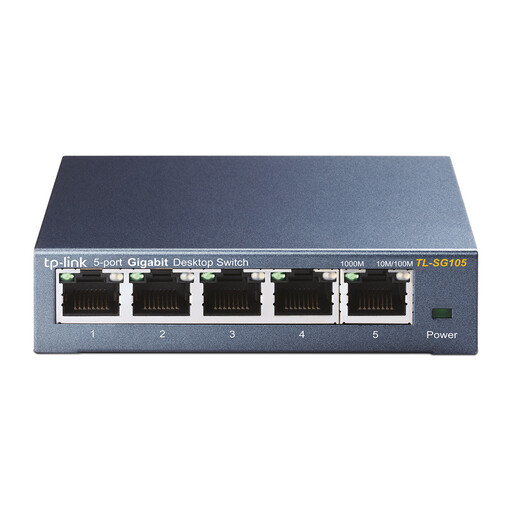
TP-Link TL-SG105 5-port metal Gigabit switch
A good option if you want extra wired connections without having to configure the switch.
5 RJ45 ports at 10/100/1000 Mbps; desktop and wall placement options are listed.
View at Joybuy
 No image available
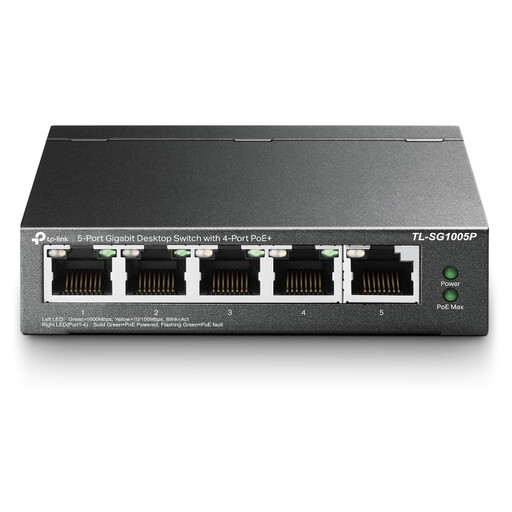
TP-Link 5-port Gigabit desktop PoE switch with 4 PoE ports
Ideal for a desk where you want to connect a compatible PoE device as well as other wired devices.
5 Gigabit ports, including 4 PoE ports; desktop and wall placement options are listed. Check that the device you want to power supports PoE.
View at Joybuy
 No image available
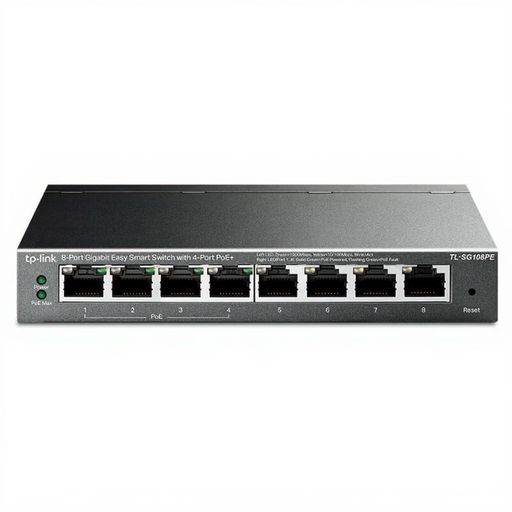
TP-Link 8-port Gigabit Easy Smart switch with 4 PoE ports
An option if you want to connect more devices as well as your printer, and need management or PoE features too.
8-port Gigabit switch with Easy Smart management; the product title lists 4 PoE ports. Check that the management and power features suit your network and connected devices.
View at Joybuy
 No image available
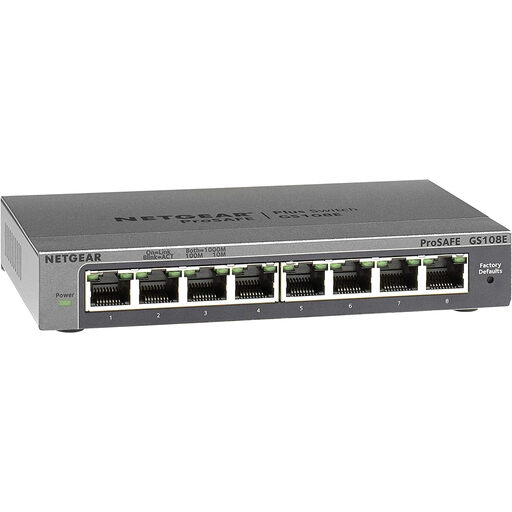
NETGEAR GS108E-400EUS
An option if you want to connect a printer and several other devices by cable, and need VLAN or QoS features.
8 Ethernet ports; the product description lists Gigabit, QoS and VLAN support. Check whether you actually want to configure these features.
View at Joybuy
 No image available
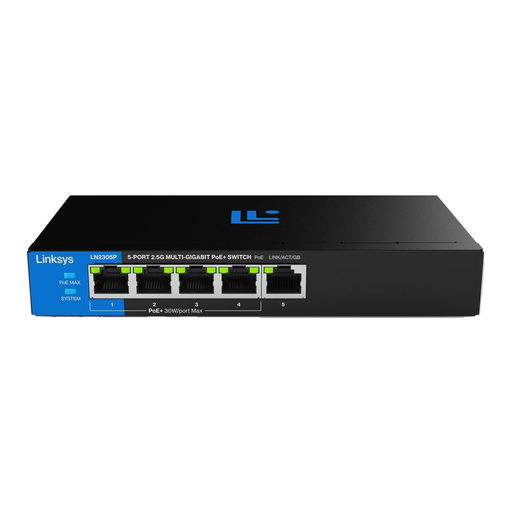
Linksys 5-port unmanaged 2.5 Gigabit switch with 4 PoE+ ports
An option if you want to power compatible PoE devices as well as add wired connections.
5 ports at 2.5 Gbps, including 4 PoE+ ports; the power budget is 60 W. The product description lists a compact, fanless design. Ensure there’s ventilation when using PoE at high loads, and don’t exceed the stated power budget.
View at Joybuy
Frequently asked questions
Does my network printer always need a switch?
No. If your printer has Ethernet and you can reach a spare router port, you can connect it directly. A switch adds extra wired connections; you’ll also need to follow the setup instructions for your printer model. HP Support lists a router, switch or hub as connection options.
What should I check if my printer isn’t found after connecting it?
First, check the Ethernet cable and the connection lights. HP Support also recommends checking a network configuration report for HP printers; the steps vary by printer model. Also make sure the device you’re printing from is on the local network.
Will a PoE switch automatically power my printer?
No, don’t assume it will. Check separately whether your printer supports PoE and meets the switch’s standard. An Ethernet port alone doesn’t indicate PoE support.
Who can help if a switch I bought as a consumer in the Netherlands is faulty?
According to the Dutch government, the seller must provide a solution if a product is faulty. The Dutch government also states that there’s no fixed statutory warranty period in the Netherlands; a manufacturer’s warranty is separate from your legal right to a product that works properly.
What should I check for product safety when buying a switch and power adapter?
The Dutch government states that electronic devices placed on the EU market must have a CE marking. Check the product information and marking on the exact switch and power adapter; information about a different model or version isn’t enough.


