What should you look for in a switch for your garden office?
First, check whether there’s already a working network connection in your garden office. Then count your wired devices and only after that consider whether you need PoE or configurable management.
| What to consider |
What should you check? |
Who is this important for? |
| Incoming connection |
Check where the network connection ends and whether it reaches your garden office. Assess any cable run between buildings separately; Ubiquiti recommends using shielded cable and surge protection for outdoor installations. This is the manufacturer’s advice, not a confirmed legal requirement in the Netherlands. |
If the network connection doesn’t reach my garden office yet, I want to sort that out before adding extra ports. For around 36% of consumers, a working incoming connection is the first purchase priority. |
| Number of ports |
Count the incoming cable as an occupied port, then count the devices that need to be connected by cable at the same time. With the five-port TP-Link, NETGEAR and D-Link models mentioned, there’s room for four devices once the uplink is connected. |
If one connection needs to serve my laptop and other network devices, I want to make sure there are enough ports left. Extra wired ports are the main priority for around 29% of consumers. |
| PoE power |
Compare the device’s required PoE standard and power with the port and total limits of the exact switch model. |
If an access point or another compatible device needs power over ethernet, I want to know whether one cable will do the job. PoE for an extra device is the main priority for around 21% of consumers. |
| IT requirements and management |
If necessary, ask your employer or IT department which network setup is permitted. Don’t buy management features assuming they’ll automatically secure your work laptop. |
If my employer has requirements for the network setup, I want to follow them rather than assume that security is taken care of. IT requirements and a suitable network configuration are the main priority for around 14% of consumers. |
Network switches on Joybuy for a garden office
These Joybuy products are options if you need extra wired connections in your garden office. Check the port speed, PoE version and required network features for each model, and verify the CE marking for the specific model.
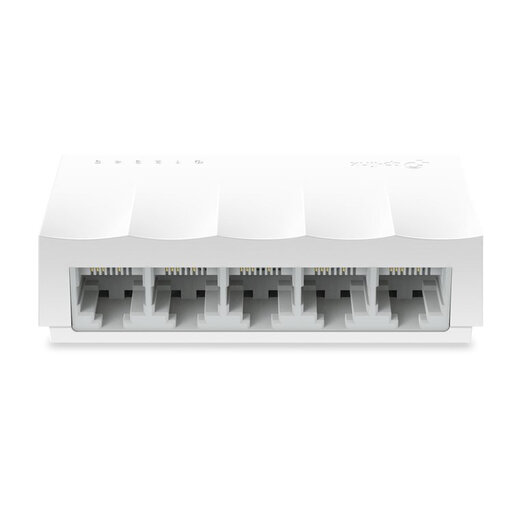 Image unavailable
TP-Link LS1005 5-Port 10/100Mbps Desktop Network Switch
An option for adding wired connections if 10/100 Mbps is fast enough for your connection.
Five ports; 10/100 Mbps; unmanaged and fanless, according to the product name.
View on Joybuy
 Image unavailable
TP-Link TL-SG105 5-Port Metal Gigabit Switch
A good fit if you want to connect several devices by cable through your existing connection.
Five gigabit ports and a metal case, according to the product name.
View on Joybuy
 Image unavailable
TP-Link 5-Port Gigabit Desktop PoE Switch, 4-Port PoE
An option if a compatible access point or another device needs power over ethernet.
Joybuy’s product information lists four PoE ports compliant with 802.3af and a total budget of 56 W. Check that these specifications match the exact model and the requirements of the connected device.
View on Joybuy
 Image unavailable
TP-Link 8-Port Gigabit Easy Smart Switch with 4-Port PoE
A good fit for a setup with several wired devices that may also need PoE connections.
The product name lists eight gigabit ports and four PoE ports. Check the PoE standard and budget for the exact model before connecting a device.
View on Joybuy
 Image unavailable
NETGEAR GS108E-400EUS
An option if you need configurable network features and can set them up in line with your IT requirements.
Before buying, check which features are included with this exact model and whether they suit your network needs.
View on Joybuy
Frequently asked questions about network switches in a garden office
Can I connect my work laptop directly to the network connection in my garden office?
Yes, if the connection works and your employer allows you to use the laptop on that network. You won’t need extra switch ports for the laptop alone; just make sure the connection is actually available in your garden office.
What should I consider when positioning a switch?
Check the operating environment for the exact model. TP-Link specifies an operating range of 0–40 °C and 10–90% relative humidity, non-condensing, for the TL-SG105E; don’t automatically apply this range to other models. Keep the power supply and cable connections accessible so you can check them if something goes wrong.
Will a PoE switch power my work laptop too?
Don’t assume it will. The PoE models reviewed are described for use with compatible access points and IP phones, among other devices. Check the power requirements of the device you want to power and the PoE specifications of the exact switch model.
What are my rights if I buy a switch online that isn’t suitable?
If you’re a consumer buying online in the Netherlands, you generally have a statutory 14-day cooling-off period after delivery; exceptions may apply. This is separate from your statutory rights if a product, when used normally, doesn’t do what you could reasonably expect, as explained by ACM ConsuWijzer.
Which product marking should I check on a network switch?
The Dutch government states that electronic devices offered on the EU market must have a CE marking. Check the marking and product information for the specific model; the model name alone doesn’t confirm that the particular version meets this requirement.


