Who is this choice relevant to?

Streaming fan with a cable running outside

You want to connect your streaming box to the garden office by cable. First, check that the existing incoming connection and the switch location are suitable. Fluke Networks outlines the usual maximum channel length for a standardised copper link; the specific installation and cable still matter.

Garden office user with multiple devices

You want to share one incoming cable between your streaming box, computer and possibly other wired devices. Count how many connections you need, and remember that the incoming connection will use one of the ports.

User with specific TV or Wi-Fi requirements

Check whether your TV service requires multicast features, or whether you want to power a compatible access point via PoE. These are separate considerations, not standard requirements for every streaming box.

What should you look for?

What to consider What should you check? Who is this important for?
Working connection and placement Test the connection to your garden office directly with a device. Check the cable run and place the switch within the operating limits of the exact model. I want to make sure there’s a usable connection in my garden office before connecting a switch. For consumers who want to sort this out first, it’s the priority for around 36%.
Enough available ports Count the incoming connection, streaming box and other wired devices. Also check whether your streaming box has an Ethernet port. I want to connect my streaming box alongside my computer or other wired devices without running out of ports. Around 29% of consumers prioritise having enough ports.
Features for TV traffic Check whether your TV service uses multicast and what it requires from your switch and router. Check that the exact model and hardware version include the feature you need. I have specific multicast or network configuration requirements and want to know whether the switch can handle them. For consumers with these feature requirements, this is the main priority for around 21%.
PoE for an additional device Check whether your access point or other device supports PoE and which standard and power level it requires. I want to power a compatible access point over the network cable as well as connect my streaming box. Around 14% of consumers prioritise this additional PoE connection.

Common buying mistakes

  • Buying a switch before the connection to your garden office is working

    A switch only shares an existing network connection. It doesn’t replace a cable or other incoming connection between your home and garden office.

    Test the incoming connection directly with a device first. Assess any new copper cable run separately for its length and installation.

    A new cable run may require suitable cabling or another connection solution, as well as the switch.

  • Assuming five ports means five connections for devices

    On a five-port switch, the incoming connection will normally use one of the ports, leaving four for local devices.

    Count the incoming connection, streaming box and other wired devices before choosing the number of ports.

    If four connections for local devices aren’t enough, you may need a switch with more ports.

  • Assuming PoE will power any streaming box

    PoE outputs are designed for devices that act as receivers and support the relevant PoE standard; a streaming box won’t necessarily do so.

    Choose PoE only for a confirmed compatible device, and check the required standard and available power budget.

  • Assuming an indoor switch or standard cable is automatically suitable for outdoor use

    The switch’s operating limits and the suitability of the cable run are separate considerations. Ubiquiti recommends taking electrostatic discharge and surge protection into account when installing outdoor cabling.

    Assess the outdoor cable and any required protection separately, and keep a desktop switch within the specifications for the exact model.

    An outdoor connection may require suitable cabling, protection or professional installation.

Brands to consider

TP-Link

The TL-SG105 is an unmanaged five-port gigabit switch; the TL-SG105E is a different model with management features.

  • TP-Link describes the TL-SG105 as plug-and-play, with a metal casing. The TL-SG105E includes features such as VLAN and configurable IGMP snooping.
  • The extra features are only relevant if your network needs them. Check the hardware version if a feature depends on it.

NETGEAR

The GS305v3 is an unmanaged five-port gigabit switch for a simple indoor network expansion.

  • NETGEAR describes the GS305v3 as plug-and-play, with a fanless design.
  • No PoE budget is specified for the GS305v3; features of other GS305 variants don’t automatically apply to this model.

D-Link

The DGS-105 Revision E1 is an unmanaged five-port gigabit switch with IGMP snooping listed by D-Link.

  • For Revision E1, D-Link lists easy installation and a five-year manufacturer’s warranty.
  • IGMP snooping on the switch alone doesn’t prove that a specific Dutch TV service will work without additional requirements.

Zyxel

The GS1005HP is a five-port gigabit switch for setups with compatible PoE devices.

  • According to Zyxel, the GS1005HP has four PoE+ ports and a total PoE budget of 60 W.
  • This budget is intended for suitable PoE receivers, such as a compatible access point, and not necessarily for a streaming box.

Products at Joybuy

These products are suitable for connecting a streaming box by cable and, depending on your setup, other network devices.
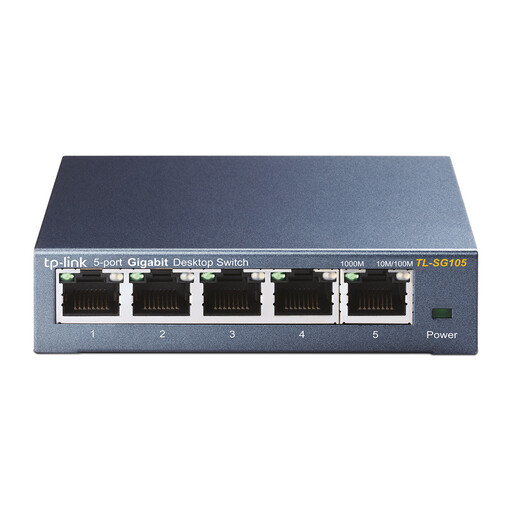
TP-Link TL-SG105 5-port metal gigabit switch

TP-Link TL-SG105, 5-port metal gigabit switch

Suitable for an existing Ethernet connection when you want to share it between a streaming box and other wired devices.

TP-Link Netherlands lists five gigabit ports and a metal casing for the TL-SG105. Check that the location is within this model’s operating limits.

View at Joybuy
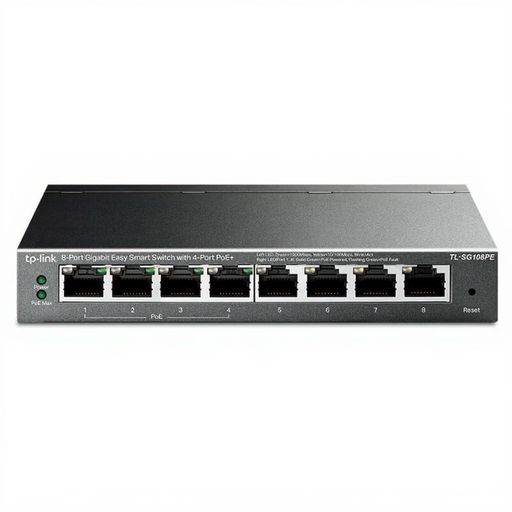
TP-Link 8-port Easy Smart gigabit switch with 4 PoE ports

TP-Link 8-Port Gigabit Easy Smart Switch with 4-Port PoE

Worth considering if you want to connect several wired devices or a compatible PoE device alongside your streaming box.

The Joybuy product name lists eight gigabit ports and four PoE ports. For a PoE device, check the required standard and power level.

View at Joybuy
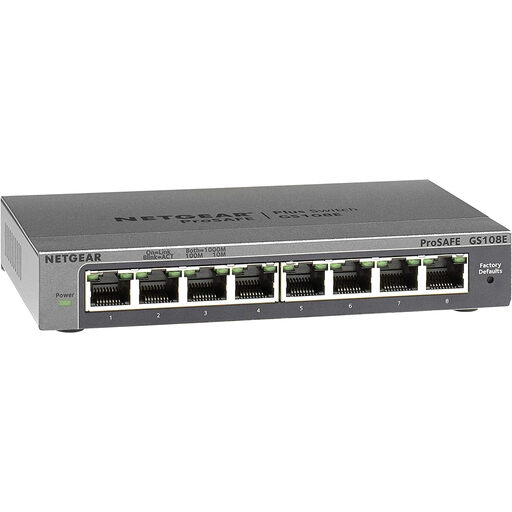
NETGEAR GS108E-400EUS network switch

NETGEAR GS108E-400EUS

Consider this model if your network setup needs management features, rather than just a simple way to share the incoming connection.

Before buying, check that the ports and settings on the exact version meet the requirements of your streaming box, router and any TV service.

View at Joybuy
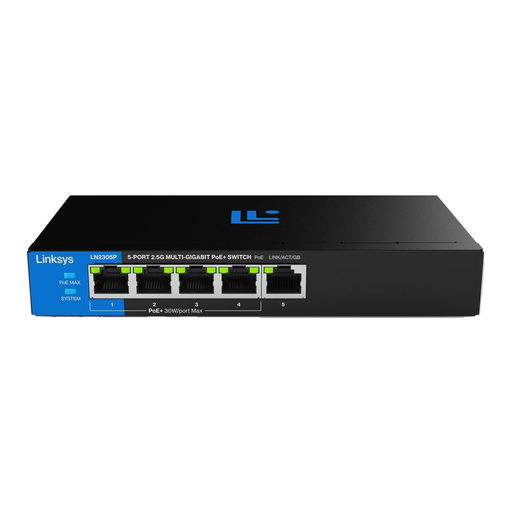
Linksys 5-port unmanaged PoE switch

Linksys 5-Port 2.5 GB Unmanaged PoE Switch

Suitable if you want to power a compatible device via PoE alongside your streaming box.

The product name lists five ports and PoE. Check that the connected device supports the PoE feature offered and that its power requirements suit your setup.

View at Joybuy
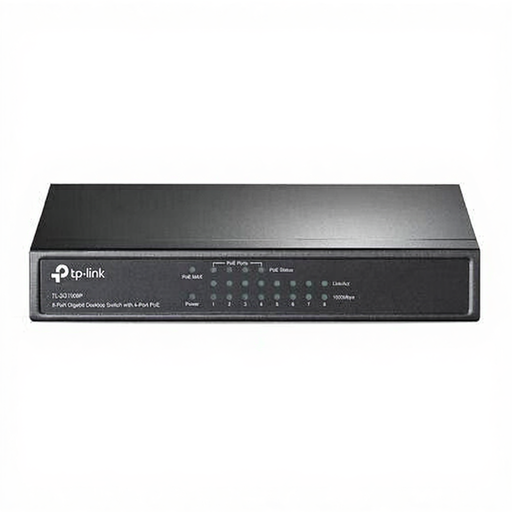
TP-Link TL-SG1008P gigabit network switch with PoE

TP-Link TL-SG1008P Gigabit Ethernet PoE Switch

A possible choice if you want to connect a compatible access point or another PoE device alongside your streaming box.

The Joybuy product name lists Gigabit Ethernet, 10/100/1000 and PoE. Check the PoE standard and power level your device needs.

View at Joybuy

Frequently asked questions

Where do I connect the cable from the house and the streaming box?

Connect the working incoming connection to an RJ45 port on the switch, then connect the streaming box to another port. An unmanaged switch such as the TP-Link TL-SG105 also needs a power supply; test the incoming connection separately if the box can’t connect.

Can I leave a switch unprotected outdoors or in a damp garden office?

Don’t assume so without checking. TP-Link specifies an operating temperature of 0–40 °C and a relative humidity of 10–90% without condensation for the TL-SG105. Check the limits of the exact model and choose a suitable indoor location.

Do I need to submit a KLIC notification before burying a network cable?

According to the Kadaster, you’re legally required to submit a KLIC excavation notification in advance if you’re going to dig with an excavator, or have one used to dig on your land. The notification must be submitted at least 3 and no more than 20 working days before digging. This rule doesn’t automatically require a notification for manual digging.

Is a two-year manufacturer’s warranty the maximum statutory warranty period in the Netherlands?

No. According to the Authority for Consumers and Markets (ACM), there’s no fixed period for the statutory warranty: what matters is what you could reasonably expect from the product under normal use. The seller is responsible for this; a commercial manufacturer’s warranty is separate.

What conformity information should I check for an electrical switch?

The European Commission states that CE rules may apply to certain product groups, including electrical and electronic equipment. CE is a manufacturer’s declaration of conformity, not an independent certification. Check which product and adapter information applies to the specific product.
