What should you look for when choosing one?
Start by checking whether a spare router port is all you need. If you need more connections, count all your devices and the connection to the router before deciding on the number of ports and any extra features.
| What to consider |
What to look for |
Who is this important for? |
| Ports and connections |
Add together the ports needed for the router, PC and all your other devices. Also check which RJ45 connections and power supply you need. |
If I want to connect a printer as well as my PC, for example, having enough basic connections is my main priority. Around 50% of consumers mainly need extra ports. |
| Local speed |
Check that the PC and other devices on the connection you want to use support 2.5G. Also check the relevant router or NAS connections. |
If I transfer large files to compatible local storage, I want to know whether every connection along the way can handle the higher speed. Around 25% of consumers prioritise local 2.5G speed above all else. |
| PoE power |
Check the PoE standard and power requirements of each device against the exact switch version, both per port and for the total power budget. |
If I want to power a compatible access point through its network cable, the PoE support needs to match the device. Around 13% of consumers prioritise PoE power for another network device. |
| VLAN management |
Check that the switch has the VLAN features you need and that they work with the settings on the rest of your network. |
If I want to separate network traffic, I need configurable VLANs and the ability to manage the settings. Around 12% of consumers put VLAN management first. |
Joybuy products for a desktop PC and wired devices
The Joybuy listings below include gigabit, PoE and 2.5G options for a desktop PC and any other wired devices. Check which product specifications and conformity information apply to the exact version, including the power supply provided. The Dutch government explains the relevant European requirements and the obligations concerning CE marking and an EU declaration of conformity where these requirements apply.
 No image available
TP-Link TL-SG105, five-port metal gigabit switch
A good fit for a simple wired expansion alongside your desktop PC.
The product name lists five gigabit ports; remember to leave one free for the connection to the router.
View at Joybuy
 No image available
TP-Link five-port gigabit desktop PoE switch
An option for connecting compatible PoE devices as well as a desktop PC.
Before comparing it with your equipment, check the exact PoE version and standard, as well as the power available per port and in total.
View at Joybuy
 No image available
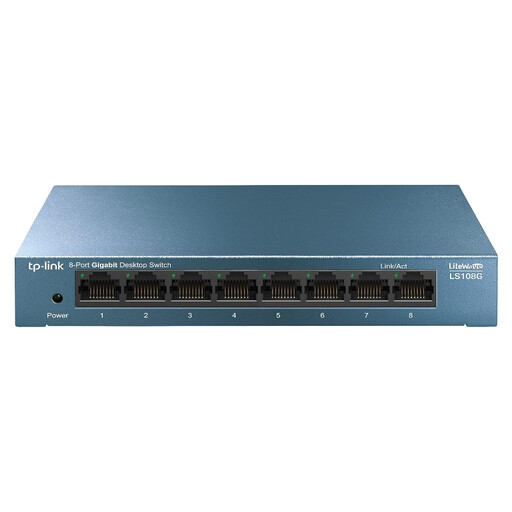
TP-Link LiteWave LS108G, unmanaged gigabit switch
Designed for expanding your wired connections when you want to connect your PC and several other devices.
Check the number of ports in the product information and include the router connection when working out how many you need.
View at Joybuy
 No image available
Linksys five-port unmanaged PoE switch, 2.5G
A good fit for a setup that needs 2.5G connections and power for compatible PoE devices.
Check that your connected devices support 2.5G and that the PoE standard and total power budget meet the needs of the devices you want to power.
View at Joybuy
 No image available
TP-Link TL-SG1008P, unmanaged gigabit PoE switch
An option if you want to expand your wired connections and power compatible PoE devices.
The product name lists gigabit Ethernet and PoE. Check the exact PoE standard and the power available for your devices.
View at Joybuy
Frequently asked questions
How do I connect a switch to my desktop PC?
Connect a LAN port on your router to a port on the switch, then plug your PC into another switch port. Use the specified power supply. An unmanaged plug-and-play model such as the TL-SG105 doesn’t need configuring. If you only have a PC and a suitable spare router port, you can skip the switch.
Will a 2.5G switch automatically make my internet connection faster?
No, a 2.5G port won’t automatically make your internet connection faster. To make use of that speed on a particular link, the connected devices and all other relevant network connections need to support it too. A stated port speed isn’t a promise of how fast your internet connection will be.
What should I look for in a PoE switch?
Check that the PoE standard and power output are suitable for every device you want to power through a network cable. Look at both the power per port and the total power budget, and check the exact version of the switch.
What conformity information matters for a switch in the Netherlands?
Applicable European product requirements apply to electrical and electronic devices sold in the Netherlands. Ondernemersplein explains that manufacturers must provide CE marking and an EU declaration of conformity when the relevant requirements call for them. Check the information for the exact switch version and the power supply provided.
What can I do if my switch breaks too soon during normal use?
For a consumer purchase in the Netherlands, you have statutory rights as well as any manufacturer’s warranty. According to ACM ConsuWijzer, if a product breaks during normal use sooner than you could reasonably expect, the retailer must put it right free of charge, for example by repairing or replacing it.


