
Desktop users with limited desk space
If you need extra Ethernet ports beside your PC, make sure you also leave room for the switch, cables and power adapter.


For a desktop PC on a small desk, a compact, unmanaged gigabit switch is usually a good choice if you simply need more wired connections. Choose 2.5 Gbit/s only if the PC, NAS and other devices involved support that speed; opt for PoE or configurable features only if you have a specific need for them. Count the connection to the router, and check the dimensions, power supply and exact model variant.
If you need extra Ethernet ports beside your PC, make sure you also leave room for the switch, cables and power adapter.
If you transfer large files between a desktop and a NAS, check that both devices and the connection between them support the port speed you want.
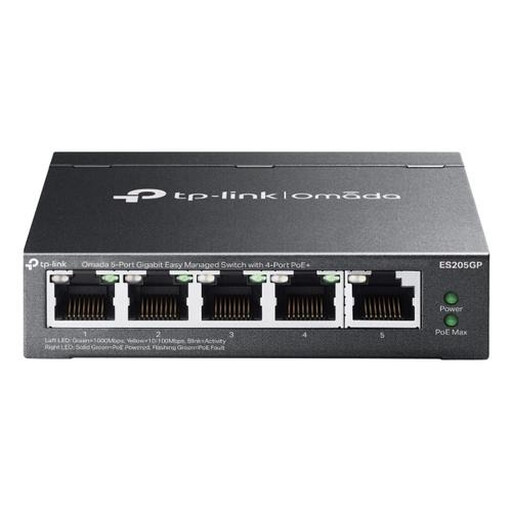
If you want to power an access point or camera over Ethernet, or configure or separate network traffic, check which features the model you choose actually offers.
Start by counting your devices and checking how much space you have. Then consider whether gigabit is enough, or whether your devices need 2.5 Gbit/s, PoE or configurable network features.
| What to consider | What to check before buying | Who is this important for? |
|---|---|---|
| Ports and desk space | Count your PC and other devices, and allow one port for the router. Compare the switch’s dimensions, port positions and power adapter with the space available. | I need the switch to fit on my small desk alongside the cables and power adapter, without running short of connections. Around 33% of consumers mainly want to make sure the switch fits their space and port requirements. |
| Simple connection | Check that you have a LAN connection from the router, along with a power supply and Ethernet cables. | I want to connect my PC by cable without having to configure network features. Around 27% of consumers are mainly looking for a simple way to add more connections. |
| Connection speed | Compare the Ethernet ports on your PC, NAS and any router with the switch’s speed. | When I transfer large files between my desktop and NAS, I want to know whether both connections can handle the same higher speed. Around 20% of consumers are mainly looking for faster local transfers. |
| PoE for other devices | Compare the device’s PoE requirements with the standard, PoE ports and power budget of the exact switch variant. | I want to power a compatible access point or camera through the network cable, so I need to know whether the switch can do this. Around 13% of consumers mainly need PoE. |
| Configurable features | Decide which feature, such as VLAN settings or port isolation, you actually want to use and check that the model supports it. | If I want to configure or separate network traffic for a specific reason, I need more than just extra connections. Around 7% of consumers are mainly looking for configurable features like these. |
The cable to the router also uses a port. That leaves a maximum of four connections for devices on a five-port switch.
Count the router, PC and all your other wired devices separately before choosing the number of ports you need.
A higher-speed port won’t make another, slower connection elsewhere in the network path any faster.
Check the ports on both devices and the network connections between them, such as the connection between your PC and NAS.
PoE can power the switch itself, but that doesn’t automatically mean the switch can power connected devices over Ethernet.
Check which ports provide power and which PoE standard the connected device requires.
TP-Link Netherlands lists different PoE standards and power budgets on different product pages for the TL-SG1005P.
Before buying, check the exact variant and its specifications.
The models listed range from unmanaged gigabit switches to models with 2.5G connections.
The GS305v3 is an unmanaged gigabit switch, while the MS305 is a separate model with 2.5G connections.
The DGS-105GL is a gigabit model, while the DMS-105 has five 2.5G connections.
According to Linksys, the LN2308 is an unmanaged switch with eight 2.5G ports.
The UniFi Flex Mini combines five gigabit ports with configurable features.
This Joybuy selection includes gigabit switches, including models with PoE or configurable features. Choose a variant based on the number of devices, the speed you need and the features you’ll actually use.
 No image available
An option for adding more wired connections when gigabit speeds are sufficient. TP-Link Netherlands specifies five gigabit ports, a fanless design and dimensions of 100 × 98 × 25 mm.
 No image available
The product name lists five gigabit ports, with PoE on four ports. Before connecting equipment, check the PoE standard and power budget for the exact variant.
 No image available
The product name lists eight gigabit ports and four PoE ports. Check that the dimensions will fit and that the PoE specifications are suitable for the devices you want to power.
 No image available
The product name indicates a managed gigabit switch with PoE. Check which ports provide PoE, which standard the variant uses and whether you need the management features.
 No image available
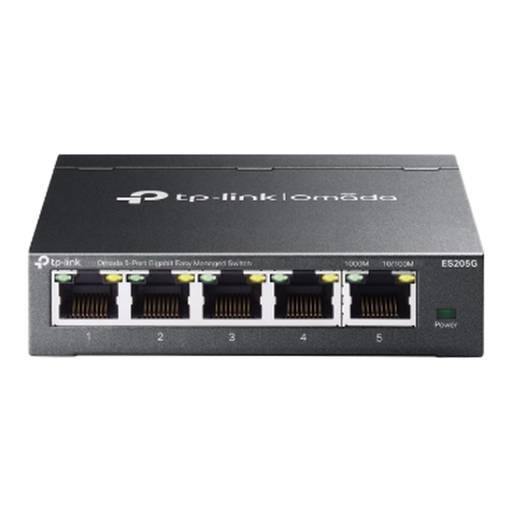
The product name lists five gigabit ports and an easy-managed design. Check that the available configurable features meet your needs.
Connect a LAN port on the router to a port on the switch, then connect the PC to another port. For simple port expansion, an unmanaged plug-and-play model doesn’t need configuring; just remember to check the power supply too.
Once the router is connected, you’ll have a maximum of four ports left for devices. Count your desktop PC and other wired equipment to see whether five ports will be enough.
Only if the connections at both ends of the connection you want to use, and the rest of the network path, support that speed. For example, check both your PC and NAS before choosing 2.5G.
No, PoE isn’t needed for a standard Ethernet connection to a PC. It’s useful if you also want to power a compatible device, such as an access point or camera, through the network cable. If so, check the PoE output and power budget of the exact switch variant.
Check the exact variant, PoE standard and total power budget. TP-Link Netherlands lists different specifications on different product pages for the TL-SG1005P, including 802.3af with 56 W and 802.3af/at with 65 W.