Start by checking the access point’s power requirements. A switch without PoE is suitable if the access point has another compatible power source. If it needs power over Ethernet, the PoE standard, power per port and total power budget must all match. Then count the connections you need and consider whether you need to segment the network. For VLAN separation, the router must also be configured accordingly.
Who is this choice relevant to?
Studio with a PoE access point
You want to connect the access point via a network cable. Before buying, compare its power requirements with the PoE standard and the power available per port and across the switch as a whole, as outlined by TP-Link, NETGEAR and Zyxel.
Studio with separate user networks
You share an internet connection but want studio and guest traffic kept separate. This requires suitable management features and the right router configuration, as Zyxel explains.
Studio with too few wired connections
Your access point already has a suitable power source, and you mainly want extra ports without any additional configuration. The TP-Link TL-SG108 is one example of a switch with eight gigabit ports that requires no configuration.
What should you look for when buying?
Start with the access point’s power requirements, then count the ports you need. Only then decide whether you need network management features.
| What to consider |
What should you check? |
Who is this important for? |
| PoE compatibility and power |
Compare the PoE standard and power requirements of the exact access point with the relevant switch port and the total budget for all PoE devices. |
If you want to power the access point over Ethernet, the switch must match the required standard and power level. Around 40% of consumers prioritise PoE compatibility. |
| Network separation and management |
Check VLAN support and the settings on the switch, access point and router if studio and guest traffic need to be kept separate. |
If you don’t want guests and studio users on the same network, check that all the devices support the setup you need. Around 30% of consumers prioritise network management. |
| Number of ports and speed |
Count the router connection, access point and any other wired devices. Also check that the switch’s port speeds meet your needs. |
If you mainly want to connect extra devices over a wired connection, every available port counts, as well as the connection to the router. Around 20% of consumers prioritise having enough connections and speed. |
| Easy installation |
Check whether a single network without VLAN management will do, where the switch will be placed and how the access point will be powered. |
For a straightforward expansion, you’ll want to connect the switch without having to manage settings. If the switch doesn’t offer PoE, you’ll need to arrange a separate power source for the access point. Around 10% of consumers prioritise ease of installation. |
Common buying mistakes
-
Confusing the number of PoE ports with the power available
A switch may have several PoE+ ports, but its total power for all connected devices is limited. NETGEAR lists eight PoE+ ports and a total budget of 62 W for the GS308EP.
Compare each access point’s power requirements with the maximum per port, and include the power needs of all planned PoE devices in your total budget.
-
Assuming every hardware version has the same PoE specifications
TP-Link lists different PoE specifications for different versions of the TL-SG108PE. The model name alone therefore doesn’t tell you which features apply to the unit you’ll receive.
Before buying, check the hardware version and compare its specifications with your access point’s power requirements.
-
Assuming a VLAN feature creates a fully separate network
A VLAN setting on the switch alone won’t automatically configure the network interfaces and security rules needed on the router. Zyxel stresses that the router must also be configured.
Decide which traffic needs to be separated and check that the switch, access point and router can work together to support your setup.
-
Relying on a general product title to confirm the exact version
A general description won’t always clearly state the hardware version supplied or the number of PoE ports.
Base your choice on the confirmed version and its corresponding manufacturer specifications, especially when PoE power is a deciding factor.
Brands to compare
TP-Link
Worth considering for both simple switches without PoE and versions with PoE and management features.
- According to TP-Link, the TL-SG108 has eight gigabit ports and requires no configuration.
- TP-Link pages for different TL-SG108PE versions list varying PoE standards and power levels. Check the hardware version rather than assuming the specifications are the same across all units.
NETGEAR
The GS308EP is worth comparing if you’re looking for PoE on multiple ports and basic management features.
- NETGEAR specifies eight gigabit PoE+ ports, a shared power budget of 62 W and a fanless design for the GS308EP.
- The total budget limits the power available to all connected devices combined. Eight PoE+ ports don’t mean every device can use the maximum port power at the same time.
Zyxel
According to Zyxel, the GS1200-PoE series combines PoE with configuration through a web interface.
- Zyxel lists 802.3af/at support, up to 30 W per port, a total budget of 60 W and VLAN features for the series.
- Check whether the 5- or 8-port model is right for you. VLAN separation also requires the appropriate router settings.
Ubiquiti
The UniFi Lite 8 PoE is worth considering if your studio already uses a UniFi-managed setup.
- Ubiquiti specifies eight ports, four of which are PoE+, and 52 W of total PoE power available.
- The stated software requirement is UniFi Network 7.2.94 or later. Also check that four PoE+ ports and the total power are enough for your planned devices.
D-Link
The DGS-1100 series offers web management, with available features depending on the model you choose.
- D-Link lists VLANs and other Layer 2 management features for the series.
- PoE and the available power vary by version. Check the specifications for the exact model before assuming it can power an access point.
Joybuy products for wired expansion
These products are designed to add wired connections; some versions also offer PoE to power devices over Ethernet. Check each product’s port speed, PoE version and the power your access point requires.
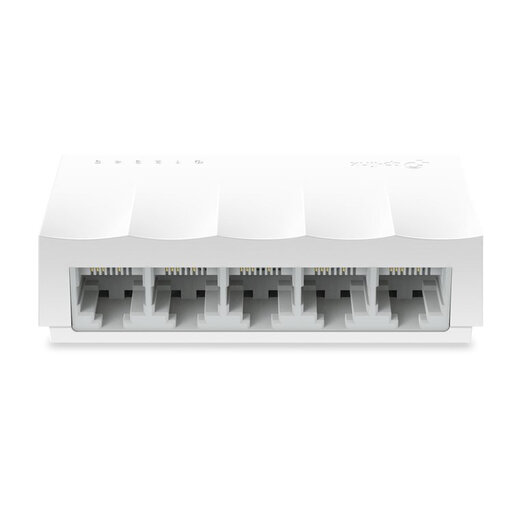 Image unavailable
TP-Link LS1005 5-port 10/100 Mbps desktop network switch
Suitable if you need extra wired connections and your access point has a separate power source.
Five 10/100 Mbps Ethernet ports; unmanaged and plug-and-play. Doesn’t power the access point over Ethernet.
View at Joybuy
 Image unavailable
TP-Link 5-port gigabit desktop PoE switch with 4 PoE ports
Worth considering if you want to power an access point over Ethernet and need additional wired connections.
Five gigabit ports, four of which are PoE ports; unmanaged, plug-and-play and fanless.
View at Joybuy
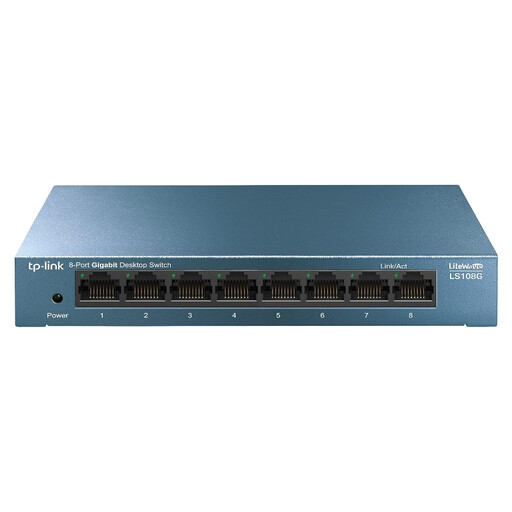 Image unavailable
TP-Link LiteWave LS108G 8-port gigabit unmanaged switch
Suitable if you want to connect several wired devices without having to configure the switch.
Eight RJ45 gigabit ports; unmanaged and plug-and-play.
View at Joybuy
 Image unavailable
TP-Link 8-port gigabit Easy Smart switch with 4 PoE ports
Suitable if you need extra wired connections and want to consider PoE for an access point.
Eight gigabit ports, four of which are PoE ports; Easy Smart management. Check the PoE standard and power for the exact version to make sure it’s suitable for your access point.
View at Joybuy
 Image unavailable
Linksys 5-port unmanaged PoE switch with 2.5 Gbps ports
Worth considering if you need PoE for an access point and 2.5 Gbps ports are compatible with your equipment.
Four PoE+ ports, a total PoE budget of 60 W and 2.5 Gbps per port. The total budget is shared across all connected PoE devices.
View at Joybuy
Frequently asked questions
Can I connect my access point to a switch without PoE?
Yes, you can use it for the data connection as long as the access point gets power in another suitable way. If the access point needs power over Ethernet, compare its exact PoE requirements with a compatible PoE switch or a separate power solution.
Will a VLAN switch automatically create a separate guest network?
No. Make sure the switch and access point settings work with the router’s VLAN interfaces and rules. Setting up VLANs on the switch alone won’t automatically provide complete separation.
What should I check after connecting the switch or during maintenance?
Check that the network connection is active and that the access point is receiving power. For the GS1200 models mentioned, Zyxel recommends a firmware update due to earlier firmware issues. Check the information for the exact model.
What are my rights when buying online in the Netherlands?
According to the Dutch government, consumers buying online from a business usually have a 14-day cooling-off period. If a product is faulty, contact the seller to arrange a solution. These consumer protections don’t necessarily apply to business purchases.


