
You want to keep using your existing speakers
You already have an amplifier or active speakers in your kitchen-diner and want to play online music through them without replacing your audio system.


If you already have an amplifier or active speakers in your kitchen-diner, choose a separate network streamer with outputs that match your setup. If you don’t have any audio equipment yet, a Wi-Fi speaker with a built-in player is the simpler option. Whichever route you choose, check that your music service works with the exact model. Also consider Wi-Fi coverage and where you’ll put the device, and compare multi-room features only between devices you plan to use together.
You already have an amplifier or active speakers in your kitchen-diner and want to play online music through them without replacing your audio system.
You don’t have an audio system in that room yet and want a Wi-Fi speaker that lets you listen straight away in your kitchen-diner.
You want to control music in another room from your kitchen-diner, or play it in both rooms at once. Check that the devices you want to combine work with the same playback method.
Choose this option if: you want to keep using your amplifier or active speakers.
Bear in mind: the streamer isn’t a complete speaker system, so check that its outputs match the inputs on your setup.
Choose this option if: you don’t have a suitable audio system yet and want to set up a single device.
Bear in mind: multi-room playback depends on support from the devices and system you want to use.
| What to consider | What should you look for? | Who is this important for? |
|---|---|---|
| Access to your music library | Check that your music service works with the exact model and playback method, such as Spotify Connect or AirPlay 2. Spotify says that devices must be on the same Wi-Fi network the first time you connect using Connect. | If I want to play music from my online library using a service I know, I’ll first check that it works with the device I’ve chosen. Access to their own library is the main concern for around 36% of consumers. |
| Connecting to your existing audio equipment | Compare the streamer’s analogue or digital outputs with the available inputs on your amplifier or active speakers. | If I want to keep my current setup, the streamer needs to connect to it without requiring unnecessary connections. Around 29% of consumers prioritise connecting to their existing audio equipment. |
| Ease of use and placement | Check Wi-Fi coverage and power availability where you plan to put the device. Don’t place a speaker somewhere it could get wet. | If I want to listen in my kitchen-diner without setting up separate components, I’ll look for a suitable spot and simple controls. Around 21% of consumers prioritise ease of use and suitable placement. |
| Listening in several rooms | Check how you can group the devices you want and whether the exact models work together using that method. | If I want to listen in another room as well as my kitchen-diner, I’ll check that the devices I plan to use together are compatible. Listening in several rooms is the main concern for around 14% of consumers. |
A separate network streamer sends the audio signal to another system, so you’ll need a suitable amplifier and speakers, or active speakers. A Wi-Fi speaker such as the Sonos Era 100 or Denon Home 150 has a speaker built in.
First, check what audio equipment you already have. Then compare the streamer’s connections with those on your setup.
WiiM lists the Mini and Pro Plus as models that support AirPlay 2, but says the Ultra doesn’t support it.
Check the full model number if you need to stream from Apple devices using AirPlay 2.
Sonos describes the Era 100 as moisture-resistant, but warns that direct exposure to water can damage speakers.
Keep the speaker away from direct splashes and spills, and follow the placement guidance for the exact model.
The Mini is designed as a compact standalone streamer for existing audio equipment. The Pro Plus is worth considering if you’ll use its extra connections or analogue RCA output.
The NODE NANO is a standalone BluOS network streamer for an existing amplifier or active speakers.
The Era 100 is a complete Wi-Fi speaker controlled through the Sonos app.
The Home 150 is a complete speaker within a HEOS system.
This selection of Joybuy products is aimed at streaming online music through a device with a built-in speaker. Check that your music service and preferred controls work with each model.
 No image available
The product name lists a built-in speaker, Wi-Fi and Bluetooth 5.0. The product information says you can access streaming apps through the Play Store over Wi-Fi. Check that your music service and app are compatible.
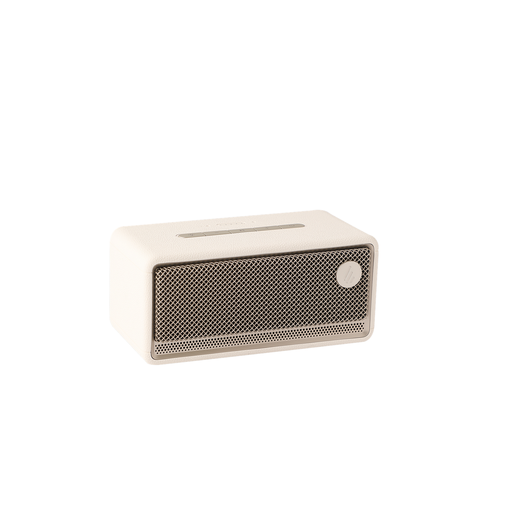 No image available
The product name lists a Wi-Fi speaker with AirPlay 2 and multi-room support. The product information also mentions app control. Check that your chosen music service and any other devices work with the features you plan to use.
The product name also lists USB and AUX connections.
Yes, if your chosen device supports Spotify Connect. Spotify says devices must be on the same Wi-Fi network the first time you connect. Also check that the exact model is supported.
Yes. Connect a separate streamer to a suitable amplifier with speakers, or to active speakers. If you don’t want a separate audio setup, consider a Wi-Fi speaker with a built-in player.
Choose a spot with a reliable Wi-Fi signal and keep the speaker away from direct contact with water. Sonos warns that direct exposure to water can damage speakers; placement requirements vary by model.
For online purchases, you generally have a 14-day cooling-off period, although exceptions apply. The Dutch government also states that the Netherlands has no fixed statutory guarantee period; if a product is faulty, you can contact the seller.