
Listeners without an audio system
You want to listen to the daily news through a single compact speaker, without a separate amplifier. Check that your news source works in the app you choose.


Choose a standalone network speaker if you don’t already have a suitable audio system. If you have a compatible amplifier or active speakers, a separate streamer can work with your existing set-up. Then decide whether you want to listen to live radio or a podcast episode, and check that your chosen news source is available through the device’s app or playback method.
You want to listen to the daily news through a single compact speaker, without a separate amplifier. Check that your news source works in the app you choose.
You want to keep your current set-up and add network streaming. The connections on your amplifier or active speakers will determine which streamer is suitable.
You’re looking for a news programme or podcast you can listen to later, rather than necessarily a live station. Check how to start the episode on your audio system.
First, work out whether you already have amplified speakers. If not, you’ll need a standalone network speaker, while a streamer can work with existing audio equipment. Then choose between live radio and listening later, and check that your chosen source can be played through the device.
| What to consider | What to check before buying | Who is this for? |
|---|---|---|
| Quick access to live news | Look for your preferred station in the supported radio service and check whether you can save it as a favourite or preset. | If I want to start the same live news source every day, simple, consistent controls matter most; around 36% of consumers prioritise quick access to live news. |
| A compact, all-in-one set-up | Check whether the device has a built-in speaker and how Wi-Fi set-up and controls work. | If you want to set up one room without a separate amplifier, a standalone speaker is a good choice; around 29% of consumers prioritise a complete, space-saving set-up. |
| Keeping your existing audio equipment | Check whether your amplifier or active speakers have a suitable analogue or digital input. | If you want to keep using your current audio system, check the streamer’s connections; around 21% of consumers prioritise reusing existing audio equipment. |
| Listening to the news later | Look for the specific podcast or catch-up programme, and check how to play it through the device’s app or a supported method from your phone. | If I want to listen to an episode at a time that suits me, it needs to be easy to start that particular episode; around 14% of consumers prioritise listening later. |
The WiiM Mini and Bluesound NODE NANO are designed to connect to existing audio equipment; a streamer isn’t a standalone speaker.
First, check what equipment and connections you already have. If you don’t have a suitable amplifier or active speakers, look for a standalone network speaker.
Live stations, catch-up programmes and podcasts have different ways of searching for and playing content.
Check the exact title and how to start that daily episode on your audio system.
Yamaha states that the services available may vary by region and may change or be discontinued.
Shortly before buying, check that your chosen service is available in the Netherlands on the player you’re considering.
The Era 100 is a compact standalone Wi-Fi speaker for anyone who doesn’t need to connect an existing audio system.
The WiiM Mini is a separate streamer that adds network streaming to a suitable existing stereo system.
The Home 200 is a standalone network speaker in the HEOS range, for radio or podcasts and, if you like, adding more devices within that ecosystem.
The MusicCast 20 is a standalone network speaker with touch presets, designed for a regular daily source.
The NODE NANO is a separate network streamer for an existing amplifier or active speakers.
This selection includes wireless speakers and a soundbar with the streaming features listed. Check that your specific news source works through the app or playback method you want to use. The Dutch government states that electronic products placed on the market in the EU must carry a CE marking; check this on the specific model.
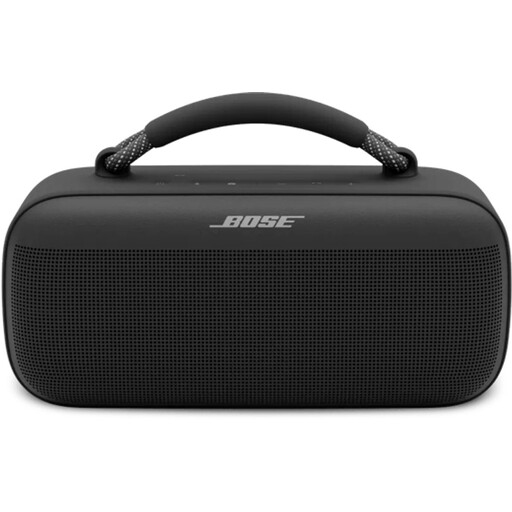 No image available
The product description lists AirPlay and Spotify Connect. Check whether your chosen news source plays through the speaker using either of these methods.
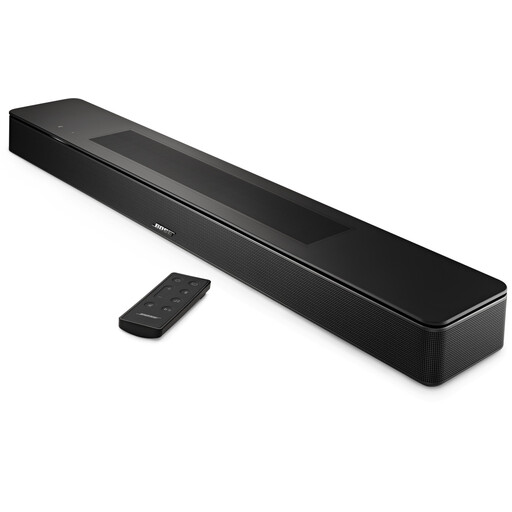 No image available
This is a soundbar, so choose it only if a soundbar suits your set-up. Check whether your daily news source plays through a supported streaming method.
 No image available
The product title lists Wi-Fi, Bluetooth and AirPlay 2. Check whether your specific news source works through one of these playback methods.
No. NPO Radio 1 offers live news; NPO Luister also explains how to find and play podcasts and missed programmes. Check separately how to start the content you want on your chosen audio system.
Not as a complete listening set-up. WiiM describes connecting the Mini to existing audio equipment, while Bluesound says the NODE NANO needs an existing stereo system or active speakers. Before buying, check that the inputs and outputs are compatible.
If you listen to the same live station regularly, a radio preset can make it easier to start. WiiM describes saving a radio station as a preset, while Yamaha lists touch presets for the MusicCast 20. Check that these controls work with your station.
No, availability can vary by region and service. Yamaha warns that services may change or be discontinued, so check whether your news source is available on the device you’re considering.
The Dutch government states that electronic products placed on the market in the EU must carry a CE marking. Check the marking and the documentation for the specific model.