
Listener with an existing stereo system
You want to play party playlists through your current amplifier or active speakers. Focus on finding compatible connections and support for your music services, as outlined by WiiM and Sonos.


Start with the speakers you already own. If you have a suitable amplifier or active speakers, a standalone network player may be all you need. Passive speakers without an amplifier require a streaming amplifier. If you don’t already have a system, consider a Wi-Fi speaker. Whichever route you choose, check that the connections, music service and controls suit your setup.
You want to play party playlists through your current amplifier or active speakers. Focus on finding compatible connections and support for your music services, as outlined by WiiM and Sonos.
You want to keep your speakers but don’t yet have an amplifier to power them. A streaming amplifier is one option; WiiM describes the Amp Pro as being designed for passive speakers.
You’re looking for an easy way to play music where guests gather, and are comparing a Wi-Fi speaker with a setup you can expand. The Consumers’ Association describes Wi-Fi speakers as home speakers that connect to Wi-Fi and are controlled via an app.
Choose this option if: you already have a suitable amplifier or active speakers and want to add streaming.
Bear in mind: a standalone streamer won’t power passive speakers. Also check that your system’s inputs are compatible with the outputs on the model you choose.
Choose this option if: you want to use passive speakers and don’t yet have a suitable amplifier.
Bear in mind: you may not need this combination of streaming and amplification if you already have a suitable amplifier.
Choose this option if: you’re starting without an existing amplifier or speakers, and easy placement and control are important to you.
Bear in mind: consider whether one speaker will suit the areas where guests will be listening, or whether you’d prefer to use compatible speakers in several locations.
| What to consider | What should you check? | Who is this most relevant to? |
|---|---|---|
| Compatibility with your system | Check whether your speakers are active or passive, then compare the inputs and outputs on your existing equipment and the player. | If I want to keep using my current stereo, I need to avoid incompatible connections. Around 33% of consumers put reusing their existing system first. |
| Amplification | Check whether you already have a suitable amplifier; passive speakers need amplification. | If I want to keep my passive speakers but don’t have an amplifier yet, I’m looking for a setup that combines both functions. Around 27% of consumers prioritise amplification for passive speakers. |
| Listening areas | Decide where guests will listen and check which speakers can work together within the same system. | If guests are spread across areas such as the lounge and dining area, I want to know whether I can control the music in each location. Around 20% of consumers prioritise having speakers in multiple listening areas. |
| Controls and music service | Check support for your music service and phone on the exact model variant. | If I want to get the music playing quickly during a party, I’m looking for controls that work with the services and devices I use. Around 20% of consumers give easy access to party music top priority. |
A network player may have an audio output without being able to power passive speakers. You’ll also need a suitable amplifier for passive speakers.
First, take stock of the equipment and speakers you already have. Then compare a standalone player with a streaming amplifier.
If you only have passive speakers, you may need a separate amplifier.
Support varies by model. For example, WiiM says the Amp Pro doesn’t support AirPlay 2, so features available on one model won’t necessarily be available on other models from the same brand.
Before you choose, check that the exact model variant supports your preferred music service and control method.
A connection may require a separate adapter or cable. Sonos specifies a separate adapter for the Era 100’s analogue line-in; certain connections on the Port may require a special cable.
Before you buy, compare the connections on both devices and check which accessories are included.
Depending on the connection you choose, you may need a separate adapter or cable.
Compare the Pro Plus as a standalone streamer with the Amp Pro as a streaming amplifier for passive speakers.
The Port adds streaming to an existing amplified system, while the Era 100 is a Wi-Fi speaker for those starting without an existing system.
The NODE is a standalone streamer worth comparing if you value existing hi-fi equipment, TV audio and control via presets.
The HEOS Link HS2 is a network player worth comparing if you want to add streaming to an existing hi-fi system.
The compact MXN10 is a standalone network player worth comparing if you want to play music from USB or NAS as well as stream.
This selection includes speakers for wireless music playback, including models with Wi-Fi and app control.
 No image available
A possible choice if you want to control music over Wi-Fi and listen in different areas. Check which speakers can work together in the setup you have in mind.
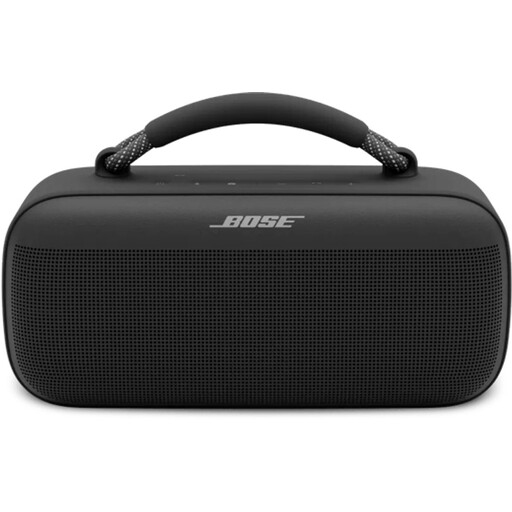 No image available
A good fit if you want to control music from a mobile device. Check that your preferred streaming method works with your phone and party setup.
Bluetooth speaker.
 No image available
An option to compare if you’re looking for wireless streaming and app control. Check that the listed features suit the phones and listening areas you plan to use.
The product title lists 60W, AirPlay 2, multi-room, USB and AUX.
You need a suitable amplifier for passive speakers, unless you choose a streaming amplifier. WiiM describes the Pro Plus as a player that connects to an amplifier, receiver or active speakers; the Amp Pro is designed for passive speakers.
It depends on the model. According to the Sonos manual, the Port has Ethernet ports. For other models, check the connections and whether you can run an Ethernet cable to the location you want.
No. According to the Cambridge Audio manual, you need the StreamMagic app to control files on a connected USB drive, so a network connection is also required.
Check the rules that apply to your local council and living situation, and be considerate of your neighbours. The Dutch government says that nuisance between neighbours may fall under the General Municipal By-law in many municipalities; check with your local council to find out which limits apply locally.
If you already have a suitable amplifier or active speakers, you can connect a standalone network player to them. For passive speakers without an amplifier, a streaming amplifier is one option. Starting without an existing system? Compare Wi-Fi speakers and check whether one speaker or several compatible speakers will suit the areas where guests will be listening.