
Housemates who choose music together
They want to edit a playlist together or add tracks while listening. Spotify Support distinguishes between a collaborative playlist and a Jam: with a Jam, participants add tracks to the queue.


If you already have active speakers or an amplifier, choose a standalone streamer with an output that suits your system. If you don’t have any audio equipment yet, a network speaker gives you a complete setup with fewer separate components. Agree whether everyone will edit the playlist beforehand or add tracks to the queue while listening: these are different Spotify features, and you need Premium to start or host a Jam. Finally, check that the exact model works with the phones, apps and connections you use.
They want to edit a playlist together or add tracks while listening. Spotify Support distinguishes between a collaborative playlist and a Jam: with a Jam, participants add tracks to the queue.
They already have active speakers or an amplifier and are looking for a streamer with a suitable network connection and audio output, rather than another speaker.
They want to play music in the living room without several separate devices, so they consider the setup, app and any adapter needed for a network speaker.
Choose this option: if you want to keep using your existing active speakers or amplifier.
Bear in mind: the streamer doesn’t produce sound itself; passive speakers still need an amplifier.
Choose this option: if you don’t have an audio system yet and would rather use a single speaker.
Bear in mind: initial setup may require Wi-Fi and a dedicated app; a wired input may need a separate adapter.
First decide how you want to listen together, then check what equipment you already have and finally check the playback options for the exact model.
| What to consider | What should you check? | Who is this important for? |
|---|---|---|
| Choosing music together | Agree whether participants will edit the playlist beforehand or add tracks to the queue while listening; check which feature and service you’ll need. | If I want to collect tracks with my housemates beforehand, I need a collaborative playlist; shoppers who give this the highest priority make up around 36% of those choosing between these options. |
| Using your existing speakers | Check whether your speakers are active or passive and which analogue or digital input your speakers or amplifier have. | If I want to keep my existing system, the streamer must connect to the right input; shoppers who prioritise this make up around 29% of those choosing between these options. |
| A complete solution | Check whether the product includes a speaker and what the initial setup involves. | If I don’t have any audio equipment yet and want fewer separate components, a speaker with built-in network playback is a better fit; shoppers with this priority make up around 21% of those choosing between these options. |
| Phones and apps | Make a note of the phones and music services you use, and your preferred playback method, then compare them with the features of the exact model. | If I use different phones or apps and want to keep my usual playback method, I’ll check support for each model; shoppers who consider this the most important factor make up around 14% of those choosing between these options. |
A streamer sends audio to other equipment and cannot power passive speakers on its own.
Check which speakers and amplifier you already have, and whether their inputs match the streamer’s output.
Passive speakers still need an amplifier; you may also need active speakers or a suitable audio cable.
With a collaborative playlist, participants can add, remove or rearrange tracks. A Jam is designed for adding tracks to the queue together while listening. Spotify Support states that you need a Premium user to start or host a Jam.
Decide in advance which type of collaboration you’re looking for and who, if anyone, will host the Jam.
WiiM lists AirPlay 2 for the Mini and Pro. A post by WiiM Team on the official WiiM forum dated 26 July 2024 states that the Ultra is not an AirPlay receiver.
Check the details for the exact model to see whether it supports AirPlay, Google Cast and control from your music service.
According to Sonos, using a 3.5mm line-in on the Sonos Era 100 requires a separate adapter.
Check which input you want to use and whether the required adapter is included with the version you’ve chosen.
You’ll need a separate Sonos adapter for this connection.
WiiM makes standalone streamers for existing audio equipment; connections and playback options vary by model.
The NODE NANO is designed to expand an existing audio system with additional outputs and BluOS control.
The Era 100 is a compact network speaker for anyone who wants to get started without an existing amplifier or speakers.
HEOS is worth considering if you already have compatible Denon audio equipment or are thinking of adding speakers in other rooms.
This selection of Joybuy products focuses on speakers for wireless playback from a phone; they aren’t necessarily a substitute for choosing a standalone streamer for an existing system.
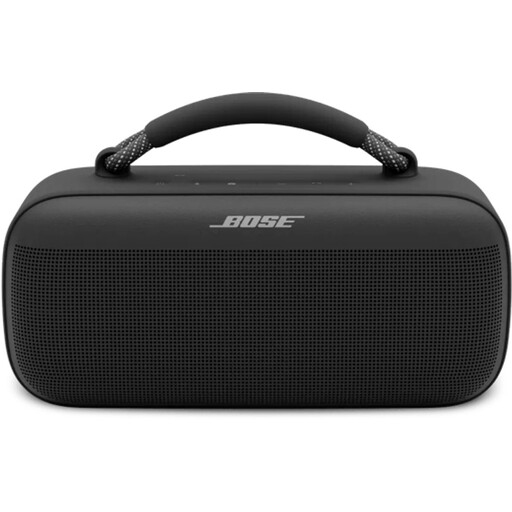 No image available
An option if you want to play music through a speaker using your phone or a music service.
The product description lists Spotify Connect, AirPlay, Bluetooth and control via a mobile app.
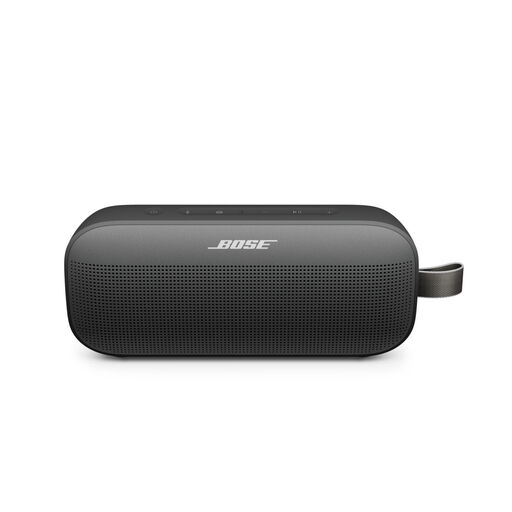 No image available
Ideal if you mainly want to play music wirelessly from a connected phone.
Bluetooth and control via the Bose Music app are listed; the stated dimensions are approximately 20,1 × 9,0 × 5,2 cm.
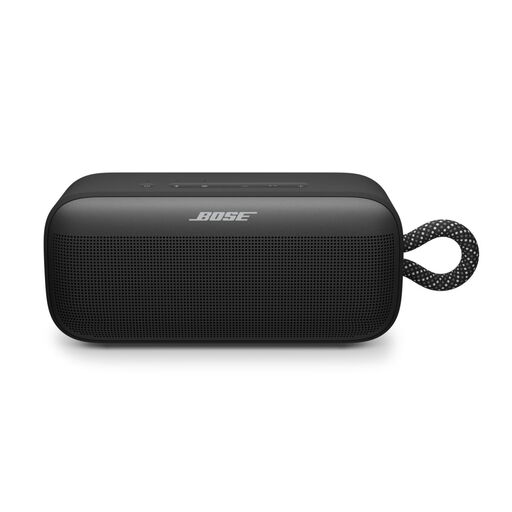 No image available
A speaker option if you want to play audio from a connected device.
The product description lists Bluetooth, a built-in battery and control via a Bose app.
 No image available
An option if you want to play music wirelessly from a phone and also connect a wired source.
The product description lists 2,4 and 5 GHz Wi-Fi, Bluetooth 5.3, AirPlay 2, USB and AUX.
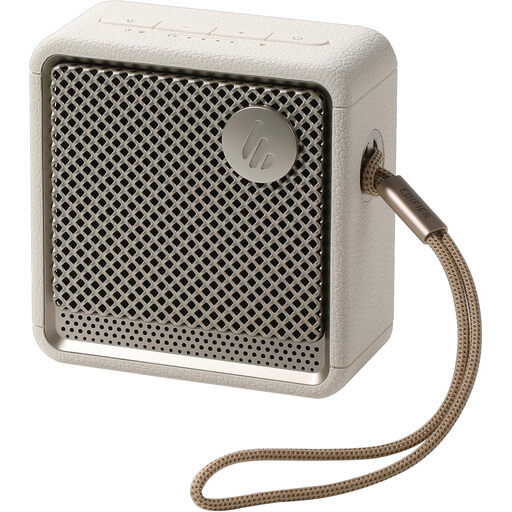 No image available
Ideal if you want to play audio from a connected phone and pair two speakers for stereo sound.
The product description lists Bluetooth 5.4 and the option to pair two speakers.
No. With a collaborative playlist, invited people can add, remove and rearrange tracks. With a Jam, participants can add tracks to the queue while listening. Spotify Support states that you need a Premium user to start or host a Jam; users with a free account can join a Jam started by a Premium user.
Not as a replacement for an amplifier. According to the WiiM Mini setup instructions, passive speakers need an amplifier; connect the streamer to a suitable input on the amplifier or use active speakers.
No. Sonos says you must first set up the Era 100 over Wi-Fi using the Sonos app; afterwards, you can switch the speaker to Bluetooth mode.
According to ACM ConsuWijzer, online purchases are generally covered by a statutory cooling-off period of up to 14 days after delivery; check which exceptions apply. You’re also covered by the statutory guarantee if a product doesn’t perform as you could reasonably expect under normal use.
According to Ondernemersplein, a Dutch government website, devices with Wi-Fi or Bluetooth are subject to the applicable requirements for radio equipment. Among other things, the manufacturer must apply a CE mark to a compliant product and draw up an EU declaration of conformity; this does not automatically confirm that an individual retailer listing is compliant.