
Vandaag of morgen in huis

Kwaliteit gegarandeerd

Welkomstaanbiedingen ontgrendelen: GRATIS bezorging | Tot 80% korting | Gratis 30 dagen JoyPlus-proefperiode
Download de app
A Neomounts monitor arm can free up space on your desk and make it easier to position your screen at the height and viewing angle you want. However, not every monitor arm is suitable for every desk or screen. Choosing the wrong one can result in an unstable mount, an arm that slowly droops or a VESA mount that doesn’t fit.
This buying guide helps home workers, gamers, business users and installers compare models objectively based on screen size, weight capacity, VESA compatibility and mounting type.
A 34-inch monitor won’t automatically fit every arm that supports screens “up to 35 inches”. The weight of the screen, including any accessories, is just as important. An ultrawide screen can be relatively heavy, and a curved model has a different centre of gravity.
So always check:
Most monitors use a VESA pattern of 75 × 75 mm or 100 × 100 mm. Larger monitors and TVs may use 200 × 200 mm or 600 × 400 mm, for example. A VESA monitor arm with the wrong pattern won’t fit without an adapter plate.
Measure the distance between the mounting holes horizontally and vertically. Don’t rely on the screen’s size in inches alone.
A top-fixing clamp or grommet mount only works well when the desktop is sturdy enough. Check its thickness, the space available at the back and the position of any cable grommets. A heavy screen on a thin or fragile desktop can cause instability, even if the monitor arm itself has sufficient weight capacity.
A gas-spring monitor arm is adjustable because its spring tension is set to suit the screen’s weight. Check both the minimum and maximum weight limits. For example, the Neomounts FPMA-D750DWHITE2 supports two screens weighing 2 to 8 kg per screen. If a screen is too light or too heavy, the arm may not move as smoothly.
Models with a reinforced arm head are more practical for larger screens. According to the product specifications, the DS70PLUS-450WH1 supports a maximum of 18 kg for a flat screen and 14 kg for a curved screen.
An adjustable monitor mount may offer several functions:
Check the distance from the wall, too. A 180° stop can prevent the arm from hitting a wall or partition when you turn it. This is particularly useful in compact home offices.
For two screens, you’ll need a dual monitor arm that supports not only the combined weight, but also the weight of each individual screen. The Neomounts DS70-250BL2 and DS70-250SL2 are suitable for two screens from 17 to 32 inches, supporting up to 9 kg per screen and VESA 75 × 75 or 100 × 100 mm.
A gas-spring monitor stand for 2 screens offers more freedom of movement than a fixed stand, but it also requires a sturdy desk and tidy cable management.
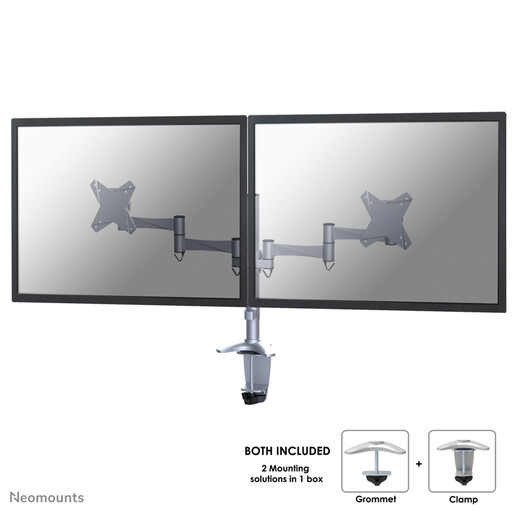
Why it suits this user: This dual monitor arm is designed for two screens from 10 to 27 inches. It offers basic adjustment without the need for a large arm designed for heavier monitors.
The product specifications clearly state that it supports two screens, VESA 75 × 75 and 100 × 100 mm, and up to 8 kg per screen.
Height adjustment from 0 to 40 cm, 360° rotation and integrated cable management.
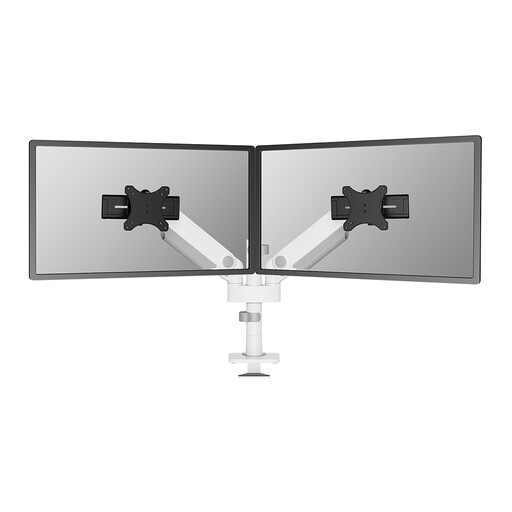
Why it suits this user: For a professional workspace with two flat or curved screens up to 34 inches, this model offers a wide range of adjustment and a higher weight capacity.
The product specifications distinguish between a maximum of 11 kg for flat screens and 9 kg for curved screens per arm.
Gas-spring height adjustment from 0 to 54,2 cm, sliding crossbars and quick-release VESA plates.

Why it suits this user: This model is designed for users with a large curved ultrawide screen, such as gamers, designers and business users who multitask.
According to the product specifications, the arm is reinforced for ultrawide screens and has a separate weight capacity of 14 kg for curved screens.
Suitable for screens from 17 to 49 inches, with a gas spring, 180° stop and cable management.
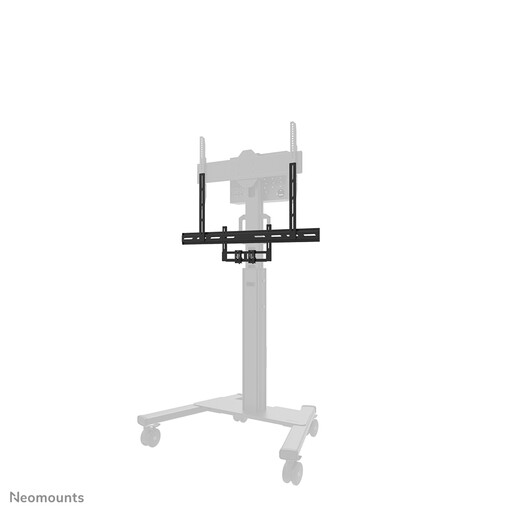
Why it suits this user: For meeting rooms, presentation spaces and large-screen setups, this videobar mount can be fitted above or below the screen.
You can check in advance that the VESA range of 200 × 200 to 800 × 600 mm and the maximum weight capacity of 10 kg are suitable.
Suitable for screens from 43 to 110 inches, with height-adjustable supports for the videobar.
We’ve put together a complete, up-to-date list of products that meet these strict selection criteria and the applicable European safety regulations.
A TV ceiling mount is a good option when wall mounting isn’t possible or when you need a screen to hang freely in a room. The Neomounts CL35-440BL16L supports screens from 37 to 70 inches, VESA patterns from 150 × 200 to 600 × 400 mm, and a maximum weight of 50 kg. The height is adjustable from 106 to 156 cm.
The CL35-440BL16XL is designed for higher ceilings, with an adjustable range of 250 to 300 cm. For ceiling mounting, always check that the structure can support the combined weight of the screen and mount. Mounting on plasterboard alone isn’t suitable without an appropriate structural solution.
No. Check the VESA pattern, screen weight and supported screen size. VESA 75 × 75 and 100 × 100 mm are common on many desk-mounted models, but ultrawide screens can be heavier and may require a specific arm head.
Its lifespan depends on the weight, installation and how it’s used. Adjust the gas spring to suit the actual screen weight, don’t exceed the limit, and check the screws and clamps regularly. A 180° stop helps prevent contact with the wall, but it doesn’t replace correct installation.
A dual monitor arm is compact and holds two screens using a single desk mount. Two separate arms give you more freedom over placement and can be more practical when the screens differ in size or weight. Most importantly, compare the weight capacity per arm, VESA mount and available desk space.
