
Vandaag of morgen in huis

Kwaliteit gegarandeerd

Welkomstaanbiedingen ontgrendelen: GRATIS bezorging | Tot 80% korting | Gratis 30 dagen JoyPlus-proefperiode
Download de app
A Neomounts wall mount can be a neat, space-saving way to install a television, monitor or video bar. However, it's unwise to base your choice solely on screen size or marketing terms like "universal". The wrong VESA size, insufficient load capacity or an unsuitable wall can make the installation unsafe and lead to extra costs.
This guide will help you select a suitable TV wall mount, monitor wall mount or ceiling mount for a projector.
A bracket for televisions from 32 to 65 inches won't automatically fit every television in that range. The VESA pattern determines where the mounting holes are on the back of the screen. For example, a 55-inch television might have a VESA pattern of 200 × 200 mm, 400 × 200 mm or another size.
Therefore, always check:
A high maximum load capacity doesn't mean that every wall is suitable. Concrete, solid brick and wooden studs offer different mounting possibilities than plasterboard. For a heavy television, the wall must be able to support the combined weight of the screen and the bracket.
Use fixings that are appropriate for the surface. If you have any doubts about a hollow wall, pipes or the load-bearing structure, it's wise to get help from a professional installer.
A full-motion wall mount is useful when you want to turn the screen towards different seating positions. On the other hand, this type of mount needs more space from the wall and is under greater strain when the screen is fully extended.
A fixed or tilting TV bracket is often more practical when the screen is positioned directly opposite your viewing spot. For a high mounting position, tilting can help to reduce reflections and prevent an uncomfortable viewing angle.
VESA is the distance between the mounting holes on the back of the screen, expressed in millimetres. A bracket that supports VESA 75 × 75 to 100 × 100 mm is suitable for many smaller monitors, but not for larger televisions with a wider hole pattern.
Examples from our range:
A VESA wall mount with a wide range offers more flexibility, but you should still check the specifications of your particular television.
Don't choose a mount that's right at the limit of its maximum weight. Compare the net weight of the screen with the specified capacity of the bracket and remember to account for accessories, such as a video bar.
With a video bar bracket, the weight of the video bar counts separately. The Neomounts AV2-500BL and AV2-500WH are designed for screens from 43 to 110 inches, support VESA patterns from 200 × 200 to 800 × 600 mm, and have a maximum load of 10 kg for the mounted video bar.
With a swivel TV bracket, pay attention to the maximum swivel angle and the distance from the wall. A full-motion model needs space for cables and movement. Also, check that HDMI, power and network cables don't get kinked when the screen is turned.
Cable management prevents loose cables behind the screen. With ceiling mounts, cables are sometimes routed through the tube. This creates a neater finish, but the cables must be long enough for the chosen mounting height.
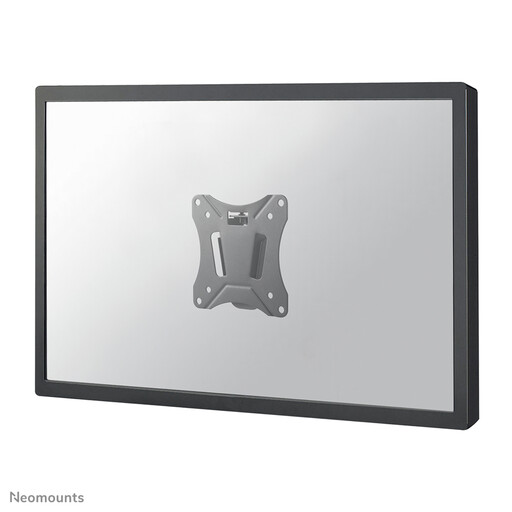
Why this fits the profile: For a small monitor or compact television, a fixed, low-profile mount is often sufficient. This model is suitable for screens from 10 to 30 inches and has a depth of 1.2 cm.
The clear limits of 10–30 inches, 25 kg and VESA 75 × 75 to 100 × 100 mm make it easy to check compatibility beforehand.
Fixed mount, 1.2 cm wall distance and a maximum load of 25 kg. According to the product information, installation materials are included.
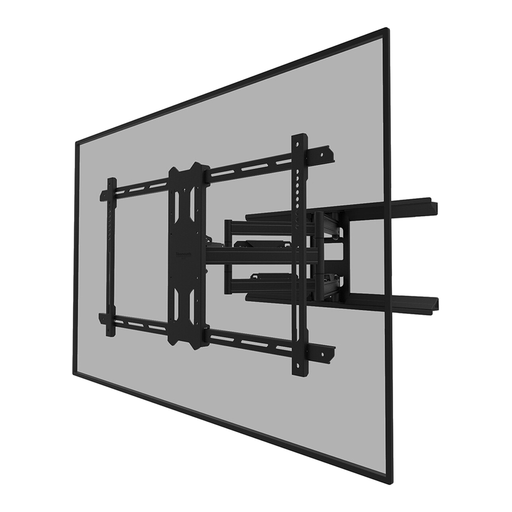
Why this fits the profile: This model is aimed at larger screens and situations where the viewing angle changes regularly, for example, in a spacious living room or meeting room.
The wide VESA range and specified wall distance make it easier to check the size, swivel angle and cable space in advance.
Supports up to 60 kg, screen sizes from 43–86 inches, with tilt and 35° swivel. The model includes a mounting plate, spirit level and cable management.
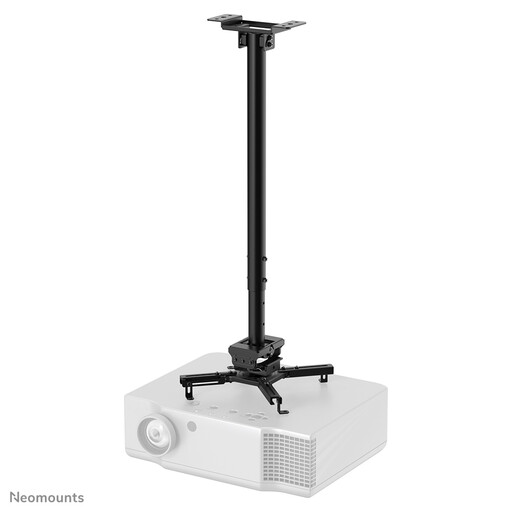
Why this fits the profile: For home cinemas, classrooms and meeting rooms, a projector ceiling mount frees up more space than a table setup. The height is adjustable between 74.5 and 114.5 cm.
The mounting height, movement and cable routing are clearly described. Before buying, be sure to check the actual weight of your projector and the load-bearing capacity of the ceiling.
Adjustable height, ±20° tilt, swivel function and an easy-release system. The product information states a load capacity of up to 35 kg; check the manual during installation.
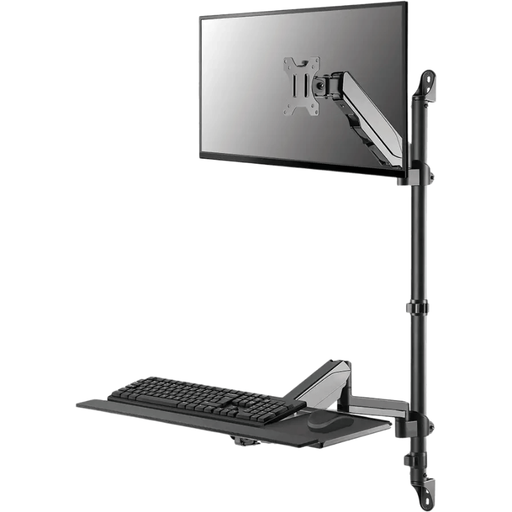
Why this fits the profile: This adjustable wall mount combines a monitor arm with a keyboard and mouse tray. It's a great fit for a compact home office or a workstation where you alternate between sitting and standing.
The separate load capacities for the screen and the keyboard tray reduce any confusion about the weight limits.
Suitable for VESA 75 × 75 and 100 × 100 mm, with height adjustment from 44–95 cm and integrated cable management.
For a large television or a ceiling installation, it's often more practical for two people to do the job. Furthermore, with a video bar bracket, the screen mount must also be suitable; a video bar kit does not automatically mount the screen to the wall.
We've put together a complete, up-to-date list of products that fully meet these strict selection criteria and comply with current European safety regulations.
That depends on the screen size, weight, VESA pattern and your desired range of motion. Choose a fixed bracket for minimal wall distance, a tilting TV bracket for a higher mounting position, and a full-motion wall mount when you want to turn the screen towards multiple viewing positions.
Not without suitable reinforcement. It's best to mount it into wooden studs or a load-bearing structure. Do not rely solely on standard wall plugs in plasterboard if the screen and bracket are heavy.
The lifespan depends on the load, quality of installation, use and maintenance. Periodically check the screws, locks and pivot points. The stated warranty varies by model, so always check the product page and the current warranty conditions.
