
Vandaag of morgen in huis

Kwaliteit gegarandeerd

Welkomstaanbiedingen ontgrendelen: GRATIS bezorging | Tot 80% korting | Gratis 30 dagen JoyPlus-proefperiode
Download de app
A Neomounts monitor arm can free up space on your desk and make it much easier to position your screen properly. However, not every monitor bracket is suitable for every workstation. A monitor that is too heavy, an incompatible VESA pattern or a flimsy desk can make the installation unsafe or impractical.
So, keep an eye on these common pitfalls:
Look at the maximum weight per screen, not just the total weight capacity. A dual monitor arm with a capacity of 9 kg per arm, for example, is suitable for two screens each weighing a maximum of 9 kg. Do not include the weight of the monitor stand if you remove it, but do take into account any accessories attached to the screen.
For a large curved screen, separate limits sometimes apply. The Neomounts DS70PLUS-450WH1 supports a maximum of 18 kg for a flat screen and 14 kg for a curved monitor, according to the product specifications. This makes this type of ultrawide monitor arm suitable for heavy screens up to 49 inches, provided the specific screen falls within the limits.
A VESA monitor arm attaches the screen via screw holes on the back. The most common patterns on the models in this selection are 75 × 75 mm and 100 × 100 mm. If your monitor has a different pattern or no VESA holes, a separate adapter may be needed.
Also check the position of the connection. On some ultrawide monitors, the mounting point is higher or lower than the centre. An adjustable monitor arm with sufficient height and depth range then offers more flexibility.
A gas spring monitor arm is particularly practical if you regularly switch between sitting, standing, collaborating or gaming. Pay attention to:
A monitor arm for a curved monitor or an ultrawide monitor arm requires extra attention to the centre of gravity. Adjust the gas spring after installation and check that the screen stays in place.
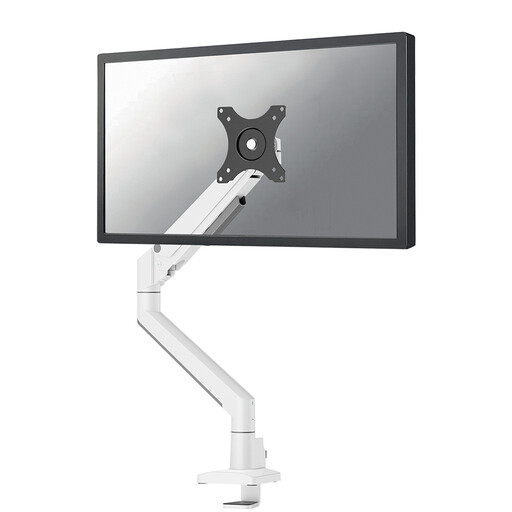
Why this fits the profile: This single monitor arm is suitable for screens from 17 to 35 inches and supports a maximum of 9 kg. That gives you room for a standard office, home working or gaming monitor.
The specifications mention a gas spring, VESA 75 × 75 and 100 × 100 mm, a Topfix clamp or grommet mount and a 180° stop.
Height adjustment from 21.5–49.5 cm, cable management and support for flat and curved screens.
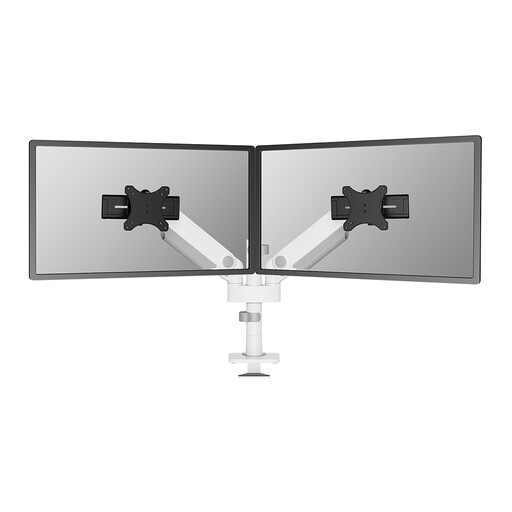
Why this fits the profile: This dual monitor arm is designed for two flat or curved screens from 24 to 34 inches. The sliding cross arms help you position two screens more precisely next to each other.
The product specifications distinguish between a maximum of 11 kg for flat and 9 kg for curved screens per arm.
Gas spring height adjustment up to 54.2 cm, quick-release VESA and integrated cable management.

Why this fits the profile: This arm is designed for a large curved or ultrawide screen up to 49 inches and suits intensive work, design and gaming setups.
The reinforced head and separate limit for curved screens make the weight capacity verifiable before you order.
Support up to 18 kg for flat screens, 14 kg for curved screens, plus gas spring and cable adjustment.
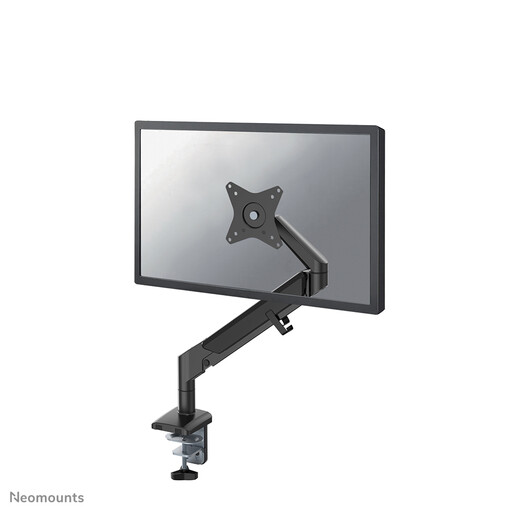
Why this fits the profile: The short upper arm requires little depth according to the product specifications and is suitable for one screen from 17 to 32 inches.
The maximum load of 9 kg, VESA 75 × 75 and 100 × 100 mm and the 180° stop are clearly stated.
Height adjustment from 26.5–55 cm, depth adjustment up to 49 cm and cable clips for a tidy desk.
A 180° stop helps limit contact with a wall or panel, but does not replace a solid installation. Check connections periodically, especially on a desk that is frequently adjusted or moved.
We have compiled a full, up-to-date list of products that fully meet these strict selection criteria and current European safety regulations.
Not automatically. Check the maximum desk thickness, the available space behind the desk and the sturdiness of the material. A clamp or grommet mount is not intended for every glass or thin desk top.
Check three things: VESA 75 × 75 or 100 × 100 mm, the weight without the stand and the screen size. For curved and ultrawide screens, you must also follow the separate weight limit for curved screens.
A gas spring does not require daily maintenance, but do regularly check screws, clamps, the VESA fixing and cables. If the screen sinks or moves unexpectedly, adjust the tension according to the instructions and do not use the arm above the specified load.
