
Vandaag of morgen in huis

Kwaliteit gegarandeerd

Welkomstaanbiedingen ontgrendelen: GRATIS bezorging | Tot 80% korting | Gratis 30 dagen JoyPlus-proefperiode
Download de app
Two monitors side by side give you more room to work, but the wrong dual monitor arm can quickly become frustrating. Screens may sag, swing into a wall or be difficult to align. And not every monitor mount for 2 screens will fit every desk.
For people working from home, office professionals, gamers and creative users, three common pitfalls are particularly important:
A Neomounts monitor arm for 2 screens can free up desk space and offer more flexibility than a fixed dual monitor stand. The right choice depends on the dimensions and weight of your monitors, as well as how much movement you want.
The three most important technical checks are screen size, load capacity and the VESA mounting pattern.
A monitor arm for 17-32 inch screens is not automatically suitable for every monitor in that range. Check the weight of each monitor too, including any stand you remove. According to the product specifications, the models in this selection support:
Don’t treat the maximum load capacity as your target weight. Leaving some headroom is practical, especially if you adjust your screens regularly.
Most Neomounts models in this selection use VESA 75x75 mm and 100x100 mm. These measurements refer to the distance between the mounting holes on the back of the screen. Check the manual or the screen itself before ordering.
Remember to consider ports and cables too. Your monitor may fit the VESA plate, but a short cable could limit how much you can adjust it. Plan where the power, display and USB cables will run from the outset.
A gas spring monitor arm generally offers more flexibility than a fixed stand. Most models in this selection offer height and depth adjustment, as well as tilt, rotation and swivel. The exact ranges vary by model.
If your desk is against a wall, a 180° stop can be useful. According to the product specifications, it limits the arm’s movement so it cannot swing as far towards a wall or partition. Still, check how much space there is behind the desk.
An adjustable monitor arm also needs to be securely attached to the desktop. The supplied mounting options may include:
Measure the thickness of your desktop and check that the mounting option you choose will fit. A thin, hollow or damaged desktop may not provide enough support.
A monitor arm with cable management helps route power and display cables along the arms. This keeps your workspace tidier, but cable management can’t make up for cables that are too short. Leave enough slack when adjusting your screens.
Installation usually follows these steps:
A quick-release or Easy-release VESA system can make installation easier. Always follow the supplied instructions and don’t exceed the stated weight limit.
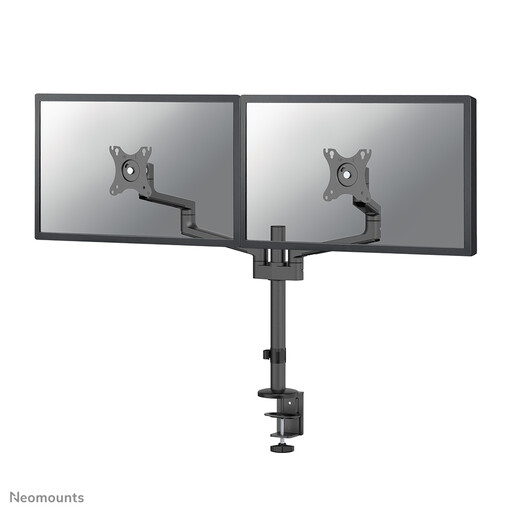
Why it suits this profile: This model is designed for two smaller screens and, according to the product specifications, needs relatively little depth when positioned close to a wall or partition.
The specifications list a load capacity of 8 kg per screen and VESA 75x75 and 100x100 mm. This makes it easy to check compatibility in advance.
Suitable for two screens from 17 to 27 inch, with manual height and depth adjustment and integrated cable management.
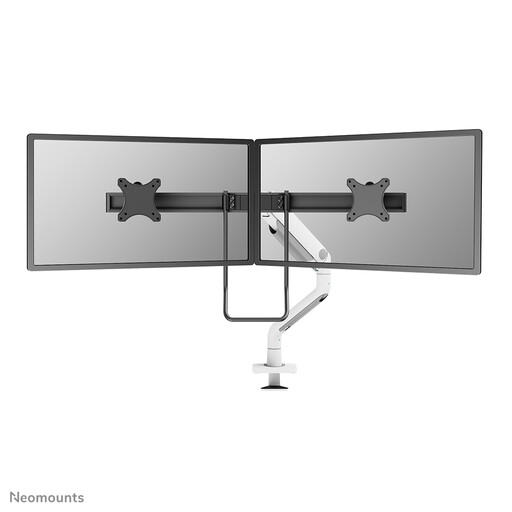
Why it suits this profile: This arm combines a top-fix mount and gas spring adjustment with independent height adjustment for two screens up to 32 inch.
The product specifications state a maximum of 8 kg per screen, VESA 75x75 and 100x100 mm, and a 180° stop for positioning near a wall.
Height adjustment from 19,1-52,7 cm and depth adjustment from 17,3-71 cm, plus cable management.
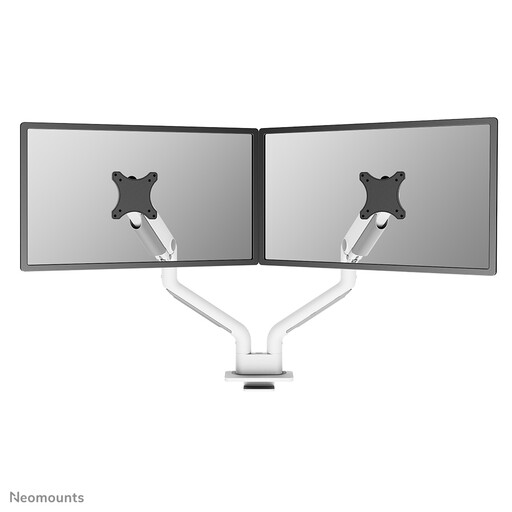
Why it suits this profile: According to the product information, this model is designed for two larger screens up to 35 inch and supports a maximum of 18 kg per screen.
The higher stated load capacity makes it easier to mount heavier screens within the specifications. Be sure to check that your desk can support the weight too.
Suitable for 17-35 inch screens, with gas spring adjustment, VESA 75x75 and 100x100 mm, and cable management.
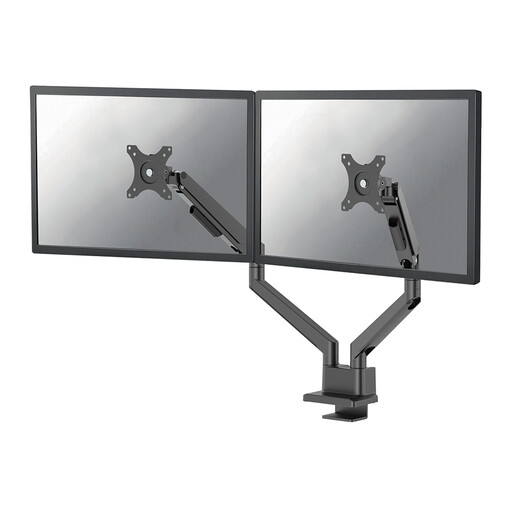
Why it suits this profile: A gas spring adjustable monitor arm is useful if you often change the layout of your home-working setup.
The product specifications give a size range of 17 to 32 inch, a maximum of 9 kg per screen, and VESA 75x75 and 100x100 mm.
Gas spring height adjustment, 180° stop, quick-release VESA and integrated cable management.
We’ve put together a complete, up-to-date list of products that meet these strict selection criteria and the applicable European safety regulations.
No. Check the size, weight and VESA pattern. According to the product specifications, the models above are suitable for VESA 75x75 and 100x100 mm. A different hole pattern may require an adapter plate.
That depends on the stated weight limit per screen. A gas spring is an adjustment mechanism; it doesn’t guarantee that every heavy screen will fit. Compare your monitor’s weight with the product specifications and leave some headroom.
Not always. Check the thickness, stability and condition of the desktop. Only use a clamp or grommet mount if the desk is suitable for that type of fitting. Tighten all the connections securely and check them again after installation.
