
Student with a single network connection
You want to connect a NAS and computer using wired connections. First, check which connection or router is available: Stichting DUWO describes different internet setups in student accommodation.


Start by checking which wired connection is available in your student room and how you’re allowed to connect devices to the network. A switch adds ports, but it doesn’t replace a router or control who can access your NAS. For a straightforward connection, a gigabit switch with enough ports is usually a good fit. Choose 2.5 GbE only if both your NAS and computer support that speed, and opt for management features only if you genuinely need them.
You want to connect a NAS and computer using wired connections. First, check which connection or router is available: Stichting DUWO describes different internet setups in student accommodation.
You regularly transfer large files and want to check whether both your NAS and computer support 2.5 GbE before choosing a faster switch. TP-Link describes the speed options of the TL-SG105-M2.
You want your NAS to be accessible to your own devices without giving others access. Synology explains how firewall rules on supported NAS models can allow or deny access to network ports for specific IP addresses.
Choose this option: if you have a suitable wired connection and want to connect your NAS, computer and other devices without configuring the switch.
Bear in mind: the connection is limited by the gigabit speed of the switch ports; the switch doesn’t control access to your NAS.
Choose this option: if both your NAS and the computer you use to transfer files support 2.5 GbE.
Bear in mind: a 1 GbE port on either device will still limit the connection. TP-Link states that the TL-SG105-M2 automatically negotiates between 100 Mbit/s, 1 and 2.5 Gbit/s.
Choose this option: if you have a specific use in mind, such as VLANs or port diagnostics, and can manage the network setup yourself.
Bear in mind: management features don’t make gigabit ports faster. According to Synology, the switch configuration needed for link aggregation depends on the mode you choose.
| What to consider | What should you check? | Who should consider this? |
|---|---|---|
| Connection to the room’s network | Check with your accommodation provider how you’re allowed to connect your own devices, and whether a wired connection or router is available. | If I want to connect my NAS through the connection in my room, I first need to know what kind of network setup my accommodation provides. Around 33% of consumers are primarily concerned with having a suitable connection. |
| Enough ports | Count the connection to the existing network, the NAS, the computer and any other devices. | If I want to connect several devices using wired connections, I also need to allow for the port used to connect to the network. Around 25% of consumers mainly need enough ports. |
| Speed for NAS files | Check the Ethernet ports on the specific NAS and computer, and compare them with the speed of the switch ports. | If I transfer large files, I want to know whether both devices can handle the higher speed before choosing 2.5 GbE. Around 17% of consumers prioritise a faster local connection. |
| Quiet, straightforward setup | Check whether the specific model is fanless, how it can be positioned and which power supply is included. | If I’m placing the switch near my desk or bed, I want to know how it’s designed and where I can put it. Around 17% of consumers prioritise a quiet, straightforward setup. |
| Access to the NAS | Check the rules for the shared network and, where possible, set access permissions or firewall rules on the NAS. | If I want my NAS to be accessible only to my own devices, I need to manage access separately; a switch won’t do this automatically. Around 8% of consumers are primarily concerned with restricting access to their NAS. |
The cable to the existing network also uses a port. That leaves fewer connections for your NAS, computer and other devices on a five-port switch.
Plan out the connections in advance and count every cable. Choose a switch with more ports if you want to keep some free.
A faster switch port won’t make the connection between your NAS and computer faster than the port on the device with the lower speed.
Check the Ethernet specifications for both devices, and choose the faster option only if it suits your setup.
Switch management features don’t replace the access settings on your NAS or the rules of the shared network.
First, check what your accommodation allows, then set NAS access deliberately. Synology explains firewall rules for supported NAS models.
The models mentioned range from basic gigabit switches to managed and 2.5-gigabit options.
According to NETGEAR, the GS305v3 is an unmanaged switch with five gigabit ports for a straightforward wired setup.
The manufacturer’s datasheet describes the DGS-105 as a compact, unmanaged five-port gigabit switch.
Zyxel’s EMEA support page describes the MG-105 as a 2.5-gigabit switch for home and small office environments.
This selection of Joybuy products includes unmanaged and managed gigabit switches, 2.5 GbE models and PoE options. Check which features suit your room’s connection, your devices and the number of ports you need.
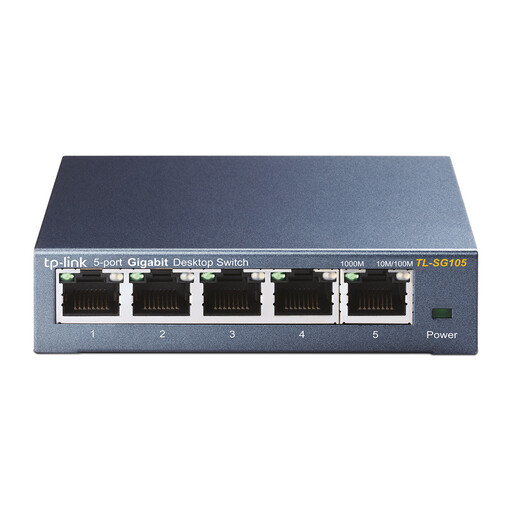 No image available
An unmanaged gigabit option for connecting your NAS and computer to an existing network using wired connections.
Five RJ45 ports with 10/100/1000 Mbit/s; plug-and-play operation and desktop or wall mounting are listed.
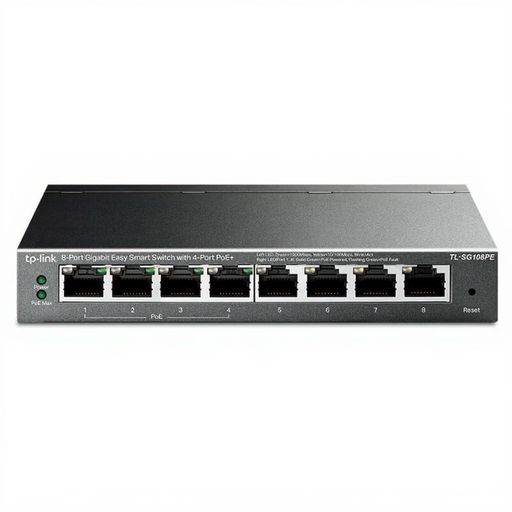 No image available
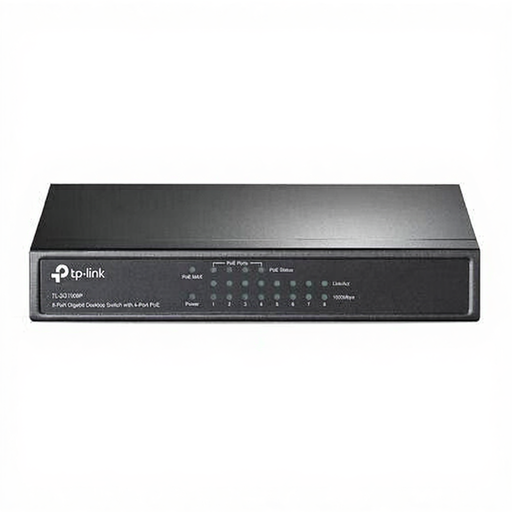
An option for connecting more wired devices if you’re also looking for the Easy Smart and PoE features listed.
Eight gigabit ports. The product name lists four PoE ports; check the exact version and the PoE support you need before buying.
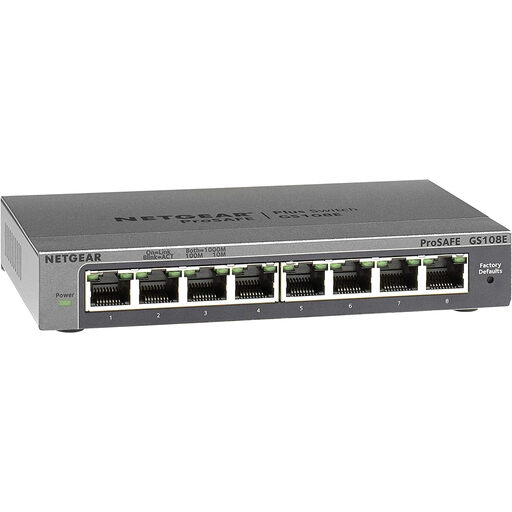 No image available
A managed gigabit option if you need network features such as VLAN support.
Eight 10/100/1000-Mbit/s ports; the product description also lists QoS and IGMP snooping.
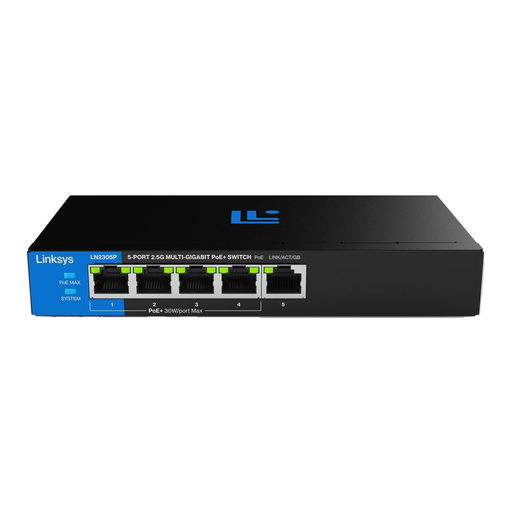 No image available
An unmanaged 2.5-gigabit option for a NAS and computer that support this port speed.
Five 2.5-Gbit/s ports; the product description lists a fanless design. If you need PoE, check which PoE features the version on offer supports.
 No image available
An unmanaged option for a setup with several wired devices and compatible PoE equipment.
Eight gigabit ports; four PoE ports and a 64 W PoE budget are listed.
Not before you know what kind of connection your accommodation provides and how you’re allowed to connect your own devices. Stichting DUWO describes different internet setups; Amsterdam University College says its student residences have a wired connection and that residents bring their own router to create a private wireless network. This guidance doesn’t automatically apply to other rooms.
No, not automatically. According to Synology, link aggregation is available only on NAS models with at least two LAN ports, and the required switch configuration varies by mode. Check the specific NAS, mode and switch before choosing this feature.
Manage access on the NAS and follow the rules of the network you’re using. Synology describes firewall rules for supported models that can allow or deny access to network ports for specific IP addresses; an unmanaged switch won’t carry out this access control for you.
According to ACM ConsuWijzer, you have a statutory guarantee in addition to any manufacturer’s warranty. If a product breaks sooner than you could reasonably expect under normal use, the seller must put it right at no cost to you. Online purchases generally also come with a statutory 14-day cooling-off period after delivery; check the applicable exceptions and returns policy.
According to the Dutch government, electronic products placed on the market in the EU must carry a CE marking. Check the product information and the marking on the unit you’re buying; a listing on a general model page doesn’t verify the product that will be delivered.