Joybuy products for a NAS setup
This selection includes gigabit and 2.5GbE switches for wired NAS setups, including models with PoE or management features. Check that the port speeds and any extra features on each switch suit your devices.
 No image available
Linksys 5-port 2.5GbE PoE switch
Suits a NAS setup with 2.5GbE devices and can also power compatible PoE devices.
Five 2.5GbE ports; four PoE+ ports; total PoE budget of 60 W; unmanaged design.
Keep the total PoE load within 60 W, use the supplied adapter and ensure good ventilation.
View at Joybuy
 No image available
NETGEAR GS108E-400EUS 8-port gigabit switch
Suits a NAS setup with several wired devices if gigabit speeds are enough and you want network management.
Eight 10/100/1000 Mbps ports; the product description lists QoS, VLAN, IGMP snooping and management via a web browser.
The Ethernet ports are gigabit ports; 2.5GbE and 10GbE are not listed for this model.
View at Joybuy
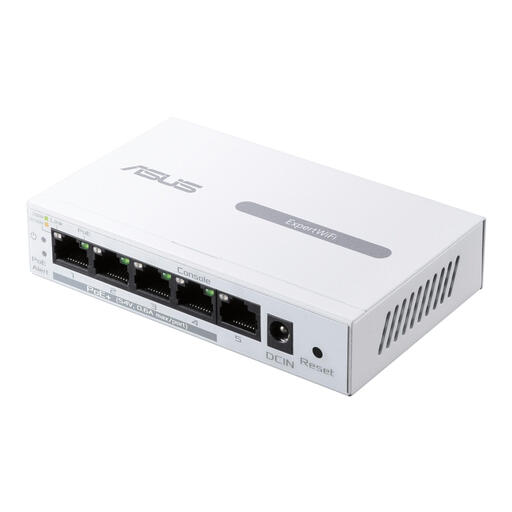 No image available
ASUS ExpertWiFi EBP15 managed gigabit switch with PoE
Suits a NAS setup where gigabit connections are enough and you need PoE or network management.
Five Ethernet ports up to 1 Gbps; the product description states a maximum PoE load of 60 W.
The listed ports are gigabit ports; 2.5GbE is not listed for this version. Use the specified power adapter and note that it’s for indoor use.
View at Joybuy
 No image available
TP-Link 5-port gigabit PoE switch
Suits a gigabit NAS setup with several wired devices and a compatible device that needs PoE.
Five gigabit Ethernet ports; four PoE ports with a stated total budget of 56 W; unmanaged operation.
The gigabit ports limit the connection to gigabit speeds; 2.5GbE is not listed for this model.
View at Joybuy
Frequently asked questions
How do I connect an unmanaged switch to my NAS setup?
Connect the switch to the power supply, connect a LAN port on your router to the switch, then connect your NAS and computer to other switch ports. If you have connection problems, check the power supply, cables, powered-on devices and port lights; the setup information for these steps applies to the TP-Link model range mentioned.
Does link aggregation combine two NAS ports into one faster connection for my computer automatically?
No, don’t assume that it does. Synology describes link aggregation as combining multiple NAS network interfaces to increase total bandwidth and provide failover; the Synology feature mentioned requires at least two LAN ports. Check the capabilities and configuration of your own NAS and switch.
Do I need PoE to connect my NAS?
No, PoE isn’t required for a standard Ethernet connection to a NAS. PoE may be useful if you also want to power a compatible device, such as an access point or camera, via the network cable; if so, check the PoE standard and available power.
What does the legal guarantee mean when buying in the Netherlands?
According to ACM ConsuWijzer, a product must do what you could reasonably expect it to do under normal use. If it breaks down too soon, the seller is responsible for providing an appropriate solution at no cost; a manufacturer’s guarantee doesn’t replace this legal right.
What product regulations apply to an electrical switch in the Netherlands?
Electrical and electronic devices placed on the market in the Netherlands must meet the applicable European product safety and EMC requirements. Ondernemersplein, the Dutch government’s business information portal, states that the manufacturer must affix a CE mark to a compliant device and draw up an EU declaration of conformity. Check the documentation for the exact model.


