
A studio with several people using the NAS at once
If several workstations open or move files at the same time, check that both the NAS and client devices have network connections that support the speed you need.


Start with the network speeds supported by the NAS and workstations, then count all the connections you need, including the one to the router. An unmanaged switch is a good fit if everyone uses the same network; choose a suitable managed model if you need VLANs or a specific type of link aggregation. A faster switch won’t speed up a NAS with a slower network connection.
If several workstations open or move files at the same time, check that both the NAS and client devices have network connections that support the speed you need.
Count the NAS, workstations, router connection and any extra capacity you want before choosing the number of switch ports.
If users or devices need to be on separate VLANs, you’ll need a suitable managed model and someone who can configure it.
| What to consider | What should you check? | Who is this important for? |
|---|---|---|
| Speed between the NAS and workstations | Check the Ethernet ports on the NAS and client devices. A 2.5GbE connection requires suitable ports at both ends; for 10GbE, check the connector type too. | If several workstations use files from the NAS at the same time, I want the connection to match the equipment at both ends. Around 36% of consumers say NAS throughput is their top priority. |
| Enough ports | Count all connected devices and the connection to the router. The TP-Link TL-SG105-M2 has five 2.5GbE ports, while the TL-SG108-M2 has eight. | If I want to connect more wired workstations, I also need to leave room for the NAS and router. Around 29% of consumers prioritise having more ports. |
| Network separation and management | Check whether the model supports VLANs and whether the NAS requires a specific aggregation mode. The TP-Link TL-SG108E lists VLAN and static link aggregation, but has gigabit ports. | If certain studio devices need their own network, I want to be able to choose which network they connect to. Around 21% of consumers prioritise configurable network features. |
| Quiet, straightforward installation | Check whether the exact model is fanless and what level of management it offers. Manufacturers describe models including the TP-Link TL-SG105-M2 and Zyxel XMG1915-10E as fanless. | If the switch is in the workspace, I want a model that suits the location and is easy to connect. Around 14% of consumers prioritise quiet installation and straightforward setup. |
A 10GbE port doesn’t mean a NAS or workstation with a slower connection will communicate at 10GbE.
Compare the ports and connector types on the NAS, workstations and switch before choosing a speed upgrade.
Synology explains that the relevant link aggregation mode provides higher total bandwidth when several clients are connected; a single client uses one bond interface.
Decide whether you need to support several users at once, then check which aggregation mode the NAS requires and which feature the switch supports.
An unmanaged model doesn’t offer the VLAN configuration options listed for suitable managed models.
Decide in advance whether users or devices need separate networks and who will manage the configuration.
According to Zyxel, the XMG1915-10E has 10GbE SFP+ ports; the QNAP QSW-M2108-2C has two SFP+/RJ45 combo ports.
Check which connector type the NAS uses and count a combo port as one port, not two separate connections.
The range includes unmanaged 2.5GbE models and configurable gigabit models. Check which option best suits your studio for each model.
The MS305 is an unmanaged option if you need a smaller number of 2.5GbE connections.
The QSW-M2108-2C combines 2.5GbE connections with 10GbE combo ports and Layer 2 management.
The XMG1915-10E is a smart-managed model with 2.5GbE and SFP+ ports.
These product picks suit either a straightforward unmanaged 2.5GbE setup or a managed gigabit setup with VLAN features.
 No image available
An unmanaged option if the NAS and workstations support 2.5GbE and you want to connect the switch without any configuration.
Five 2.5 Gbps ports; unmanaged.
 No image available
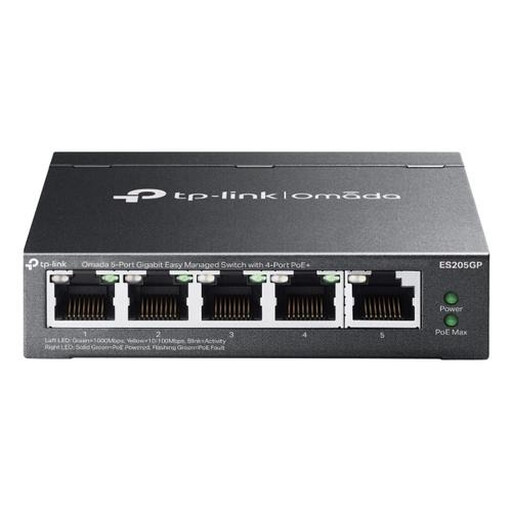
A managed option if you need VLAN features and gigabit connections are fast enough for the NAS and workstations.
Five Gigabit Ethernet ports (10/100/1000); the description lists VLAN, QoS and link aggregation. This model doesn’t have 2.5GbE ports.
First, count the NAS, wired workstations and router connection as the switch ports you’ll need. Then check the port speed and connector type at both ends; configure any VLANs and the chosen NAS network mode as required.
Not automatically. Synology explains that with the link aggregation described, total bandwidth increases only when several clients are connected, and each client is assigned to one bond interface. Check which aggregation mode the NAS supports before choosing a switch.
Don’t assume they do. The Dutch government’s guidance on consumer rights applies to non-business customers. For a business order, check the applicable terms of sale and warranty; don’t assume you have a consumer cancellation period just because you’re buying online.
For the specific model, including its power supply, check which EU product rules apply and whether CE marking is required. The Netherlands Enterprise Agency explains that the applicable CE requirements depend on the product group; the Dutch government’s Ondernemersplein website outlines the general safety requirements for electrical appliances.