
NAS user with an existing network cable run
You want to connect your NAS and computer by cable in the garden office and check whether gigabit is enough or 2.5GbE is suitable for your devices.


Start with the connection between your home and garden office: a switch won’t fix a connection that’s missing or too slow. Gigabit is suitable when your NAS and other devices use gigabit; choose 2.5GbE only if the relevant NAS, computer and connection ports also support that speed. If you’re using fibre or devices that need PoE, also check the connections and power features of the exact model.
You want to connect your NAS and computer by cable in the garden office and check whether gigabit is enough or 2.5GbE is suitable for your devices.
First, work out whether the connection between your home and garden office will use copper or fibre, and which connections are available at both ends.
You want to connect devices as well as your NAS, or power a compatible device via PoE. If so, it’s important to distinguish PoE-in from PoE-out.
First, work out how the garden office is connected to your home. Then choose the port speed, number of connections and any management or PoE features you need.
| What to consider | What should you check? | Who is this important for? |
|---|---|---|
| Connection between the buildings | Check whether the connection uses RJ45 or fibre, and which connections are needed at both ends. Zyxel lists five 2.5GbE RJ45 ports and a separate 1G-SFP/10G-SFP+ connection for the XMG-105. | If I still need to choose the connection between my home and garden office, I want to know which cable type and connections are suitable for the run first. Around 36% of consumers give this connection top priority. |
| Speed to the NAS | Compare the port speeds of the exact NAS, computer, switch and connection to your home. TP-Link and QNAP describe models with 2.5GbE ports; that speed won’t automatically apply to the entire connection. | When I transfer large files between my computer and NAS, I want to know whether all the ports involved can handle the same speed. Around 29% of consumers prioritise choosing the right speed for the NAS connection. |
| Ports and PoE | Count the connections for the link to your home, NAS, computer and any additional devices. If you need PoE, check whether the exact model is powered by the switch itself or supplies power to connected equipment. | If I’m connecting other devices in the garden office too, I want enough ports and to know whether a device can be powered through the network cable. Around 21% of consumers give ports and power for additional equipment top priority. |
| Network management | Decide which management features you need and check that the exact model offers them. TP-Link lists web management for the TL-SG105E; that doesn’t mean the TL-SG105 has the same feature. | If I need specific settings for my network, I want to know in advance whether a managed switch offers those features. Around 14% of consumers choose management as their main consideration. |
The switch’s speed doesn’t automatically determine the speed of your NAS, computer or connection to your home.
Check the port speed of every device in the connection before choosing 2.5GbE.
The connection on the switch alone doesn’t determine whether the entire link between the buildings is compatible.
First, confirm the cable type and connections at both ends. Then choose the right switch and any optical equipment you need.
Depending on the connection, you may need suitable modules or converters at both ends.
A switch that can itself be powered via PoE won’t automatically supply power to an access point or another connected device.
Check the PoE direction and standard for the exact model. For PoE-out, also check the available power budget.
If you want the switch to power a connected device, you may need a model with suitable PoE outputs.
TP-Link offers both straightforward gigabit models and switches with 2.5GbE and web management.
QNAP describes the QSW-1105-5T as an unmanaged 2.5GbE switch for use with compatible NAS systems, among other things.
The Zyxel XMG-105 combines RJ45 connections with a separate connection for compatible SFP or SFP+ equipment.
According to Ubiquiti, the UniFi Flex Mini 2.5G is a compact switch with five 2.5GbE ports.
NETGEAR describes the MS305 as an unmanaged switch with five 2.5GbE ports, suitable for placing on a desk or mounting on a wall.
These product picks are aimed at a wired gigabit connection for your NAS and other devices in the garden office.
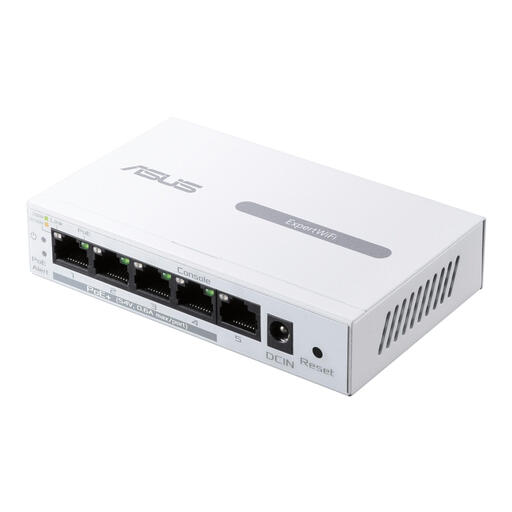 Image unavailable
Suitable for an existing gigabit connection if you’re looking for a managed switch. Check that the listed PoE feature suits the devices you want to power.
The product name lists Gigabit Ethernet (10/100/1000) and PoE. Check the PoE direction and the connections required for your setup.
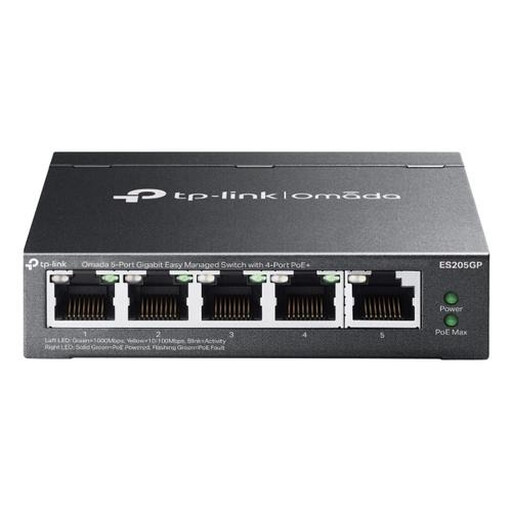 Image unavailable
May suit an existing gigabit connection if you also need network management. Make sure any PoE equipment is compatible with the features of the exact version.
The product name lists Gigabit Ethernet (10/100/1000) and PoE. Before buying, check the type and number of PoE outputs you need.
No, not if other parts of the connection are slower. Check the ports on the exact NAS and computer, and the connection to your home; a 2.5GbE port on the switch won’t make those other parts faster.
No. The connections and any optical modules at both ends need to be suitable for the connection. The Zyxel XMG-105 has an SFP/SFP+ connection, but also check the connection you’ve chosen and the equipment at the other end.
Not automatically: check whether PoE powers the switch itself or supplies power to connected devices. Ubiquiti lists PoE as a power option for the Flex Mini 2.5G; this doesn’t mean the model can power an access point via PoE.
According to the Land Registry (Kadaster), digging by hand with a spade doesn’t need to be reported. Mechanical excavation requires a KLIC excavation notification; the Dutch government says you must submit it no later than three working days before the work begins.