What should you look for in a NAS for shared research data?
First check whether you already have a suitable NAS. Then calculate the usable capacity and assess shared access and recovery as separate parts of your setup.
| Consideration |
What to look for |
Who might prioritise this |
| Recoverability |
Decide how much data loss and downtime is acceptable; choose a separate backup destination and test your restore process. |
If I don’t want valuable active research data to exist only on the NAS, recovery comes first. Around 33% of consumers rank recoverability as their top priority. |
| Shared access |
Check whether you can set permissions for folders by user or group; also assess the workspace’s network equipment. |
When several colleagues use the same files, I want to be able to tailor access to their tasks. Around 27% of consumers put controlled collaboration first. |
| Capacity and growth |
Assess your current dataset and expected growth; compare the usable space available with your chosen drives and storage configuration. |
If more sets of measurements are added, I want room to grow without looking only at raw capacity. Around 20% of consumers name expandability as their top priority. |
| Complete setup |
Check whether drives are included, and allow for separate backup storage and any expansion components. |
If you want to buy a suitable setup without unnecessary components, check what you already have and what you still need. Around 20% of consumers prioritise total purchase and management costs. |
NAS products and internal drives at Joybuy
This selection includes NAS enclosures for shared storage and internal NAS drives for anyone who already has a suitable enclosure.
 No image available
Synology DiskStation DS1525+ NAS
A good fit for a team looking for shared files and room to expand.
Hard drives are not included.
View at Joybuy
 No image available
Synology DiskStation DS1825+
Worth considering if you need shared files and plenty of drive bays with room to expand.
View at Joybuy
 No image available
Synology DiskStation DS925+, without hard drives
Suited to a team that wants to manage shared files and is considering a four-bay setup.
Hard drives are not included.
View at Joybuy
 No image available
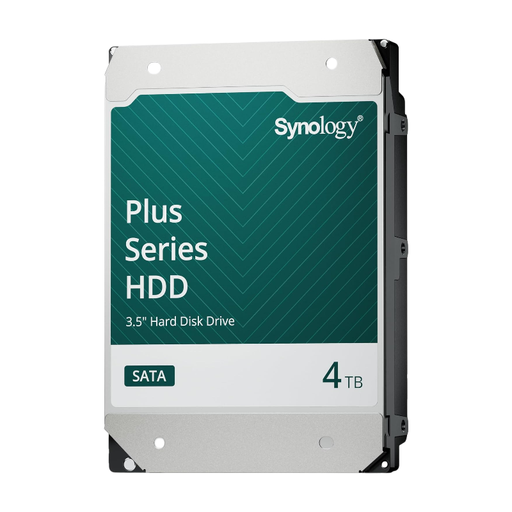
Synology SATA HDD 4 TB
Only relevant if you already have a suitable Synology NAS and want to add internal storage.
4 TB; internal SATA hard drive.
View at Joybuy
 No image available
Synology SATA HDD 16 TB, 7,200 rpm
An option if you already have a suitable Synology NAS and are considering an internal drive with this capacity.
16 TB; 7,200 rpm.
View at Joybuy
Frequently asked questions
Is a second drive in the same NAS enough for a backup?
No. Don’t treat drive redundancy as a replacement for a separate recovery plan. Decide how much data loss and downtime is acceptable, choose a separate backup destination and test regularly that you can restore your files. SURF describes this as good backup practice, not as a universal legal requirement for NAS configurations.
How can you give colleagues access without giving everyone the same permissions?
Where possible, use separate users or groups and set who can view or edit files for each shared folder. Synology documents these options for DSM; if you use another system, check which permissions it offers.
Are drives and expansion components included with a NAS?
It varies by product. QNAP says the TS-264 is supplied without an HDD, while Synology says the expansion unit for the DS925+ is sold separately. Check what’s included in the offer and whether separately purchased drives are compatible before ordering.
Does a coastal ecology dataset in the Netherlands fall under the GDPR?
Not simply because it contains ecological research data. The Dutch Data Protection Authority says the key question is whether information can be linked, directly or indirectly, to a natural person; associated metadata may also be relevant. If an organisation processes personal data, it must protect that data appropriately. Whether this applies to your files depends on the dataset’s content and context.
Must a NAS incident always be reported within 72 hours?
No. Not every NAS incident is automatically a reportable personal data breach. The organisation responsible must assess whether the incident involves personal data and whether it needs to be reported. The Dutch Data Protection Authority says that, where reporting is required, the deadline is 72 hours after becoming aware of the breach.


