What should you look for when choosing?
First, decide how you’ll recover and transfer recordings. Then match the capacity and full drive model code to your NAS and archive.
| What to consider |
What to look for when buying |
Who is this important for? |
| Recovering recordings |
Check whether you can make a copy to another device or storage destination, and test that you can restore a recording. |
If raw interviews can’t be recorded again, you’ll want a recovery copy outside the NAS. Around 36% of consumers prioritise recovering irreplaceable recordings. |
| Transferring files from your workstation |
Check support for your computer and distinguish between synchronisation and backup; test the transfer with a project file. |
If you edit on the move, you’ll want to transfer updated files to the NAS reliably. Around 29% of consumers give this transfer their highest priority. |
| Access and retention period |
Check whether you can set individual access permissions, and decide how long you need to keep identifiable recordings for their intended purpose. |
If interviews contain identifiable voices, you’ll want to decide who can access them and how long to keep them. Around 21% of consumers prioritise restricted storage and retention management. |
| Room for your archive |
Assess your current project folder and expected growth; check how much usable space your chosen NAS configuration provides. |
If you want to keep source recordings, projects and exports, you’ll need enough space for the planned size of your archive. Around 14% of consumers give future storage capacity their highest priority. |
NAS drives at Joybuy
These are internal NAS HDDs for central storage in an existing, compatible NAS enclosure. Before buying, check that your NAS supports the full drive variant.
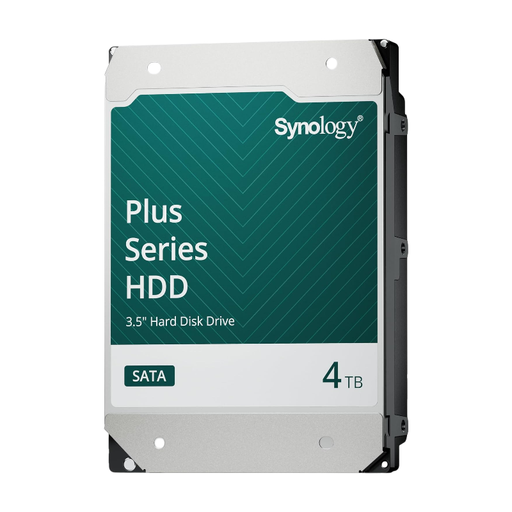 Image unavailable
Synology SATA HDD 4 TB
An internal drive for central storage in a compatible Synology NAS.
Capacity: 4 TB. The description specifies 3.5-inch, SATA, CMR and 5.400 rpm.
Check compatibility with your exact NAS model; this is not a NAS enclosure or a separate backup.
View at Joybuy
 Image unavailable
Synology SATA HDD 16 TB
An internal drive for an archive where you want to match capacity to your NAS configuration.
Capacity: 16 TB. The description specifies CMR, 7.200 rpm and 512 MB cache.
The description lists Synology systems as the intended environment; check support for your exact NAS model.
View at Joybuy
 Image unavailable
WD Red Plus 6 TB (256 MB cache)
An internal NAS drive for anyone looking to match central storage to their archive capacity needs.
Capacity: 6 TB. The description specifies 3.5-inch, SATA III, CMR and 5.400 rpm; the product name specifies 256 MB cache.
Check support for your NAS model and storage configuration; the drive is not a separate backup.
View at Joybuy
 Image unavailable
Western Digital WD Red Plus 8 TB
An internal NAS drive for central storage when this capacity suits your chosen enclosure and archive size.
Capacity: 8 TB. The title specifies 5.640 rpm, SATA 6 Gb/s, CMR and 256 MB cache; the description mentions 24/7 use.
Check support for your exact NAS model and allow for the usable space available in your chosen configuration.
View at Joybuy
Frequently asked questions
Are two drives in RAID enough to back up interviews?
No, RAID is not a backup on its own. In a suitable configuration, a mirror can protect against a single drive failure, but you should also keep a copy on another storage device and test that you can restore it.
How do you transfer podcast material from your laptop to the NAS?
It depends on the NAS software and the client for your computer. Synology describes setting up a team folder, permissions and a synchronisation task in Drive Client; QNAP describes tasks in Qsync. Check support for your operating system and test the transfer before relying on it.
Will every NAS drive fit in every Synology NAS?
No. Synology distinguishes between product series, drive types and systems from 2025 onwards running DSM 7.3 or higher. So check the full drive model code and exact NAS model before buying a drive or creating a storage pool.
Is there a fixed legal retention period in the Netherlands for identifiable podcast recordings?
The Dutch Data Protection Authority does not specify a general fixed GDPR retention period for personal data. An identifiable voice may be personal data; set the retention period according to the purpose and check whether a different legal obligation applies to specific data. A retention obligation for business records does not automatically apply to all raw podcast interviews.
Is consent always the only legal basis for keeping or publishing an interview?
No. The Dutch Data Protection Authority lists six GDPR legal bases for processing, and consent is just one of them. According to the Authority, consent is required in most cases to publish personal data online; assess the storage and publication of each specific recording separately.


