If you don’t already have network storage, you’ll need a NAS enclosure and suitable drives. If you already have a NAS, a compatible internal NAS drive may be all you need. Match the network connection to both the NAS and your workstation, and don’t treat drive redundancy as a substitute for a separate backup.
Who is this choice relevant to?
For anyone who moves recordings regularly
You regularly move large capture files between your workstation and shared storage. That makes the network connection an important consideration. The specifications from Synology, QNAP and ASUSTOR show why it’s worth looking at the network on both the NAS and the rest of your setup.
For anyone building a growing archive
You want to keep your recordings, so you need to think about capacity, drive redundancy and a separate backup. QNAP describes RAID configurations, while the Dutch National Cyber Security Centre emphasises that a backup is a safety net when files are no longer available.
For anyone sharing a workstation
Several users need access to files, but not everyone needs to be able to edit or share the same ones. The Dutch Data Protection Authority also distinguishes between private sharing within a very limited circle and sharing footage more widely or for business purposes.
What should you look for when buying?
First decide whether you need a complete NAS enclosure or just a drive for an existing NAS. Then compare the network, usable capacity, backup and access management.
| What to consider |
What should you look for? |
Who is this important to? |
| Transferring large files |
Compare the network port on the exact NAS model with the connections on your workstation and the rest of your network. Don’t assume manufacturers’ transfer claims guarantee the speed you’ll get with your setup. |
If I often move large capture files, I want the whole connection to be set up for it. Around 31% of consumers prioritise transfer speed. |
| Recovering after data loss |
Decide which recordings are irreplaceable, choose a suitable drive configuration and plan a separate backup that you can test restoring from. |
If I want to restore important recordings after they’re lost or damaged, I look beyond drive redundancy. Around 25% of consumers put data retention first. |
| Room for your archive |
Estimate how quickly your recordings will grow, and check the number of drive bays, the drives you’ve chosen, the configuration and compatibility with the exact drive model. |
If my capture archive keeps growing, I want to know how much storage my chosen configuration will provide in practice. Archive space is the main concern for around 25% of consumers. |
| Access for multiple users |
Check that the NAS software works with users’ devices and workflows. Agree who can save, edit and share recordings. |
I want to make files available to the right people without accidentally sharing them more widely. Around 19% of consumers prioritise access management. |
Common pitfalls
-
Mistaking an internal NAS drive for a complete NAS
An internal drive doesn’t provide network sharing on its own. You’ll also need a suitable NAS enclosure.
Before buying, check whether you need storage for an existing NAS or a complete network storage solution.
If you don’t already have a suitable enclosure, you’ll need to choose one separately and may also need to buy additional drives.
-
Adding two network ports together to estimate the speed of one file transfer
According to Synology, the DS224+ has two 1GbE ports. QNAP’s higher transfer claim for the TS-264 is based on port trunking. Neither guarantees the speed of a single transfer from one workstation.
Compare the network ports and configuration across the whole connection rather than adding the port speeds together.
You may need a different network connection or additional network equipment to support the setup you’ve chosen.
-
Confusing RAID redundancy with a separate backup
RAID can protect you against a drive failure, but a backup is a separate copy that you can restore if files go missing or become damaged.
If you want to be able to recover your recordings, plan for both separately and test that restoring your files works.
A separate backup requires extra storage and time for maintenance and recovery tests.
-
Assuming a diskless NAS comes with storage space ready to use
The manufacturer says the UGREEN NASync DXP2800 is supplied without drives. QNAP also states that drives are sold separately for the TS-264 configuration described.
Check what’s included in the offer, and work out the usable capacity only after you’ve chosen your drives and configuration.
You’ll need to buy and install suitable drives separately.
Relevant brands to consider
Synology
Synology offers NAS enclosures for centralised file management and collaboration.
- According to Synology, the DS224+ has two drive bays and two 1GbE ports.
- This model doesn’t have a built-in 2.5GbE port. Compare its connection with those on your workstation and network.
QNAP
The TS-264 is a two-bay NAS with two 2.5GbE ports. QNAP also mentions M.2 expansion.
- Its network ports and expansion options give you choices when putting together your storage setup.
- QNAP’s stated transfer performance applies to a specific configuration and doesn’t guarantee the speed you’ll get from one workstation. Drives may be sold separately.
ASUSTOR
The ASUSTOR AS5402T combines two drive bays with network and M.2 connections.
- ASUSTOR lists two 2.5GbE ports and four M.2 slots for this model.
- The specifications don’t tell you what capture speeds your full network will achieve. Check that the extra slots and software suit your workflow.
UGREEN
According to UGREEN, the NASync DXP2800 is a diskless NAS with two bays and one 2.5GbE port.
- UGREEN states that the model supports third-party drives.
- Check the compatibility list for the exact drive model. The enclosure is supplied without storage drives.
Seagate
The IronWolf range includes internal NAS drives, such as the ST4000VN006.
- Seagate specifies that the ST4000VN006 is a 4 TB drive and states that IronWolf uses CMR.
- An internal drive doesn’t provide network sharing on its own. Check that it’s compatible with your NAS and that its capacity suits your archive.
Western Digital
WD Red Plus is a range of internal drives for anyone looking to add storage to an existing NAS.
- Western Digital distinguishes WD Red Plus drives with CMR from WD Red models with SMR.
- Check the full model specification and the NAS manufacturer’s recommendations, not just the WD Red name.
Internal NAS drives at Joybuy
These products are internal NAS drives for expanding or replacing storage in an existing enclosure. They aren’t standalone NAS devices for network sharing.
 No image available
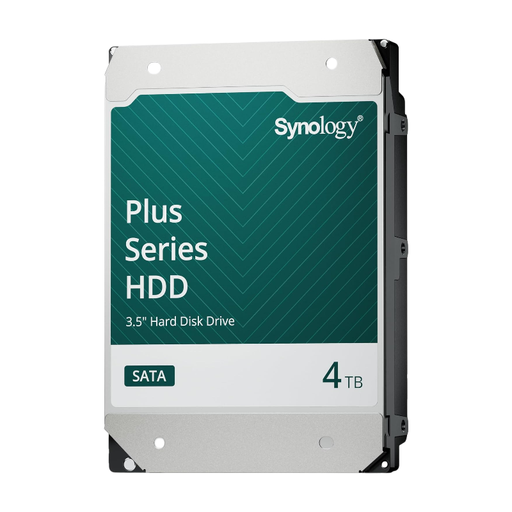
Synology SATA HDD 4TB
A good fit if you want to expand or replace storage in an existing Synology NAS.
Internal SATA drive, 3.5-inch, 4 TB. Check compatibility with your exact NAS model.
View at Joybuy
 No image available
Western Digital WD Red Plus 8TB
A good fit if you need extra storage for an existing NAS enclosure.
Internal NAS hard drive with CMR and SATA 6 Gb/s. Check that the exact version is compatible with your NAS.
View at Joybuy
Frequently asked questions
Can I buy just a NAS drive to share recordings with my workstation?
Only if you already have a suitable NAS enclosure. An internal NAS drive is one part of the storage setup; the enclosure provides network sharing.
Is RAID 1 enough to back up my captures?
No. RAID 1 provides redundancy if a drive fails, while a backup is a separate copy that you can restore from. For important recordings, make a backup too and test that you can restore your files.
How do I get started with a shared NAS?
First, check that the drives are compatible with your exact NAS model. Then set up the storage and user permissions, and test access and backup restoration from your workstation. Installation steps vary by model.
Who should I contact in the Netherlands if a product develops a fault after purchase?
For a consumer purchase, the seller is responsible for the statutory guarantee if the product doesn’t perform as you could reasonably expect under normal use. ACM ConsuWijzer explains that the seller must then put things right free of charge, for example through repair, replacement or a refund. The same conclusion doesn’t automatically apply to a business purchase.
Can I freely share gaming recordings featuring identifiable people?
Not necessarily. The Dutch Data Protection Authority distinguishes between private use within a very limited circle and sharing identifiable footage more widely or for business purposes. Whether the rules apply depends on the content and intended use. Storing recordings on a NAS doesn’t, by itself, give you permission to publish them.


