
Managing a growing RAW archive
You want to store your images centrally and are thinking about usable space and the option to expand later, not just the capacity printed on the drive label.


Start by working out how much usable capacity you need, then check that the exact drive model is compatible with your NAS. For shared use, a CMR NAS drive may be a suitable choice, but the drive alone doesn't determine how quickly your workstation runs: the NAS and network connection matter too. Drive redundancy also isn't a substitute for a separate backup, so Synology recommends having a recovery plan for data stored on a NAS.
You want to store your images centrally and are thinking about usable space and the option to expand later, not just the capacity printed on the drive label.
Several users open or copy RAW files. You want to know whether the drive, NAS and network connection can support the way you work.
You want to be able to recover files after an error or deletion. If your business photos show identifiable people, you'll also want to put appropriate access controls in place.
First, work out how much usable space you need and how often other people will need to access the files at the same time. Then check model compatibility and arrange recovery separately from your primary storage.
| What to consider | What to check before buying | Who should pay extra attention? |
|---|---|---|
| Usable archive space | Assess your current storage needs and expected growth. Calculate the space available for the number of drives and RAID configuration; usable space may be lower than the drives' combined capacity. | As my RAW archive grows, I want to know in advance how much space will remain after configuration. Around 33% of consumers prioritise usable archive space. |
| Simultaneous access | Check that the NAS supports the exact drive model, and assess your network connection too. A drive specification on its own doesn't predict the speed of a shared workstation. | When several colleagues open or copy files at the same time, I want to know whether the whole workflow can handle it. Around 27% of consumers prioritise access for multiple users. |
| Recovery and backup | Decide what you need to be able to restore after data loss, and plan a backup to a separate destination in addition to any redundancy. Synology warns that data loss can still occur when using NAS storage. | If I need to recover valuable images after an error or deletion, I want a plan in place beforehand. Around 20% of consumers prioritise recovery. |
| Model compatibility | Make a note of the full model numbers of the drive and NAS, then check compatibility for that specific combination. Western Digital distinguishes WD Red models with SMR from WD Red Plus models with CMR. | When choosing a drive for my existing NAS, I want to be able to check compatibility at model level. Around 20% of consumers prioritise this compatibility. |
The RAID configuration you choose, system space and volume metadata all affect how much space remains for your files.
Calculate the usable capacity for your planned NAS and storage configuration before choosing drives.
You may need more or larger drives than the capacities on the labels suggest.
Redundancy can help protect against a drive failure, but it isn't a standalone recovery copy. Synology warns that a faulty drive or storage problem can still result in data loss.
Plan and test a backup to a separate destination, based on what you need to be able to recover.
A separate recovery copy requires additional storage and management.
Western Digital distinguishes WD Red models with SMR from WD Red Plus and WD Red Pro models with CMR. The family name alone doesn't tell you which recording technology a particular model uses.
Before buying, check the full model number and recording technology in the specifications.
A quoted transfer speed is a drive specification, not a measurement of the entire workflow. The NAS and network connection also play a part.
Assess the drive, NAS and network together, and only compare specifications when they use the same measurement basis.
Depending on your workflow, you may also need to upgrade your NAS or network connection.
WD Red Plus includes NAS drives such as the 4 TB WD40EFPX reviewed here.
The IronWolf range includes the 4 TB ST4000VN006 variant for NAS storage.
The N300 range includes drives for larger NAS archives; the MN11ACA22TS reviewed here is a 22 TB variant.
The Plus series includes the HAT3300-4T and is designed for use in supported Synology systems.
This selection includes internal NAS drives for central storage of RAW files. Before buying, check that the exact model is compatible with your NAS.
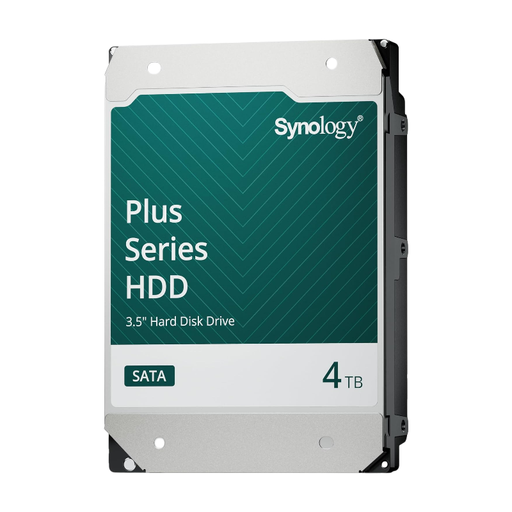 Image unavailable
An option for central storage in a NAS; check that your NAS supports this exact model.
Capacity: 4 TB.
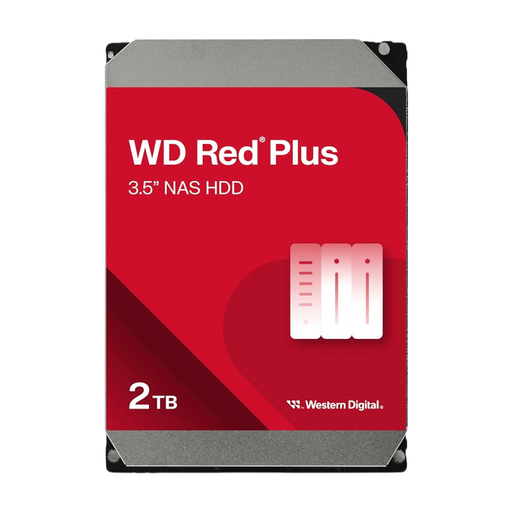 Image unavailable
The capacity may suit a growing archive; first calculate how much of it will be usable in your NAS configuration, and check model compatibility.
Capacity: 12 TB. Cache: 512MB.
 Image unavailable
A potential option for central storage of a growing archive; check how much capacity will remain once your NAS is set up.
Capacity: 6 TB. Cache: 256MB.
 Image unavailable
The stated CMR version may be relevant if you're specifically looking for this recording technology; also check that your NAS supports the full model.
Capacity: 8 TB. CMR. 5.640 rpm. SATA 6 Gb/s. Cache: 256 MB.
No, it depends on the configuration. Synology states that RAID 1 with two drives provides usable capacity equal to that of the smaller drive; system space and volume metadata may reduce the available space further.
Don't assume this will work safely without further checks. Adobe explains that photo files can be stored on a network drive and warns that a connection interrupted during writing can damage a catalogue. Plan your catalogue workflow separately, and back it up too.
It depends on how the photos are used. The Dutch Data Protection Authority considers photos in which people are identifiable to be personal data. An exception may apply when they're used solely for personal or household purposes, but not for business processing. Organisations should determine appropriate security measures based on how they process the data and the associated risks. A NAS drive doesn't, by itself, automatically make data processing GDPR-compliant.