
Existing NAS owner
You want to copy photos from your workstation to your NAS and need a drive that suits your device. Before buying, check the compatibility information from your NAS manufacturer.


Choose an internal NAS drive if your computer or existing NAS has a compatible drive bay, connection and power supply. A standalone SATA drive is not a complete network or USB backup solution. Next, compare the capacity you need and check that the full model code is compatible with your device. Keep a separate copy that you can restore from, too: mirroring drives in the same setup is no substitute.
You want to copy photos from your workstation to your NAS and need a drive that suits your device. Before buying, check the compatibility information from your NAS manufacturer.
You want a local copy of your photos, so first check whether your computer can take an internal drive or whether you need a suitable enclosure or a complete NAS. An empty NAS enclosure is supplied without drives, as Seagate explains in its installation guide.
You want room for your current photos and future additions, without losing sight of the need for a separate copy you can restore from. The National Cyber Security Centre advises keeping multiple versions of your data.
Choose this if: your NAS has a spare drive bay and the manufacturer supports the exact model.
Keep in mind: check compatibility and the usable capacity of your configured storage pool; mirroring is not automatically a separate backup.
Choose this if: you want a local copy at one workstation and your computer or enclosure can accommodate and power the drive.
Keep in mind: an internal SATA drive is not a ready-to-use USB drive; you’ll need to install it and may also need a suitable enclosure.
Choose this if: you want network storage but don’t have a NAS enclosure yet and don’t want to combine separate components yourself.
Keep in mind: check whether the NAS comes with drives or is an empty enclosure.
| What to consider | What to look for | Who is this important for? |
|---|---|---|
| Connection and compatibility | Check the drive bay, connection and power supply. For a NAS, compare the full model code with the manufacturer’s compatibility information. | If I first want to know whether my computer, enclosure or NAS can accommodate the drive, connection and compatibility matter most to me; around 33% of consumers put these first. |
| Recoverability | Keep a recoverable copy outside the same setup and check that you can restore your files. | If I want to be able to recover my photos after a problem, I look beyond mirroring within a single setup; around 27% of consumers give recoverability top priority. |
| Room for photos | Compare the current size of your archive and its expected growth with the capacity of the complete NAS configuration. | As my photo archive grows, I want to have enough usable space left; around 20% of consumers put capacity first. |
| Workspace and overall setup | Check which other components you’ll need and compare noise and power consumption only for the exact model and capacity variant. | If the drive will be close to my workspace, I want to know what the complete setup requires and how it will fit there; around 20% of consumers care most about workspace comfort and total purchase costs. |
A standalone internal drive does not provide a network connection. An empty NAS enclosure is also supplied without drives.
First decide where the drive will be installed and how your workstation will copy the photos to it.
If copies are kept in the same setup or location, a single incident could affect them all.
Plan a separate, recoverable copy and try restoring files from it.
Specifications for one capacity or model variant don’t automatically identify another version.
Compare the full model code and its specifications, especially for capacity, noise, power consumption and any included services.
Western Digital describes the WD Red Plus range as designed for uses including home NAS systems.
Seagate positions IronWolf as a range of internal drives for NAS use.
Toshiba describes the N300 range as designed for uses including NAS storage and desktop RAID; the Dutch range information lists a 4 TB option.
This selection focuses on internal NAS drives for photo storage. Check that your NAS supports each model and has enough room for it.
 No image available
Worth considering if you have a Synology NAS and need extra room for your photo archive. Check that your NAS supports this model.
Capacity: 6 TB.
 No image available
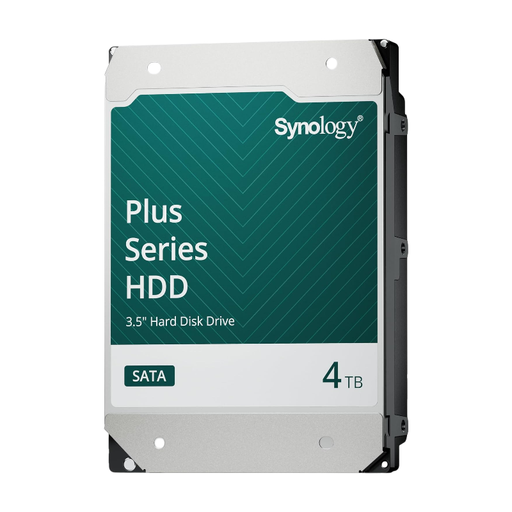
Worth considering if you have a Synology NAS and need a drive for a local photo copy. Check that your NAS supports this model.
Capacity: 4 TB.
 No image available
Worth considering if you use a compatible Synology NAS and need more room for a large photo archive.
Capacity: 16 TB. Rotational speed: 7,200 rpm.
 No image available
Worth considering for NAS storage if you’re looking for an internal drive. Before buying, check that your NAS supports this model.
Capacity: 6 TB. Cache: 256 MB.
 No image available
Worth considering if you’re looking for a WD Red Plus drive for NAS storage and need more capacity. Check that it’s compatible with your device.
Capacity: 8 TB. CMR. SATA 6 Gb/s. Rotational speed: 5,640 rpm. Cache: 256 MB.
Not without a suitable connection and power supply. The internal drives listed are SATA drives; check whether your workstation can accommodate one internally, or choose a suitable enclosure.
Compare the full model code with the compatibility information and installation guide from your NAS manufacturer. A general product family name doesn’t always tell you which version or recording technology a specific drive uses.
Don’t assume that mirroring replaces a separate backup. The National Cyber Security Centre advises keeping multiple versions of your data. Store one copy separately from the same setup and check that you can restore your files.
Your statutory rights when buying as a consumer are separate from any manufacturer’s warranty. The lifespan you can reasonably expect depends on the circumstances; it isn’t a fixed three-year period. According to ACM ConsuWijzer, online purchases generally come with a cooling-off period of up to 14 days after delivery, with some exceptions.