
Photographers with an upcoming handover
You want to check before delivery that your project files haven’t just been copied, but can also be restored. The National Cyber Security Centre recommends testing a backup by opening files from the copy.


Choose a NAS drive whose full model is compatible with your NAS and whose capacity suits your current projects and expected archive growth. A NAS drive or RAID setup isn’t a separate backup in itself: the National Cyber Security Centre recommends testing a backup by opening files, and Synology also recommends keeping a copy in a different location.
You want to check before delivery that your project files haven’t just been copied, but can also be restored. The National Cyber Security Centre recommends testing a backup by opening files from the copy.
You’re weighing up usable storage and future expansion against the number of drives and your NAS setup. DIGIFOTO Pro notes that the storage you need is a factor when deciding how to keep your photos.
As well as storage, you need to consider who can access your photos and how long you need to keep copies. The Dutch Data Protection Authority considers images in which people are identifiable to be personal data.
A successful copy doesn’t prove you can restore your files. The National Cyber Security Centre recommends opening files from a backup as a test.
| What to consider | What to look for | Who is this important for? |
|---|---|---|
| Recoverability | Keep a separate copy and test restoring original files and exported versions. | If I want to know for certain that I can restore project files before handing them over to a client, I put recoverability first. Around 29% of consumers say this is their main concern when buying. |
| Usable storage | Allow for current photos, expected projects and backup versions; check the usable capacity of your NAS configuration. | As my RAW archive grows, I want enough space for projects and versions without relying solely on the capacity printed on the drive label. Around 23% of consumers put capacity first. |
| NAS compatibility | Check the full drive model, form factor and interface against your NAS specifications and compatibility information. | If I’m looking for a drive for my existing NAS, I want to know before buying whether that specific model is supported. Around 18% of consumers make compatibility their top priority. |
| Client data | Check access controls and how you’ll apply your retention period to backup copies too. | When my photos show identifiable people, I want to manage access and retention carefully. Around 18% of consumers put protecting client images first. |
| Complete setup | Factor in the NAS enclosure, drive configuration and separate backup destination when making your choice. | When planning my whole backup setup, I don’t want to focus on just one drive; I also want to consider the other components I’ll need. Around 12% of consumers prioritise the cost of the complete setup. |
If the NAS has a problem, files are deleted or the copy becomes unusable, you may find that you can’t restore your project files.
Keep a separate copy as well, and before handover, test that you can restore a selection of original files and exports. The National Cyber Security Centre recommends opening files from the backup.
A second storage destination and time for recovery tests are part of a practical setup.
Support can vary between drive and NAS models. A product range name doesn’t confirm that every drive will work with your system.
Compare the full model number with your NAS specifications and compatibility information. Synology recommends checking compatibility for each system.
If a model isn’t compatible, you may need to choose a different drive.
If people are identifiable in your photos, stored copies may also be relevant to the protection and retention of personal data.
Record why you’re keeping the images for the relevant project and include backup copies in your deletion process. The Dutch Data Protection Authority states that the GDPR doesn’t set a specific general retention period for personal data.
WD Red Plus is a CMR drive range for NAS use. Check that the full model is compatible with your NAS.
According to Seagate, IronWolf drives are designed for NAS systems with multiple bays.
Toshiba positions N300 as a 3.5-inch NAS drive range for uses including backups and archiving.
The Plus Series is designed for Synology storage systems and may be worth considering if management through DSM is important to you.
This selection features internal NAS drives for local photo archive storage. Check that each full model is compatible with your NAS. You’ll still need a separate, tested backup to restore your files.
 Image unavailable
An option for local storage in a Synology NAS, provided the full drive model is compatible. This internal drive isn’t a separate backup.
Capacity: 6 TB.
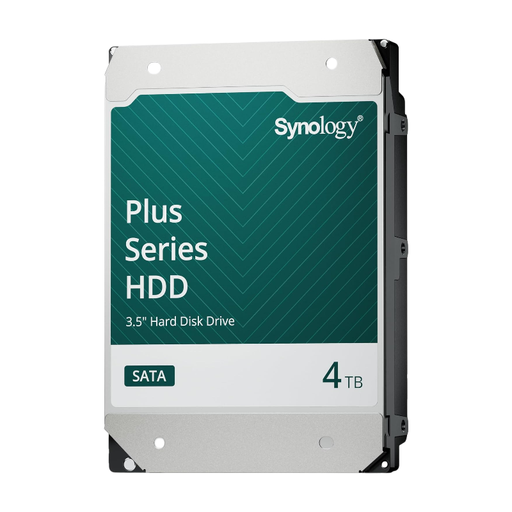 Image unavailable
An option for storing photo projects locally in a Synology NAS, once you’ve checked the full model’s compatibility.
Capacity: 4 TB. A separate, tested backup is still needed for recovery.
 Image unavailable
The capacity may suit a large photo archive. Check that the full model is compatible with your NAS.
Capacity: 16 TB. Listed rotational speed: 7,200 rpm. This internal drive isn’t a separate backup destination.
 Image unavailable
A NAS drive option for local storage. Check that the full model is compatible with your NAS.
Capacity: 6 TB. Cache: 256 MB. Keep a separate copy too, and test that you can restore your files.
 Image unavailable
An option for local storage as your photo archive grows. Check that the full drive model is compatible with your NAS.
Capacity: 8 TB. Listed specifications: CMR, SATA 6 Gb/s, 5,640 rpm and 256 MB cache. You’ll need a separate backup for an additional recovery copy.
No. Alongside your NAS, use a separate backup destination and test that you can restore the project files you need. RAID or snapshots on the same NAS don’t replace that separate copy.
First, check that the full drive model is compatible with your NAS and recognised by the system. Then test the backup job and a restore. If you’re backing up files, open a few of the restored project files.
The Dutch Data Protection Authority states that the GDPR doesn’t set a specific general retention period for personal data. For identifiable people, choose a period that suits the purpose of processing and any other applicable requirements, and include backup copies in your assessment.
No. When making your choice, also factor in the NAS enclosure, drive configuration and a separate backup destination. Before buying, check the warranty and support for the exact drive model and the seller.