What should you look for when choosing?
First, work out how much usable space your archive needs, then check that the full drive model is compatible with your NAS. Set up a separate copy too, and check that you can restore your files.
| What to consider |
What should you check? |
Who is this important for? |
| Restorable copy |
Check which files the task copies, when it runs and whether you can restore a file. |
If I want to be able to restore a file after a long editing session, I look at the task and the restore test. Around 36% of consumers in this buying context prioritise being able to restore their files. |
| Usable storage space |
Measure the size of your current archive and allow for future sessions. With RAID 1, usable space is determined by the smaller drive, according to Synology Knowledge Centre. |
If you need space for existing photos and new sessions, you’ll want to estimate the usable capacity in advance. Around 29% of consumers in this buying context put archive space first. |
| NAS compatibility |
Check the full NAS and drive model, supported capacity, form factor and connection against the NAS manufacturer’s information. |
If I’m expanding an existing NAS or replacing a drive, I want to know first whether the specific variant is compatible with my system. Around 21% of consumers in this buying context prioritise compatibility. |
| Overall backup setup |
Consider which components you already have and what separate copy you want to maintain, possibly in another location. |
If you want to plan the whole setup, take the NAS, any additional drives and the upkeep of a separate copy into account. Around 14% of consumers in this buying context focus mainly on the overall setup. |
NAS drives at Joybuy
This selection includes internal NAS drives that could be used as the destination for a separate local copy. Before buying, check that the exact model and capacity are compatible with your NAS. You’ll also need a suitable NAS and a configured copy task.
 Image unavailable
Synology SATA HDD 6 TB
An internal drive for anyone looking to use a NAS as the destination for a separate local copy. Check that the exact model is supported by your NAS.
Capacity: 6 TB. Connection: SATA.
Joybuy
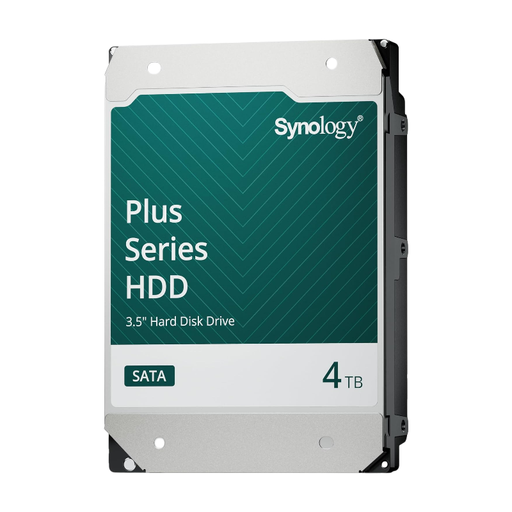 Image unavailable
Synology SATA HDD 4 TB
An internal drive for anyone looking to use a NAS as the destination for a separate local copy. Check that the exact model is supported by your NAS.
Capacity: 4 TB. Connection: SATA.
Joybuy
 Image unavailable
Synology SATA HDD 16 TB
An internal drive for anyone looking for greater capacity for a NAS backup destination. Check that your NAS supports the exact model.
Capacity: 16 TB. Connection: SATA. Rotational speed: 7,200 rpm.
Joybuy
 Image unavailable
WD Red Plus 6 TB
An internal NAS drive for anyone looking to store a separate local copy on a NAS. Check that your system supports the full model.
Capacity: 6 TB. Cache: 256 MB.
Joybuy
 Image unavailable
WD Red Plus 8 TB
An internal NAS drive for anyone looking for more capacity for a separate copy. Check that this variant is suitable for your NAS.
Capacity: 8 TB. Rotational speed: 5,640 rpm. Connection: SATA 6 Gb/s. Recording technology: CMR. Cache: 256 MB.
Joybuy
Frequently asked questions
Are two mirrored NAS drives enough for a backup?
No, not as your only protection. RAID 1 keeps identical data available on both drives if one fails, but on its own it won’t protect against accidental deletion or damage at the NAS’s location. So keep a separate copy and try restoring files from it.
What should you check before installing a drive in an existing NAS?
Check the full NAS and drive model against the manufacturer’s compatibility information, then compare the form factor, connection and capacity. Follow your NAS instructions for installation and initialisation. Formatting or changing a storage pool could affect existing data.
How do the manufacturer’s warranty and data recovery affect the cost?
A drive warranty and the recovery of lost photos are two different things. For the ranges or variant examined, Western Digital and Toshiba specify a limited three-year manufacturer’s warranty. Check the terms for the specific drive, and factor in the NAS enclosure, any additional drives and a separate backup destination too.
Does the GDPR apply to photos you store on a NAS?
For photos you use solely for personal or household purposes and keep private, or share only with a very limited circle, the Dutch Data Protection Authority describes an exemption. This doesn’t automatically apply to business use or wider publication of identifiable people. In those cases, consider which GDPR legal basis applies. Choosing a NAS drive doesn’t change where that line is drawn.


