
Family archive guardian
You want to keep hard-to-replace photo scans and be able to restore a separate copy. Seagate describes an approach using multiple copies and storage media; ID.nl explains why mirroring alone is not a separate backup.


Start by choosing a capacity that suits your current scans and expected growth, then check that your NAS supports the exact 3.5-inch SATA drive. For regular transfers, a CMR NAS drive is a well-founded option, but a drive’s rating won’t predict how quickly files will transfer over your home network. A NAS or mirrored setup is no substitute for a separate, restorable backup.
You want to keep hard-to-replace photo scans and be able to restore a separate copy. Seagate describes an approach using multiple copies and storage media; ID.nl explains why mirroring alone is not a separate backup.
You often add scans or move files between devices. Compare the NAS specifications for the exact drive variant; Western Digital, Seagate and Toshiba describe their NAS drives as suitable for regular use.
You’re looking for extra space and want to check that the full model code is suitable for your NAS enclosure and configuration. Synology describes compatibility policies that can vary by series and software version.
| What to consider | What should you check? | Who is this important for? |
|---|---|---|
| Restoring your archive | Plan a separate storage destination and test that you can restore files; Seagate explains that backup means more than mirroring files. | If scans are difficult to recreate, I want to know how to restore them, not just how to deal with a drive failure. Around 31% of consumers prioritise restoring their family archive. |
| Regular transfers | Compare CMR and the NAS workload rating in the datasheet for the exact variant; Western Digital, Seagate and Toshiba publish specifications for each product range. | With frequent additions and file moves, I want a drive designed for NAS use, without mistaking a workload rating for network speed. Around 25% of consumers prioritise frequent transfers. |
| Usable archive space | Measure your current archive and allow for growth, formatting and any mirroring; ID.nl explains how mirroring affects usable capacity. | I want space for everything I’ve scanned so far and what’s still to come, without counting mirrored storage as extra usable space. Around 25% of consumers prioritise having enough room for archive growth. |
| NAS compatibility | Compare the full model code, form factor and connection with the information for your NAS model and software version; Synology describes differences between series. | If I’m expanding my NAS, I want to know before buying whether the exact drive and configuration are supported. Around 19% of consumers prioritise compatibility with their NAS. |
With mirroring, the same files are stored on both drives. This can help if one drive fails, but it doesn’t give you the separate restore copy your archive may need.
Alongside your NAS, plan a separate backup destination and try restoring a file.
A second storage destination takes extra management and time for restore checks.
Formatting and your chosen storage configuration affect how much space is available. With mirroring, two drives store the same data.
Compare the size of your current archive and expected growth with the capacity of your planned configuration.
As your archive grows, you may need a larger or additional drive.
Support can depend on the NAS series, software version and exact drive model code.
Check the full model code in the compatibility information for your NAS before ordering.
Choosing an unsuitable model could mean changing your selection or exchanging the drive.
WD Red Plus is a NAS HDD range. Western Digital lists CMR models including the 4 TB WD40EFPX and the 12 TB WD120EFGX.
IronWolf is Seagate’s NAS HDD range. Seagate describes the range as using CMR and gives it a workload rating of 180 TB per year; the manual identifies ST4000VN006 as an IronWolf model.
Toshiba N300 is a 3.5-inch SATA range for NAS use. Toshiba Storage Solutions lists a 4 TB version, among others.
These options are intended for internal storage in a NAS for a photo archive. Check each model’s compatibility with your NAS; you’ll still need a separate backup destination for a restorable copy.
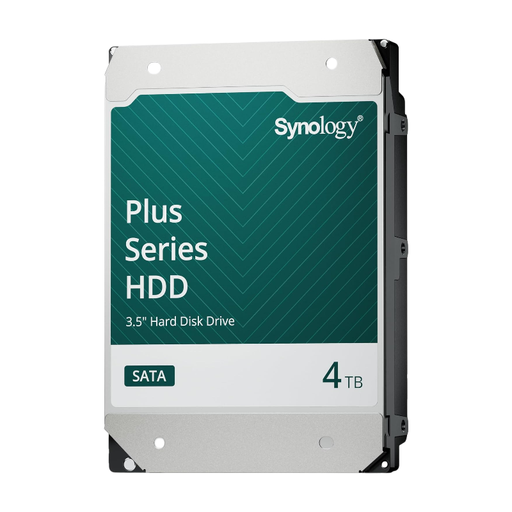 No image available
An option for an internal NAS archive with 4 TB of capacity. The product description positions this drive for Synology systems, so check compatibility with your exact NAS model.
SATA HDD, 4 TB.
 No image available
This version may suit an archive that needs plenty of capacity. The product description positions this drive for Synology systems, so check your exact NAS model.
SATA HDD, 16 TB, 7,200 rpm.
 No image available
A NAS drive option for an archive that needs room to grow. Work out the usable capacity based on your configuration and plan a separate backup.
6 TB, 256 MB cache.
 No image available
An internal NAS drive option if you’re looking for a larger archive capacity. Check that the full variant is compatible with your NAS and allow for a separate backup.
8 TB, 5,640 rpm, SATA 6 Gb/s, CMR, 256 MB cache.
No, not if you need a separate restore copy of your photo archive. Mirroring stores the same data on two drives and can help if one drive fails. You should also plan a separate backup destination and check that you can restore files, as Seagate and ID.nl explain.
Find the full model code and compare the form factor, connection and compatibility information for your NAS model and software version. Synology explains that support can vary by series.
Start with the size of your current scans and allow for future growth. Formatting and your storage configuration affect the available space. With mirroring, both drives contain the same data, as ID.nl explains.
No. CMR alone doesn’t tell you how quickly files will transfer over your home network. Compare the specifications of the exact drive and also consider the capabilities of your NAS and network.
According to the Dutch Data Protection Authority, the exception for personal or household use applies when you keep photos private or share them only with a very limited circle. Wider publication or business use is a different legal situation.