
Archive manager preparing for a move
Wants to be able to find and restore the recording after moving equipment and files. The Synology Knowledge Centre recommends keeping a separate backup as well as storing files on a NAS.


First, check the size of your recording files and make sure the drive model is compatible with your NAS. Then choose the capacity you need. Before the move, keep a separate copy somewhere else and check that you can open it: the Synology Knowledge Centre warns that a NAS or RAID setup on its own is not a complete backup. If singers can be identified, make sure access is properly controlled and don’t keep the recording for longer than necessary.
Wants to be able to find and restore the recording after moving equipment and files. The Synology Knowledge Centre recommends keeping a separate backup as well as storing files on a NAS.
Needs a drive that fits the available bay, the exact NAS model and the space required for the archive. Check the full drive variant with the NAS manufacturer.
Wants to make the recording available to authorised people and prevent unwanted access if singers can be identified. The Dutch Data Protection Authority stresses that organisations must control access to personal data.
Start by making sure you have a copy of the recording that you can access. Then check NAS compatibility and how much storage space you actually need.
| What to consider | What should you check? | Who should pay particular attention? |
|---|---|---|
| Restoring files after the move | Keep a separate copy somewhere else and check that you can open the recording before the move. | I don’t want to rely on a single NAS when equipment or files are being moved. Around 40% of consumers asking this buying question put recoverability first. |
| Compatibility with your NAS | Check the full NAS model, the drive model and the NAS manufacturer’s latest compatibility information. | I want to know in advance whether the exact drive variant will work in my NAS, not just whether the brand and capacity are familiar. Around 30% of consumers put compatibility first. |
| Usable storage space | Add up the existing files and the versions you want to keep. Also consider the usable capacity of your chosen NAS configuration. | I want enough room for the current take and planned future recordings, rather than relying on the stated terabyte capacity. Around 20% of consumers put archive space first. |
| Access to the recording | Decide who needs the recording and whether singers can be identified. Set NAS access and the retention period to match your purpose. | I want only authorised people to be able to access the choir files. Around 10% of consumers put controlled access first. |
If the storage setup fails, files stored on it could be lost too. The Synology Knowledge Centre warns that a hard drive or RAID failure can lead to data loss.
Before the move, keep a separate copy somewhere else and check that you can open the recording.
You’ll need an additional storage destination, as well as time to create and check the copy.
Compatibility can vary between NAS series and software versions, so a drive from a NAS range won’t necessarily work with every NAS.
Compare the full drive variant with the latest compatibility information for your NAS model.
The wrong choice could mean extra research or time spent arranging an exchange.
Usable space depends in part on your files and the NAS configuration you choose.
Measure your archive and check the usable capacity of your planned setup before choosing a drive.
Audio may contain personal data if people can be identified from it, either directly or indirectly. The Dutch Data Protection Authority highlights the importance of measures to prevent unauthorised access.
Decide who needs the recording and limit access to suit that purpose.
The WD Red Plus range includes the 4 TB WD40EFPX variant, which Western Digital says is designed for NAS use.
The IronWolf range includes the 8 TB ST8000VN004 for NAS use.
Toshiba describes its N300 range as 3.5-inch SATA drives for NAS use, with variants starting at 4 TB.
These product options are internal NAS drives for storing your choir recording. Before buying, check the full product variant and its compatibility with your NAS.
 No image available
An option if an internal drive for a Synology NAS suits your storage needs; check compatibility with your exact NAS model.
Product information lists 6 TB, CMR, SATA 6 Gb/s, 5400 RPM and a 3.5-inch SATA design. The description mentions use with Synology NAS systems and firmware management via DSM.
Also keep a separate copy somewhere else.
 No image available
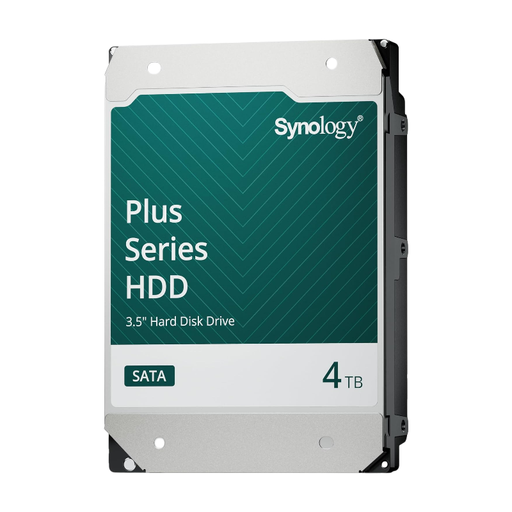
An option if an internal drive for a Synology NAS suits your storage needs; check compatibility with your exact NAS model.
Product information lists 4 TB, CMR, SATA 6 Gb/s, 5400 RPM and a 3.5-inch SATA design. The description mentions use with Synology NAS systems and firmware management via DSM.
Also keep a separate copy somewhere else.
 No image available
An option if your archive and planned recordings need the stated capacity; first check compatibility with your exact NAS model.
Product information lists 16 TB, CMR, SATA 6 Gb/s, 7200 RPM and a 3.5-inch SATA design. The description mentions use with Synology NAS systems and firmware management via DSM.
Also keep a separate copy somewhere else.
 No image available
An option for internal NAS storage if this capacity and variant are compatible with your NAS.
Product information lists 6 TB, CMR, SATA III 6 Gb/s and 256 MB cache. The description mentions NAS systems with up to eight bays and 24/7 use.
Also keep a separate copy somewhere else.
 No image available
An option if your archive and planned recordings need this capacity; check compatibility with your NAS.
Product information lists 8 TB, CMR, SATA 6 Gb/s and 256 MB cache. The description mentions a 3.5-inch SATA design for NAS systems with up to eight bays.
Also keep a separate copy somewhere else.
Not if it’s your only other copy. The Synology Knowledge Centre warns that problems with a hard drive or RAID setup can cause data loss. Before the move, keep a separate copy somewhere else and check that you can open the recording.
Compare the full NAS and drive model numbers with the NAS manufacturer’s latest compatibility information. Synology describes policies that can vary by product series and software version, so don’t assume the same applies to every NAS.
If a recording contains personal data, the Dutch Data Protection Authority says it must not be kept for longer than necessary. The GDPR does not set one specific period for all cases; decide how long to keep this recording based on its purpose.
That depends on the recording and how you share it, not on the NAS drive you choose. If people can be identified, the choir should agree appropriate arrangements for handling the recording and controlling access. Music by others may also involve rights relating to recording or making it available to the public; what applies to this recording depends, among other things, on the repertoire and how it is used.