What should you look for when choosing?
First decide where active files will be edited. Then work out the usable capacity you need and choose a NAS and drives that are compatible with each other.
| What to consider |
What to look for when buying |
Who should pay extra attention? |
| Usable capacity and room to grow |
Add up your project folders and expected growth, then compare this with the usable space after configuring the drives. Check whether drives are included. |
If I want to store a growing archive of large projects, usable space comes first. Around 31% of consumers prioritise capacity and growth above all else. |
| Active work files |
Check whether files need to stay local for each application, then check the network ports on your computer and NAS. |
If I want to keep editing active source files smoothly, I first consider where my working files are stored. Around 25% of consumers prioritise their active workflow. |
| File recovery |
Check that both local project folders and NAS files are backed up, choose a separate destination and test recovery. |
If I need to be able to retrieve design files and their source material, recoverability matters most. Around 25% of consumers make this their main reason for buying. |
| Compatible drives and a complete setup |
Check the full drive model and the NAS compatibility information; include separate drives when putting together your setup. |
If I’m expanding an existing NAS or putting together a complete setup, I want to know in advance which drives are compatible. Around 19% of consumers prioritise drive compatibility above all else. |
Joybuy products for shared storage and NAS drives
These Joybuy products include NAS enclosures for shared project storage and standalone drives for a compatible Synology NAS. A standalone drive requires a suitable enclosure; check compatibility for the exact model.
 No image available
Synology DiskStation DS1525+
A good fit for shared project storage if you’re looking for an expandable NAS enclosure.
Five bays, expandable to 15, and two 2.5GbE ports. Hard drives are not included.
Joybuy
 No image available
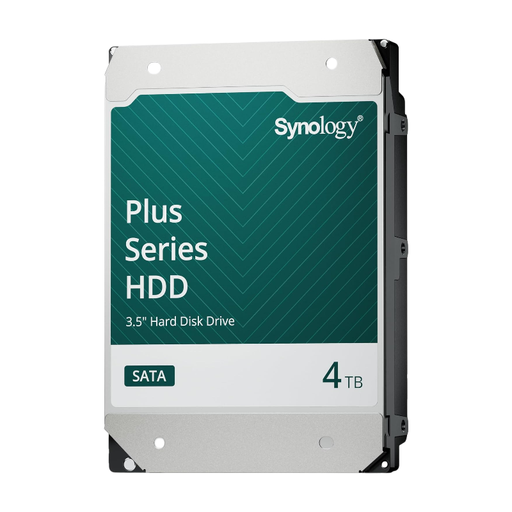
Synology SATA HDD 4TB
An option for adding storage to a compatible Synology NAS.
4TB, 3.5-inch SATA and CMR. Requires a compatible NAS enclosure.
Joybuy
 No image available
Synology SATA HDD 16TB
For those looking to add capacity to a compatible Synology NAS.
16TB, 3.5-inch SATA, 7200 RPM and CMR. Requires a compatible NAS enclosure.
Joybuy
 No image available
Synology DiskStation DS1825+
A good fit for a growing project archive and shared network storage.
Eight bays, expansion options and two 2.5GbE ports. Check which drives are compatible with your setup.
Joybuy
 No image available
Western Digital WD Red Plus 8TB
A standalone NAS drive for expanding a compatible enclosure.
8TB, 3.5-inch, SATA 6 Gb/s and CMR. Requires a compatible NAS enclosure; check compatibility for the exact model.
Joybuy
Frequently asked questions
Can I edit active Photoshop files directly from a NAS?
Adobe outlines potential performance and reliability issues when Photoshop files are stored on a network, and does not support network drives as scratch disks. Keep your active workspace local when using Photoshop, and check how project versions are transferred to the NAS. This specific guidance does not automatically apply to other applications.
Is RAID in a NAS enough as a backup?
No. A NAS or RAID configuration alone is not a substitute for a separate backup. Synology also recommends backing up to another location, and the Netherlands’ National Cyber Security Centre advises testing your recovery process. Check that both design files and source files are included.
Do I have to buy Synology drives for a Synology DS925+?
Not as a general rule: according to Synology, 2025 DiskStation Plus models running DSM 7.3 allow you to install third-party hard drives. However, Synology distinguishes between being able to install a drive and having tested support for it. Check the exact drive model, compatibility information and your DSM version.
What are my rights when ordering online in the Netherlands?
For a distance purchase by a consumer, ACM ConsuWijzer says you generally have up to 14 days after delivery to change your mind, subject to exceptions. The seller is responsible for the statutory guarantee; in the Netherlands, there is no single fixed duration that applies to every product. These consumer rules do not necessarily apply to a business purchase.
Do I need to consider the GDPR if customer materials are stored on my NAS?
If your organisation processes personal data, the Dutch Data Protection Authority says you must determine appropriate security measures based on the risks. Processing data purely for personal or household use falls outside the GDPR. Whether design files contain personal data, and which measures are appropriate, depends on how they are used.


