What should you look for when choosing?
First, check whether the game itself supports controller input. Then compare connection options, how easy it is to use from where you sit, and any extra costs.
| What to consider |
What should you check? |
Who is this important to? |
| Compatibility |
Check that the controller works with your PC or console, and that the specific game supports controller input. |
If I want to play a narrative game from the sofa, both my device and the game need to support the controller; around 36% of consumers put compatibility first. |
| Reading and navigation |
Check the game’s text settings and whether the button layout feels comfortable for menus and choices. |
If I want to read text on the TV and take my time over choices, I look for clear text and easy-to-use controls; around 29% of consumers give these things top priority. |
| Distance and power |
Compare the distance with the cable length. For wireless use, check the connection and power options supported by the exact model. |
If I sit further away from the console, I want to know whether a cable will reach or whether the wireless connection will work with my device; around 21% of consumers focus mainly on playing distance and power. |
| Cost and service |
Check what’s included with the version you’ve chosen and whether paid-for extra cover adds anything to your statutory rights. |
If I’m weighing up the total purchase cost and what happens if something goes wrong, I want to know what else I might need and who to contact; around 14% of consumers prioritise cost and after-sales support. |
Controllers at Joybuy
This selection includes controllers for PC and Xbox, PS5, Nintendo Switch and Nintendo Switch 2. Before buying, check whether your specific game supports the controller and whether the connection is compatible with your device.
 No image available
Xbox Wireless Controller for Xbox Series/PC - Ice Breaker Special Edition
For playing on a Windows PC or Xbox, provided the game supports controller input.
The product information lists Windows 10/11, Bluetooth or USB-C, and included AA batteries. It also mentions a hybrid D-pad and button mapping.
Joybuy
 No image available
Nintendo Switch Pro Controller - Black
For playing on Nintendo Switch; Nintendo also confirms wireless use with Switch 2.
Nintendo estimates that the battery lasts around 40 hours, depending on use.
Joybuy
 No image available
Sony PlayStation 5 DualSense Wireless Controller - White
A PS5 controller for playing narrative games on that console.
The product information lists haptic feedback and adaptive triggers. According to PlayStation, haptic feedback on PC requires a supported game and a USB connection.
Joybuy
 No image available
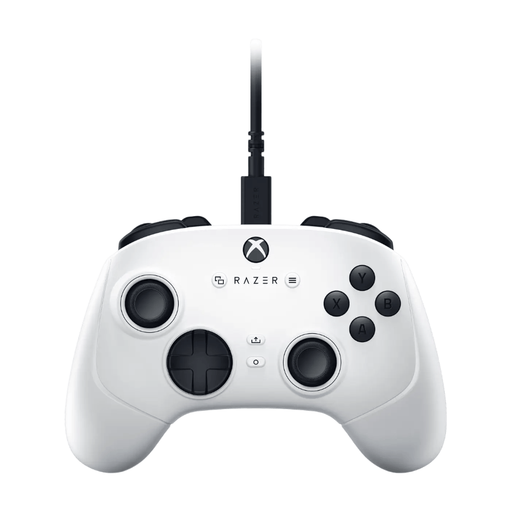
Razer Wolverine V3 Tournament Edition White
For a regular gaming setup with a PC or Xbox, if a wired connection suits you.
The product information lists a detachable 3 m USB-C cable, four paddles and six assignable buttons.
Joybuy
 No image available
Nintendo Switch 2 Official Pro Controller - Black
For playing narrative games on a Nintendo Switch 2.
The product information lists Bluetooth and a rechargeable battery. Nintendo lists a C Button and customisable GL/GR buttons, among other features, for the Switch 2 Pro Controller.
Joybuy
Frequently asked questions
Can Steam Big Picture make every interactive narrative game playable with a controller?
No, Big Picture doesn’t automatically make every game playable with a controller. Steam describes it as a TV-friendly interface for PC and controller use. You should also check the input options for the specific game. Slay the Princess lists full controller support, while the information we found for Survive, Resist, Collaborate lists keyboard and mouse options without mentioning controller support.
How do I connect a controller to play from the sofa?
Choose a connection that’s supported by both your device and the exact controller model. For the Ultimate 2C Wireless, 8BitDo lists an included 2.4GHz receiver or a cable for Windows, not Bluetooth. For DualSense on supported PCs, PlayStation lists USB-C or Bluetooth. Then check that the game supports controller input.
Should I buy extra cover, and who can help if something goes wrong?
No, you don’t need extra cover to have statutory rights. According to the Government of the Netherlands, you’re entitled to a product that works properly, and you should be able to contact the retailer first if it’s faulty. Before buying, check whether paid-for extra cover genuinely adds anything to the rights you already have.
What are the rules for an online purchase if the controller isn’t right for me?
For many distance purchases from a retailer, the Government of the Netherlands says you have a 14-day cooling-off period. There are exceptions, and a purchase from a private seller doesn’t count as a distance purchase, according to the Government of the Netherlands. Check which terms apply to your purchase.


