
Handheld gaming in daylight
You play near a window and want to move or tilt the screen to read clues. The screen version and brightness settings matter more to you than TV features.


First, choose the mystery games you want to play, then decide whether you’ll mainly play on a handheld screen or a television. With a handheld, you can adjust where you sit to suit the light; with a TV console, readability also depends on your television. None of the screen specifications mentioned guarantees that a console will be easy to read in every bright room.
You play near a window and want to move or tilt the screen to read clues. The screen version and brightness settings matter more to you than TV features.
You already have detective or puzzle games in mind. So check the platform, edition and any backwards compatibility first.
You want to switch between a personal screen and the television. In that case, the available play modes and the readability of both screens are important.
Start with the exact game titles on your list, then choose a way to play that suits the light in your room. Assess a built-in screen and a television separately.
| What to consider | What to look for | Who is this most important for? |
|---|---|---|
| Readability in daylight | Compare the exact screen version and brightness settings; also consider how light falls on the screen. | If I want to read small clues in daylight, I focus on reflections and the exact screen version. Around 36% of consumers put daylight readability first. |
| Game availability | Check the exact title and edition on your chosen platform; check older Switch games individually for Switch 2 compatibility. | If you’ve already chosen detective or puzzle games, first check whether those specific titles will play on the console you’re considering. Around 29% of consumers give game availability their highest priority. |
| Switching between screens | Check whether the version supports handheld, tabletop and/or TV play; assess each screen separately. | If you want to switch between your personal screen and the television depending on the light, the available play modes are key. Around 21% of consumers prioritise this flexibility. |
| Version and running costs | Check whether the version is digital, whether you might need extra storage and whether a subscription is required for a particular way to play. | If you want to understand any limitations and possible extras first, compare the exact version with your games and how you plan to use it. Around 14% of consumers put costs and version limitations first. |
A brightness specification or screen type alone won’t tell you how much window light will be reflected in your room. Valve specifically lists etched anti-glare glass for the 1TB version of the Steam Deck OLED.
Compare the exact screen version and assess it in lighting conditions similar to those in your own room.
Nintendo warns that some Switch games are not fully compatible with Switch 2, or won’t work at all.
Before buying, check the compatibility of every title you definitely want to play.
The PS5 Digital Edition has no disc drive; Microsoft describes the Xbox Series S as all-digital.
Check which formats your existing and desired mystery games are available in.
You may need digital versions of your games; alternatively, another console version may be a better fit if you want to use discs.
The Government of the Netherlands explains that there is no fixed statutory warranty period in the Netherlands, and that an additional manufacturer’s or retailer’s warranty does not replace your statutory rights.
Keep your proof of purchase and contact the retailer if a product is faulty.
Nintendo’s Switch models support handheld and tabletop play, as well as TV play. Nintendo Netherlands lists mystery and puzzle games for the Switch platform.
The Steam Deck OLED is a portable option for games in your Steam library. Valve lists etched anti-glare glass for the 1TB OLED version.
The PS5 Digital Edition is a TV console for digital games. PlayStation Netherlands lists mystery games for PS5.
The Xbox Series S is an all-digital TV console. Microsoft lists versions with 512 GB and 1 TB of storage.
Joybuy games console picks for playing mystery games in a bright room.
 No image available
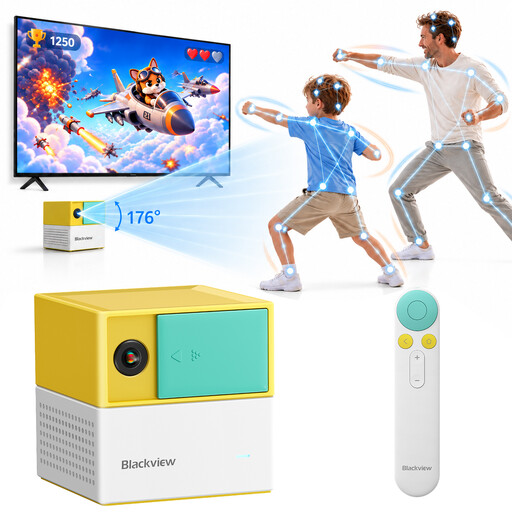
Worth considering if you’re looking for motion controls and built-in games; the product name lists 22 family and educational games.
The product name lists 8GB+128GB, WiFi6, Bluetooth5.0 and a 12MP camera with a privacy shutter. According to the product information, this version has no built-in battery.
 No image available
Worth considering if you want to switch between handheld, tabletop and TV play; check that the mystery games on your list are made for this console.
The product name lists 32GB and a physical Mario Kart 8 Deluxe game card. Check compatibility for any Switch games you want to play on Switch 2 individually.
 No image available
Worth considering if you only want to play in handheld mode; according to the product information, this version does not support TV output.
The product name lists 32GB and a download of Tomodachi Life: Living the Dream, with a 30-day Nintendo Switch Online trial.
 No image available
Worth considering if you’re looking for a handheld games console; check in advance that the mystery games on your list are suitable for this version.
The product name lists 16GB RAM and a 512GB SSD. According to the product information, the charger must be purchased separately.
 No image available
Worth considering if you want to switch between the built-in screen and a television. Nintendo says you can adjust the brightness in handheld and tabletop modes.
Nintendo warns that some Switch games are not fully compatible with Switch 2, or won’t work at all; check any must-have titles individually.
Yes. In handheld and tabletop modes, you can use automatic brightness or adjust it manually. According to Nintendo, this setting does not apply in TV mode; check your television’s settings and reflections instead.
No, not automatically. Nintendo says some Switch games are not fully compatible, or won’t work at all. Check the exact title before choosing Switch 2 for an existing game collection.
No. Sony offers cloud streaming for a selection of PS5 games; this requires, among other things, PlayStation Plus Premium and a broadband connection. Check that your game and account meet the requirements.
No. The Government of the Netherlands explains that there is no fixed statutory warranty period in the Netherlands: you’re entitled to a product that works properly for as long as you could reasonably expect it to. If there’s a fault, contact the retailer; a manufacturer’s warranty is in addition to your statutory rights.
The relevant EU rules apply to electrical equipment with Wi-Fi or Bluetooth, including rules for radio equipment. According to the Dutch business portal, the required CE marking and an EU declaration of conformity are relevant. Check the exact version for a specific offer; a declaration for one model does not automatically identify every item on offer.